A website doesn't have to be a brochure. It can be a journey.
Immersive storytelling websites—also called interactive motion design experiences—transform the way brands communicate. They replace static pages with scroll-driven narratives, 3D environments, and interactive moments that make visitors feel like participants, not just viewers.
The key word is interactive. If there's no interaction, make a video. What makes storytelling websites powerful is that visitors control the experience—they scroll, they explore, they engage. This fundamental difference changes how people remember your brand.
This guide breaks down what storytelling websites are, why they outperform traditional sites and video for the right use cases, and how to plan, budget, and execute one that actually converts.
Who this is for: Brand directors, marketing leads, creative directors, and agencies planning a brand refresh, product launch, campaign microsite, or corporate site that needs to stand out.
Key Takeaways
- Storytelling websites guide visitors through a narrative arc—not just a list of pages—creating emotional engagement and memorability.
- Interaction is essential: scroll, drag, explore. Without interaction, you're just making a video with extra steps.
- Research shows interactive experiences create stronger emotional responses and better recall than passive video—the same reason video games are more memorable than films.
- Keep it focused: 5 scenes maximum. Visitors want to experience your story in 2-3 minutes, not 10.
- These are technically challenging projects—high-quality 3D, smooth performance across devices, and polished interactions require specialized expertise.
- Budget ranges from $15,000 for simple scroll narratives to $150,000+ for full 3D explorable environments.
- Storytelling websites are built for brand impact and social virality, not SEO. For search-first strategies, consider less animated approaches.
1. What Is an Immersive Storytelling Website?
An immersive storytelling website is a web experience designed around a narrative structure—with a beginning, middle, and end—rather than a traditional page-based hierarchy.
Instead of navigating between "About," "Products," and "Contact," visitors scroll through a story that unfolds progressively, revealing content through animation, interaction, and pacing. Think of it as interactive motion design—cinematic visuals that respond to user input.
Key characteristics:
- Scroll-driven narrative: Content reveals as you scroll, creating a sense of progression
- Mandatory interactivity: Visitors don't just watch—they control, explore, and discover
- Visual storytelling: Imagery, animation, and 3D carry as much weight as text
- Emotional pacing: Moments of drama, pause, and payoff—like a film, but participatory
- Sound design: Music, ambient audio, or SFX that amplify key moments
What it's NOT:
- A video—if there's no interaction, that's what you should make instead
- A website with a few scroll animations bolted on
- A slow, heavy site that sacrifices usability for aesthetics
- Style without substance—immersion must serve a purpose
2. Why Storytelling Websites Work (Better Than Video)
2-1. Interactive experiences create deeper emotional connection
Here's something interesting: research on video games vs. films consistently shows that interactive media creates stronger emotional responses and better recall than passive viewing. When people have agency—when they control the experience—they form deeper connections with the content.
The same principle applies to storytelling websites. When visitors scroll through your brand story at their own pace, drag a product to examine it from different angles, or trigger reveals through their actions, they're not just watching. They're participating. And participation creates memory.
This emotional connection drives:
- Higher brand recall (people remember what they did, not what they watched)
- Stronger purchase intent
- More word-of-mouth sharing ("you have to try this website")
2-2. They stand out in a sea of sameness
Most corporate and brand websites follow the same template: hero image, three feature boxes, testimonials, footer. Visitors have seen it thousands of times.
A storytelling website breaks the pattern. It signals:
- "This brand is different"
- "This brand cares about craft"
- "This experience is worth my time"
2-3. They guide visitors toward action
Traditional websites leave navigation to the visitor. Storytelling websites lead visitors through a curated path—building understanding, desire, and trust before presenting a call to action.
This guided journey can significantly improve conversion for complex products or high-consideration purchases.
2-4. They're built to go viral
Unique web experiences get shared. They get featured on design awards sites, posted on social media, and covered by press.
The Utsubo studio website generated 5 million organic views on X (Twitter) in 2025—without paid promotion. A well-executed storytelling website is a marketing asset that generates organic reach far beyond what traditional sites achieve. For a broader look at why this shift is happening—and how AI is accelerating it—see our guide to web design trends 2026 for decision-makers.
3. When to Use a Storytelling Website (and When Not To)
Best use cases
| Use Case | Why Storytelling Works |
|---|---|
| Brand story / About page | Origin stories and missions are inherently narrative |
| Product launches | Build anticipation, reveal features dramatically |
| Campaign microsites | Time-limited experiences benefit from memorable moments |
| Luxury / premium brands | Craft and detail signal quality |
| Tech products | Interactive 3D demos show what static images can't |
| Game studios | Extend game worlds to web, build hype before launch |
| Recruitment / employer branding | Culture is best shown through story, not bullet points |
When to stick with traditional
| Use Case | Why Traditional Works Better |
|---|---|
| E-commerce with large catalogs | Users need fast navigation, filtering, search |
| SEO-focused content sites | Search engines prefer clear hierarchy and text-heavy pages |
| SaaS dashboards / tools | Utility over experience |
| High-frequency return visits | Regular users want efficiency, not narrative |
| Very limited budget | Storytelling requires investment to do well |
A note on SEO
Storytelling websites are optimized for brand impact and social sharing, not search engine rankings. The heavy use of JavaScript, animations, and interactive elements makes them harder for search engines to crawl and index.
If SEO is your primary goal, consider a hybrid approach: a traditional, text-rich site structure for search discovery, with storytelling experiences for key landing pages where you want to convert and impress visitors who arrive through other channels.
4. Five Storytelling Websites Worth Studying
The sites below were picked for their narrative mechanism, not their tech stack — the specific decision each one makes about how a visitor moves through a story. Two of them barely scroll at all. One doesn't use 3D in the conventional sense. What they share is that the interaction is the storytelling, rather than decoration layered on top of it.
If you want picks chosen by rendering technique instead, see our gallery of the best Three.js websites. If you want the judging criteria behind the awards mentioned here, that's covered in award-winning website design.
4-1. Santioni Spirits — A Comic Book You Drink
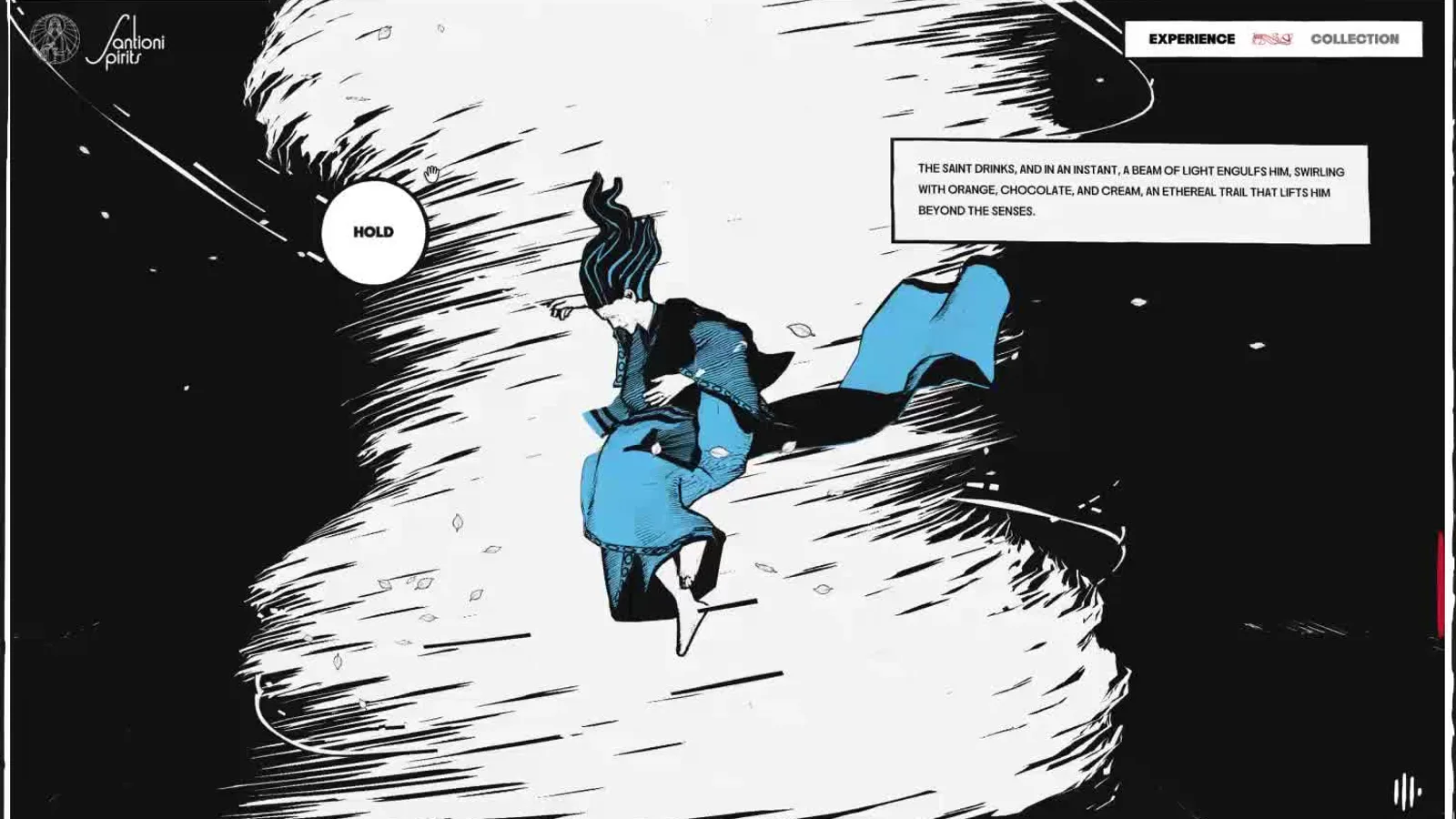
What it is:The Notturno Experience, the launch site for Santioni Spirits' bottled cocktails, built by Active Theory with sound design by plan8. It took FWA of the Month for August 2026 (after FWA of the Day on August 18, 2026) and was an Awwwards Nominee on August 30, 2026. The brief was introduction rather than conversion: the product barely appears until you've been through the story.
The narrative move: The site treats the browser viewport as a comic panel. Black-and-white ink illustration with a single spot colour, hand-lettered narration boxes that sit in the frame exactly where a comic would put them, and a rough-edged border that reads as printed paper rather than a web container. Crucially, progression is driven by a hold-to-advance interaction, not scroll — you press and keep pressing while the panel resolves. That single change converts a passive reader into someone applying continuous pressure to make the story move, and it gives the sound design somewhere to live: the audio builds against your hold rather than against a scroll position.
What to steal:Replace scroll with a gesture that costs something. Scroll is free and involuntary, so it generates no tension. A hold, a drag, or a press asks for a small deliberate commitment, and that commitment is what makes the payoff land. If your story has a moment of transformation in it, put a gesture under that moment.
Visit:santionispirits.com
4-2. IVRESS — A Story That Ends Where It Begins
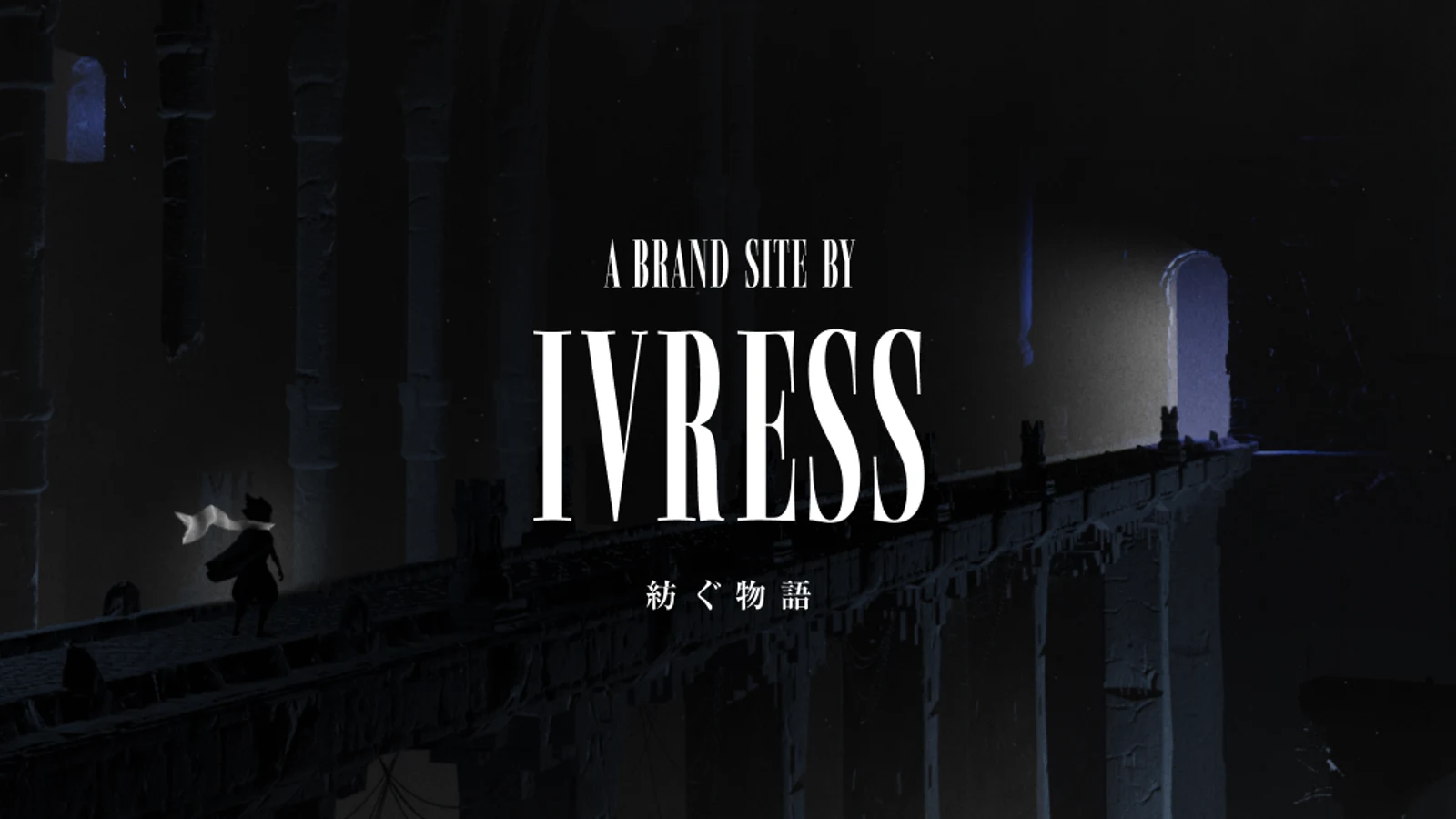
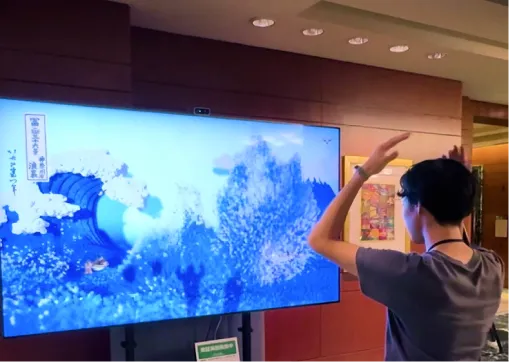
What it is:IVRESS — Spin a Tale, our own project, produced with Laugh Mind Co., Ltd. It took FWA of the Month for May 2026, Awwwards Site of the Day (June 28, 2026) and CSS Design Awards Website of the Day (May 7, 2026). We're including our own work here because it's the clearest example we can speak about from the inside — every claim below is something we made a decision about, not something we inferred from the outside.
The narrative move: There is no voiceover, no explainer copy, no "our mission" block — meaning is carried by pacing and reaction rather than by sentences. The structural decision is that the story loops: across seven scenes, the last one returns you to the first, and the ending is also the opening. That isn't a convenience for repeat visitors, it's the argument — the cycle is the meaning, so the experience has no terminal state to arrive at.
Seven is two more than the five-scene maximum this guide recommends in the narrative arc section, and the exception is deliberate rather than an oversight. That rule exists to protect a resolution — a linear arc has to reach its payoff before attention runs out, so every extra scene is a risk to the ending. A loop has no resolution scene to protect. The binding constraint becomes the length of each scene rather than the number of them, and the visitor can leave at any point without having missed a conclusion. Treat it as a narrow exemption: if your site ends on a call to action, five still applies.
Making that land put the weight on the transitions. Where most 3D sites cut between scenes, here each scene has to become the next one — continuous camera and material changes rather than hard edits — because a loop with a visible seam is just a page that reloads. The last transition is the hardest one in the project: it has to close the circle without announcing that you've been here before, so a second pass reads as continuation rather than repetition.
What to steal:A loop is a legitimate structure — use it when the idea is cyclical. Most narrative sites end on a wall: the story stops and the visitor is stranded. Returning to the start removes that dead end and lets the second viewing carry different meaning than the first. It only works if your transitions are continuous, so budget for them as scenes in their own right, not as the gaps between scenes. The technical side — authoring shaders once so they run on both rendering backends — is covered in our WebGPU and Three.js migration guide.
Visit:brand.ivress.co.jp
4-3. Why Zero — Making the Visitor Earn the Next Scene
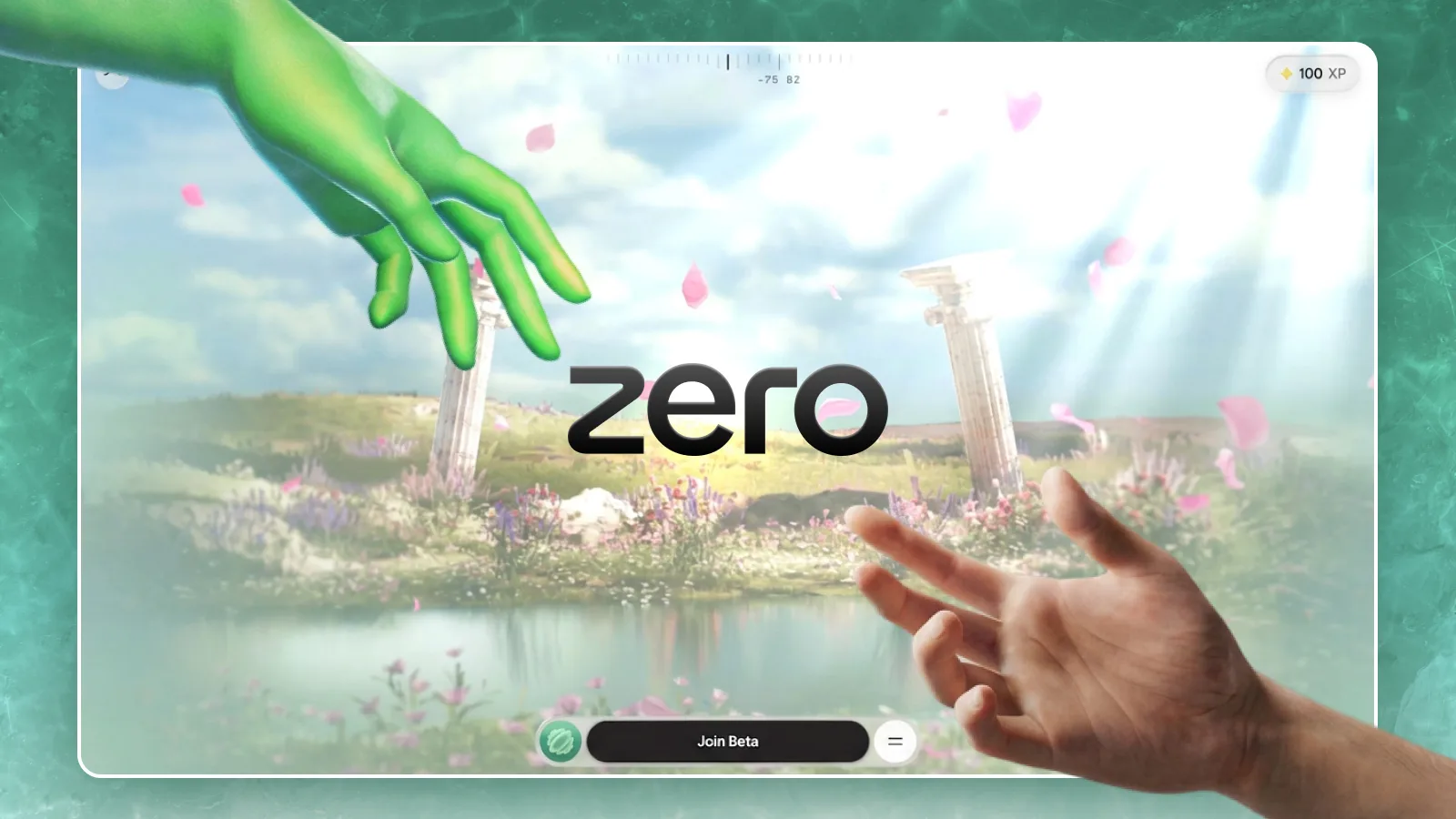
What it is: The launch site for Zero University, credited on Awwwards to Sindhur Dutta with Zero — an individual and brand credit rather than an agency one. It won Awwwards Site of the Day (September 7, 2026) and CSS Design Awards Website of the Day (August 11, 2026). The argument it makes is that conventional education is broken and should be replaced by real projects and real jobs.
The narrative move: It borrows game structure for an argument. Scroll drives a 3D parallax sequence, but progression is gated: sections unlock rather than simply appear, some transitions require a hold to proceed, and an XP counter sits in the corner accumulating as you go. There's an interactive map navigated with game-style controls, and the waitlist form at the end is presented as an origami fold rather than a set of inputs. The structural insight is that a site arguing "learning should feel like doing, not watching" would undermine itself by being a document you passively read. The mechanics are the argument.
What to steal:Let the interaction model restate your thesis. Before choosing scroll behaviour, write down the one sentence your site is trying to prove, then ask whether the way the page moves supports that sentence or contradicts it. A gamified unlock on a law firm's site is a gimmick; on this site it's the point.
Visit:why.zero.university
4-4. Where Worlds Take Shape — A Portfolio You Walk Around In

What it is: A portfolio by French developer Jérôme Reynet (who publishes as paodao — the handle, not the project name), built as a playable WebGL world. It won Awwwards Site of the Day (May 3, 2026). Projects aren't listed anywhere; you find them by walking to them.
The narrative move: This one abandons scroll entirely. You control a character across an open landscape with mouse, keyboard, touch or gamepad, and the work reveals itself through exploration rather than sequence. Technically it's a genuine real-time scene — procedural grass, parallax occlusion mapping for surface depth without the geometry cost, and small embedded mini-games at certain points. The narrative consequence is that there's no fixed order: two visitors leave with different impressions because they walked different routes. That's a real trade-off, not a free win — it costs you control over first impressions, and it's the right trade only when discovery is itself the message. For a developer proving he can build interactive worlds, the site is the portfolio piece.
What to steal:Non-linear only works when the subject is exploration. Most brands need a controlled first thirty seconds and should stay linear. But if what you're selling is range, curiosity, or craft, letting people wander demonstrates it in a way a sequence never can.
Visit:paodao.fr
4-5. Ponpon Mania — Proof You Don't Need 3D
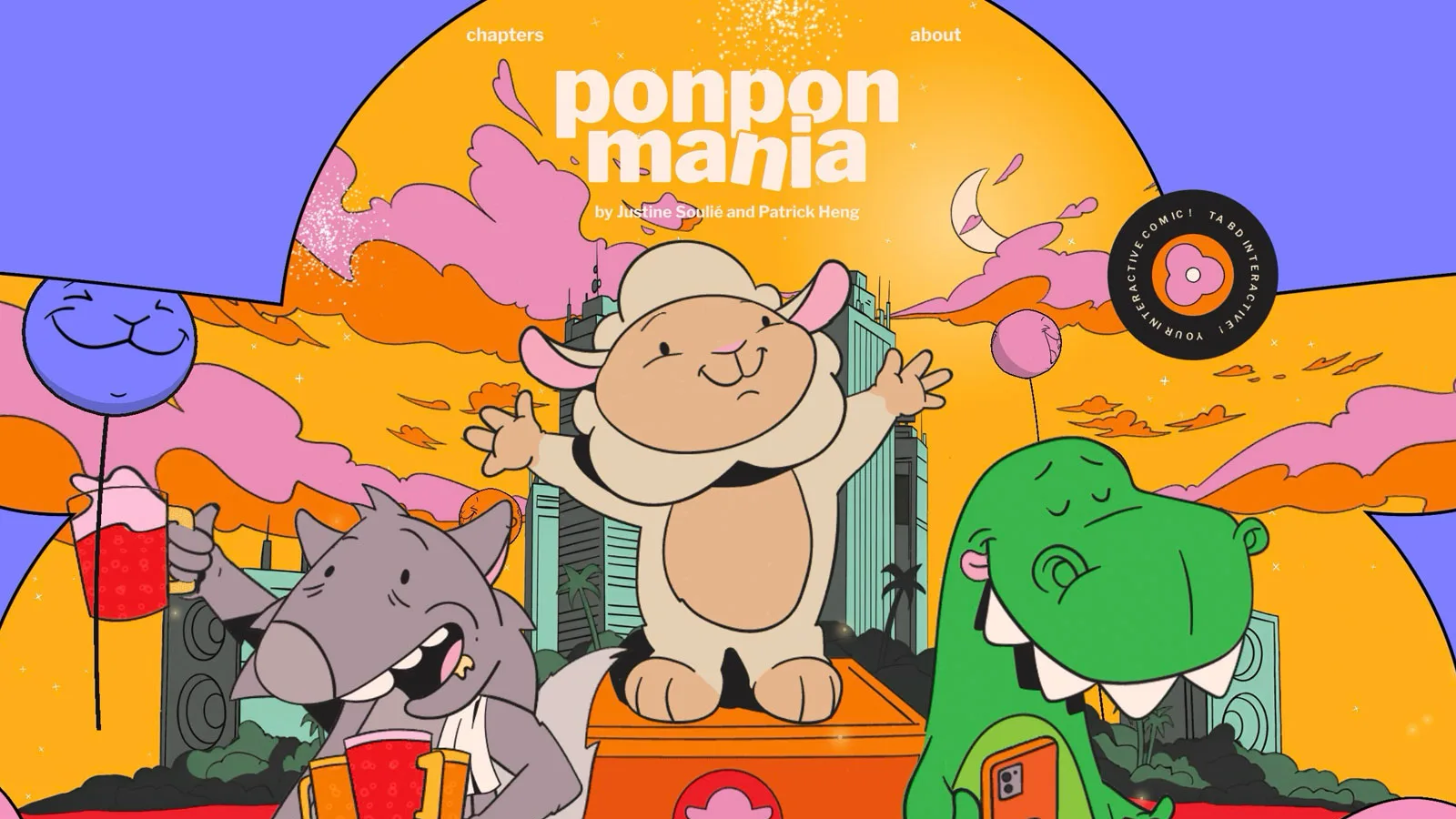
What it is: An interactive web comic following a megalomaniac sheep trying to make the world dance, made by art director Justine Soulié and creative developer Patrick Heng — two people, no studio. It won Awwwards Site of the Day (October 22, 2025), a Developer Award, and Awwwards Site of the Month for October 2025. It's the oldest pick here and still the most instructive.
The narrative move: Chapters are structured like tracks on an album rather than pages in a document, so the site reads as a release you work through. Technically it's the outlier: it runs on OGL, a deliberately minimal WebGL library, rather than Three.js — with Nuxt for structure, GSAP for animation, Matter.js for physics and Lenis for scroll. Illustration does the emotional work; the code exists to make drawings respond. Panels react, objects have weight and fall, and elements behave as if they have mass, which is what makes a flat 2D comic feel inhabited. The Developer Award went to a site with almost no 3D in it.
What to steal:Pick the lightest runtime that serves the art direction. A big 3D framework is a poor default when the story is illustrated — it adds weight you'll spend the rest of the project optimising away. Physics applied to 2D artwork buys more perceived life per kilobyte than a 3D scene does, and it runs well on the mid-range phones most of your audience actually uses.
Visit:ponpon-mania.com
5. Anatomy of a Storytelling Website
5-1. Think storyboard, not wireframe
Traditional websites are designed with wireframes—boxes showing where content goes. Storytelling websites require storyboards—scene-by-scene breakdowns showing how the experience unfolds over time.
Like a film, you're designing:
- What happens in each scene
- How scenes transition
- Where the emotional beats land
- What the visitor can interact with
This is a fundamentally different design process than traditional web design.
5-2. The narrative arc (5 scenes maximum)
Every story has structure. For websites, keep it tight—visitors want to experience your story in 2-3 minutes, not 10. Five scenes is the sweet spot:
Hook (0-15% of scroll): The first animation after loading must be impactful. Bold visuals, unexpected motion, ideally accompanied by music or sound effects. You have 3 seconds to convince visitors this is worth their time.
Context (15-35%): Set the scene. Who is this brand? What world are we entering? What problem exists?
Journey (35-70%): The meat of the story. Introduce products, capabilities, or ideas. Build understanding through progression.
Climax (70-85%): The emotional peak. The big reveal, the key insight, the moment of transformation.
Resolution (85-100%): The payoff. Clear call to action, contact options, next steps.
The one exception: looping experiences. This five-scene ceiling exists to protect scene 5 — a linear arc has to land its resolution before attention runs out. A story that loops back to its opening has no resolution to protect, so it can carry more scenes; our own IVRESS runs seven. The constraint shifts to the length of each scene, and to transitions continuous enough that the seam never shows. If your experience ends on a call to action, stay at five.
5-3. Interactive moments (this is what makes it work)
Interactivity creates agency—visitors become participants. Without these moments, you've just made an elaborate video.
Essential interactions:
Mouse/touch-controlled camera: Moving the cursor shifts the camera perspective slightly, giving meaning to the 3D space. On mobile, gyroscope input creates the same effect by tilting the device.
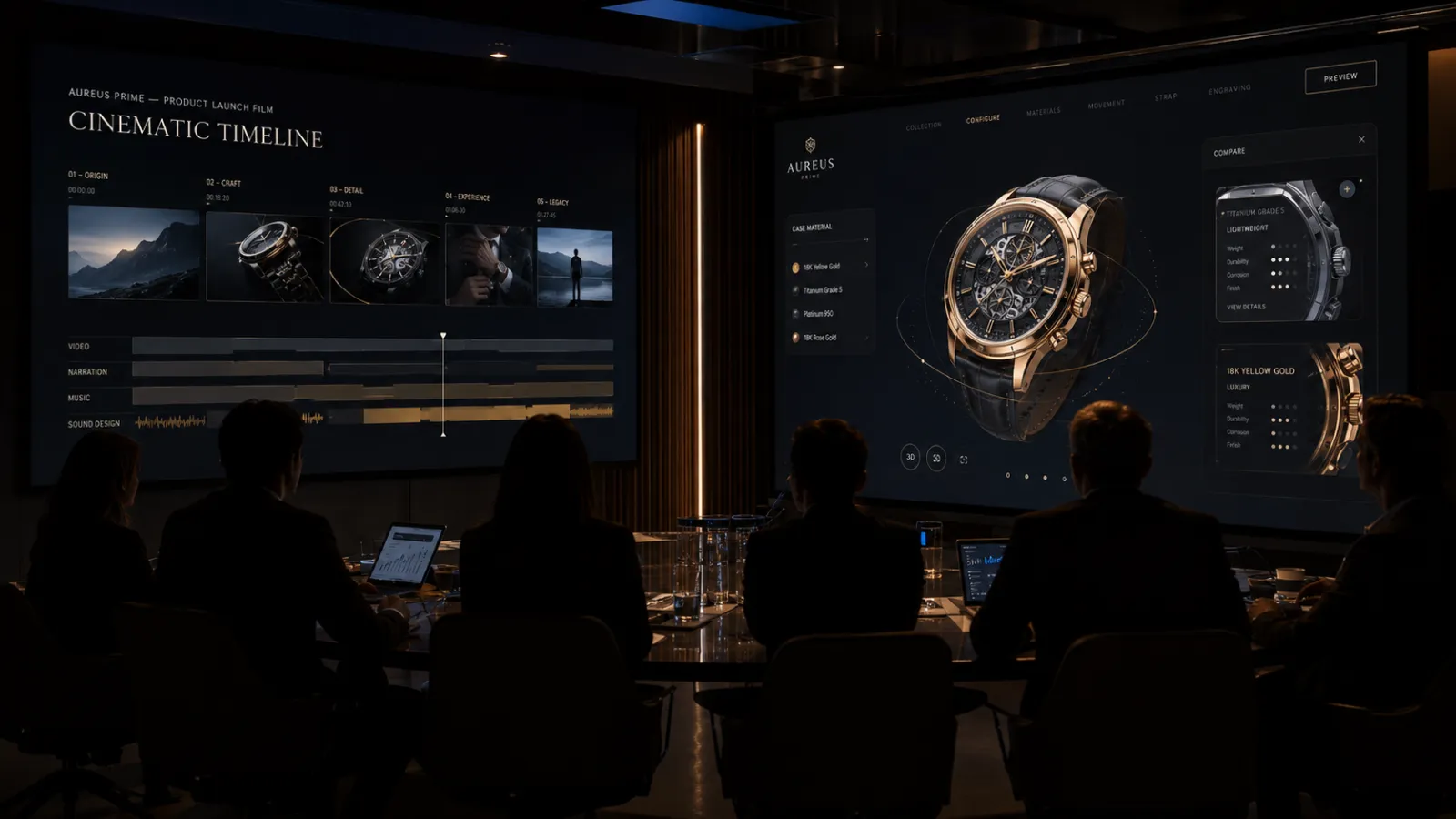
Product exploration: Visitors can pause the narrative to drag and rotate a 3D product, examining it from any angle. A luxury watch brand might let you spin the timepiece to see the movement; a tech company might let you explore their device's ports and features.
Scroll-controlled animation: The visitor controls the pace of reveals. Scrolling becomes the interaction—fast or slow, forward or back.
Choice points: "Explore the design story" or "See the technology"—let visitors choose their path.
Concrete examples for luxury and tech brands:
Luxury watch brand: As visitors scroll through the brand story, they reach a scene where the watch appears. They can pause and drag to rotate the watch 360°, zoom into the dial to see the craftsmanship, then continue scrolling through the heritage narrative.
Electric vehicle launch: Scrolling reveals the car from different angles. At key moments, visitors can drag to spin the vehicle, open doors to see the interior, or tap hotspots to explore features—all within the narrative flow.
5-4. Visual and audio design
- Cinematography mindset: Think in scenes, not sections
- Typography as storytelling: Size, weight, and timing of text reveals
- Color progression: Palette can shift as the story evolves
- Sound design: Not optional—music and SFX dramatically amplify emotional impact, especially at the hook
- Microinteractions: Small delights that reward attention
6. Technical Approaches
6-1. The WebGPU revolution
WebGPU is changing what's possible on the web. This next-generation graphics API delivers dramatically better performance than WebGL, pushing browser-based 3D quality closer to what you'd see in a pre-rendered video—but with full interactivity.
This means:
- Richer, more detailed 3D environments
- Smoother animations at higher frame rates
- More complex particle effects and lighting
- All running in real-time, responding to user input
The gap between "3D video" and "interactive 3D web experience" is closing fast. WebGPU lets you have the visual quality of video with the engagement benefits of interactivity.
6-2. Core technologies
- Three.js: The leading 3D library for web
- GSAP + ScrollTrigger: Industry standard for scroll-triggered animations
- Lenis: Smooth scroll library for butter-smooth scrolling
- React Three Fiber: Three.js for React developers
- Gaussian splatting: Photoreal captured scenes as a scroll-driven alternative to modeled 3D
- Spline / Rive: No-code 3D and animation tools for simpler projects
6-3. Performance optimization
Immersive doesn't mean slow. Key techniques:
- Progressive loading: Load content as needed, not all at once
- Asset optimization: Compressed textures, efficient 3D models, modern image formats (WebP, AVIF)
- Code splitting: Only load JavaScript when sections need it
- GPU acceleration: Use CSS transforms and WebGL for smooth animations
- Device detection: Serve appropriate quality levels based on device capability
6-4. Why this requires specialized expertise
Storytelling websites are technically challenging—significantly more so than traditional web development. Making high-quality 3D, complex animations, and interactive elements run smoothly across a wide range of devices (from the latest iPhone to a 3-year-old Android) requires deep expertise in:
- WebGL/WebGPU optimization
- 3D asset preparation and compression
- Animation performance tuning
- Cross-device testing and fallbacks
This isn't work for a generalist web agency. Studios that specialize in interactive experiences have solved these problems many times and know the pitfalls to avoid.
7. The Creation Process
Phase 1: Strategy & Story
- Define objectives: What should visitors feel, learn, and do?
- Identify the narrative: What's the story structure?
- Audience research: Who are we speaking to?
- Competitive analysis: What stories are competitors telling (or not)?
- Success metrics: How will we measure impact?
Phase 2: Concept & Storyboard
- Storyboarding (not wireframing): Scene-by-scene breakdown of the journey
- Visual direction: Mood boards, style exploration
- Interaction design: What can visitors control? Where are the moments of agency?
- Prototype key moments: Test critical interactions early
- Sound direction: Music, effects—plan the audio experience
Phase 3: Development
- Technical architecture: Framework, libraries, hosting
- Asset production: 3D models, animations, optimized images
- Build and integrate: Bring storyboard to life in code
- Performance optimization: Test and tune for speed across devices
- Cross-browser/device testing: Ensure consistent experience
Phase 4: Launch & Amplify
- Soft launch for testing and feedback
- Analytics setup: Track scroll depth, interaction, conversion
- Social strategy: These are built to be shared—plan for it
- Performance monitoring
- Iteration based on data
8. Budget Ranges
| Project Type | Budget Range | What You Get |
|---|---|---|
| Simple scroll narrative | $15,000–$30,000 | Single-page scroll with animations, basic interactivity, optimized images |
| Rich storytelling site | $30,000–$70,000 | Multiple scenes, custom illustrations/animations, interactive elements, sound |
| 3D-enhanced experience | $70,000–$120,000 | WebGL/Three.js integration, 3D product viewers, explorable environments |
| Full immersive production | $120,000–$200,000+ | Custom 3D worlds, extensive interactivity, original music, multi-language |
Budget factors:
- 3D complexity: Custom 3D models and environments add significant cost
- Animation volume: More scenes = more animation work (keep to 5 scenes)
- Custom illustration: Original art vs. stock imagery
- Sound design: Licensed music, custom composition
- Multi-language: Each language requires content adaptation, not just translation
- Device optimization: Supporting older devices requires additional development
9. Measuring Success
Engagement metrics
- Scroll depth: How far do visitors scroll? 90%+ indicates compelling content
- Time on page: Longer dwell time suggests engagement (2-3 minutes is strong for a 5-scene site)
- Interaction rate: What percentage trigger interactive elements?
- Replay rate: Do visitors scroll back up to re-experience sections?
Business metrics
- Social shares: Organic amplification—this is where storytelling sites excel
- Press coverage: Featured on design sites, industry publications
- Award recognition: Awwwards, FWA, CSS Design Awards
- Conversion rate: Form submissions, purchases, sign-ups
- Brand recall: Survey-based measurement pre/post launch
What NOT to expect
- SEO rankings: These sites aren't built for search. Don't measure success by organic traffic.
- High page counts: It's one experience, not a content library.
10. Common Pitfalls (and How to Avoid Them)
10-1. No real interaction
Problem: Beautiful scroll animations, but visitors can't actually do anything. It's basically a video that requires scrolling.
Solution: Design specific moments where visitors have agency—drag to explore, choose paths, control the camera. If you can't identify 3+ genuine interaction points, reconsider whether you need a storytelling website or just a video.
10-2. Too long
Problem: 15 scenes, 10-minute scroll. Visitors abandon halfway.
Solution: Maximum 5 scenes. Respect your visitors' time. Better to leave them wanting more than to lose them to fatigue.
10-3. Weak hook
Problem: The loading finishes and... nothing happens. Or a gentle fade-in. Visitors close the tab.
Solution: The first animation must be impactful. Bold motion, unexpected visuals, ideally with music or sound. You're competing with everything else on the internet—earn attention immediately.
10-4. Poor performance
Problem: The site looks amazing but takes 15 seconds to load, or runs at 10fps on mobile.
Solution: Performance budget from day one. Test on real devices (not just your MacBook Pro). Work with a studio that understands WebGL optimization.
10-5. Mobile afterthought
Problem: Desktop experience is stunning; mobile is broken or boring.
Solution: Design for mobile in parallel. Replace hover interactions with tap/gyroscope. Some interactions need completely different approaches on touch devices.
10-6. No clear path forward
Problem: Visitors reach the end and don't know what to do.
Solution: Clear, compelling calls to action. The story should lead somewhere.
11. About Utsubo: Storytelling Web Experiences
Utsubo is a creative studio specializing in immersive web experiences and interactive installations.
For web, we focus on:
- Scroll-driven storytelling and narrative design
- 3D web experiences using Three.js and WebGPU
- High-performance animations that don't sacrifice load times
- Brand websites that stand out and convert
Our own studio website reached 5 million organic views on X in 2025—we understand what makes interactive experiences shareable.
Our team combines creative direction, technical development, and performance optimization—so you don't have to coordinate between multiple agencies.
If you're planning a brand site, product launch, or campaign that deserves more than a template, we can help you tell the story.
12. Book a 30-Minute Planning Call
Considering a storytelling website for your brand or product? Book a 30-minute project call to discuss:
Whether a storytelling approach fits your objectives
Realistic scope and budget for your project
Technical approach and device requirements
Book a call:https://cal.com/utsubo/30min?source_url=%2Fblog%2Fimmersive-storytelling-websites-guide
13. Storytelling Website Checklist
- We have a clear narrative structure with a maximum of 5 scenes
- The hook is impactful—bold first animation with sound
- We've identified 3+ genuine interaction points (not just scroll animations)
- Visitors can control something meaningful (camera, 3D objects, path choices)
- Performance budget is defined—will it run on mid-range phones?
- Mobile experience uses touch and gyroscope intentionally
- Clear calls to action guide visitors to next steps
- Sound design is planned (music, SFX)
- We're measuring social shares and engagement, not just SEO metrics
- We have a specialized studio with interactive/3D expertise
FAQs
How long does a storytelling website take to build? Typically 10-16 weeks from kickoff to launch, depending on complexity. Simple scroll narratives can be faster (8-10 weeks); full 3D productions take longer (14-20 weeks). The strategy and storyboarding phases are as important as development—rushing them leads to weaker stories.
Will a storytelling website hurt my SEO? Storytelling websites aren't designed for SEO—they're designed for brand impact and social sharing. If search rankings are your primary goal, consider a hybrid approach: SEO-friendly pages for discovery, storytelling experiences for conversion. Don't expect a storytelling site to rank for keywords; do expect it to convert and be shared when people arrive.
What's the difference between a storytelling website and just adding animations? Animations are decoration; storytelling is structure. More importantly, interaction is what separates storytelling websites from video. If visitors can't control, explore, or discover—if they're just watching—you should have made a video instead.
Do users actually scroll through the whole experience? Yes—when it's well-paced and not too long. Well-designed storytelling sites with 5 scenes achieve 80-95% scroll depth. The keys: impactful hook, frequent rewards, and keeping total experience under 3 minutes.
Why are these more expensive than traditional websites? The technical challenges are significantly greater. Making 3D content run smoothly across devices, optimizing performance, creating polished interactions—this requires specialized expertise that most web agencies don't have. You're paying for skills that are closer to video game development than typical web development.
Can storytelling websites work on mobile? Yes, but they require intentional mobile design. Replace hover effects with tap interactions. Use gyroscope input for camera control. Optimize 3D assets aggressively. The best mobile storytelling uses vertical scroll, touch-friendly interactions, and considers that 60%+ of traffic will be mobile.
What are the best storytelling websites to study in 2026? Five worth studying closely, each for a different narrative mechanism: Santioni Spirits by Active Theory (comic panels advanced by holding rather than scrolling), IVRESS by Utsubo (a looping short-film arc whose closing scene returns to its opening), Why Zero by Sindhur Dutta (game-style unlocks and an XP counter used to make an argument about education), Where Worlds Take Shape by Jérôme Reynet (a portfolio explored as a playable world), and Ponpon Mania by Justine Soulié and Patrick Heng (an interactive comic built with physics instead of 3D). Each is broken down in the gallery above.
Do storytelling websites have to use 3D? No. Ponpon Mania won an Awwwards Developer Award with almost no 3D—it applies physics to 2D illustration so flat artwork responds with weight and motion. 3D is one way to create presence, not the only one. Illustration with physics, typography, sound design, and well-paced transitions can carry a narrative on their own, and they typically load faster and run better on mid-range phones. Choose 3D when the story needs space and depth, not by default.


 Technology-First Creative Studio