A $300M condo project. 250 units. One unsold $1.2M unit carries roughly $5,000/month in financing, taxes, marketing, and HOA — money that quietly shaves IRR off your pro forma every week the keys aren't handed over. If your real estate developer website moves three units faster than the next launch's average, that's $15,000/month back. Most flagship project sites pay for themselves the week the sales gallery opens.
That's the lens this guide uses. Not "best agency." Not "lead capture optimization." A project-launch website is a sales accelerator, and your spend on it should be pegged to inventory carry cost — not to whatever the agency's last hospitality client paid.
This guide covers how residential and mixed-use developers should budget, scope, and procure project websites in 2026 — from $15K teaser microsites through $500K+ flagship immersive launches with Gaussian Splatting walkthroughs and multi-language buyer journeys.
Who this is for: Marketing directors, VPs of marketing, and digital leads at residential or mixed-use real estate developers ($50M–$5B+ projects). Sales directors briefing branding agencies. Branding agencies that need a credible procurement framework for their developer clients.
Key Takeaways
- A real estate developer website is a pre-sales velocity tool, not a brochure. Budget against unsold-unit carry cost — typically $3K–$8K per unit per month — not against marketing-team line items.
- Project sites split into 4 tiers: teaser microsite ($15K–$40K), project launch site ($60K–$180K), flagship immersive site ($200K–$500K+), and corporate developer portfolio ($80K–$250K).
- Floor plan explorers, live unit availability + price grids, neighborhood storytelling, and 3D walkthroughs are the four features that consistently move units. Everything else is supporting infrastructure.
- For luxury and international buyers, multi-language is non-negotiable. Plan for English + 2–4 locales (Mandarin, Japanese, Korean, Arabic), localized contact channels (WeChat, LINE, KakaoTalk), and currency switching from day one.
- Site lifecycle has 3 phases: teaser (12–18 months pre-launch), launch (6 months pre-handover through sellout), and archive (post-sellout reference). Each phase has different content and tech requirements.
- The 7 most expensive mistakes are placeholder copy at launch, broken floor-plan UX on mobile, no archive plan post-sellout, and leaking pricing too early in jurisdictions where this triggers reservation rules.
- ROI math: If your site shortens average days-on-market by 5%, on a $300M project that's typically $400K–$1.2M+ saved in carry. The site should be one of your highest-ROI marketing line items.
1. Why Developer Websites Are Different
A real estate developer website is not a brokerage site, not a corporate site, and not a portfolio site — even when it shares features with all three.
1-1. The pre-sales window is finite
Brokerage sites optimize for endless inventory churn. Developer sites optimize for a single, dated event: handover. There's a 6–24 month window where most units must move. Miss it and you carry inventory at $3K–$8K per unsold unit per month, plus loan interest a healthy IRR can't absorb forever. Speed of decision support — fast-loading floor plans on a phone in the sales gallery, virtual tours an absent buyer can navigate at 2 a.m. their time — moves units. Static brochureware doesn't.
1-2. Unit-by-unit inventory, not a product catalog
Each unit is a unique SKU with a price, view, exposure, floor, layout, and status. The site has to express this without overwhelming buyers and without leaking sensitive pricing. That requires real data architecture, not a Webflow CMS for "projects." The closest analog is a constrained e-commerce site — except the buyer is making a $1M+ decision and the conversion event is an in-person meeting, not a checkout button.
1-3. The website is a sales-gallery extension
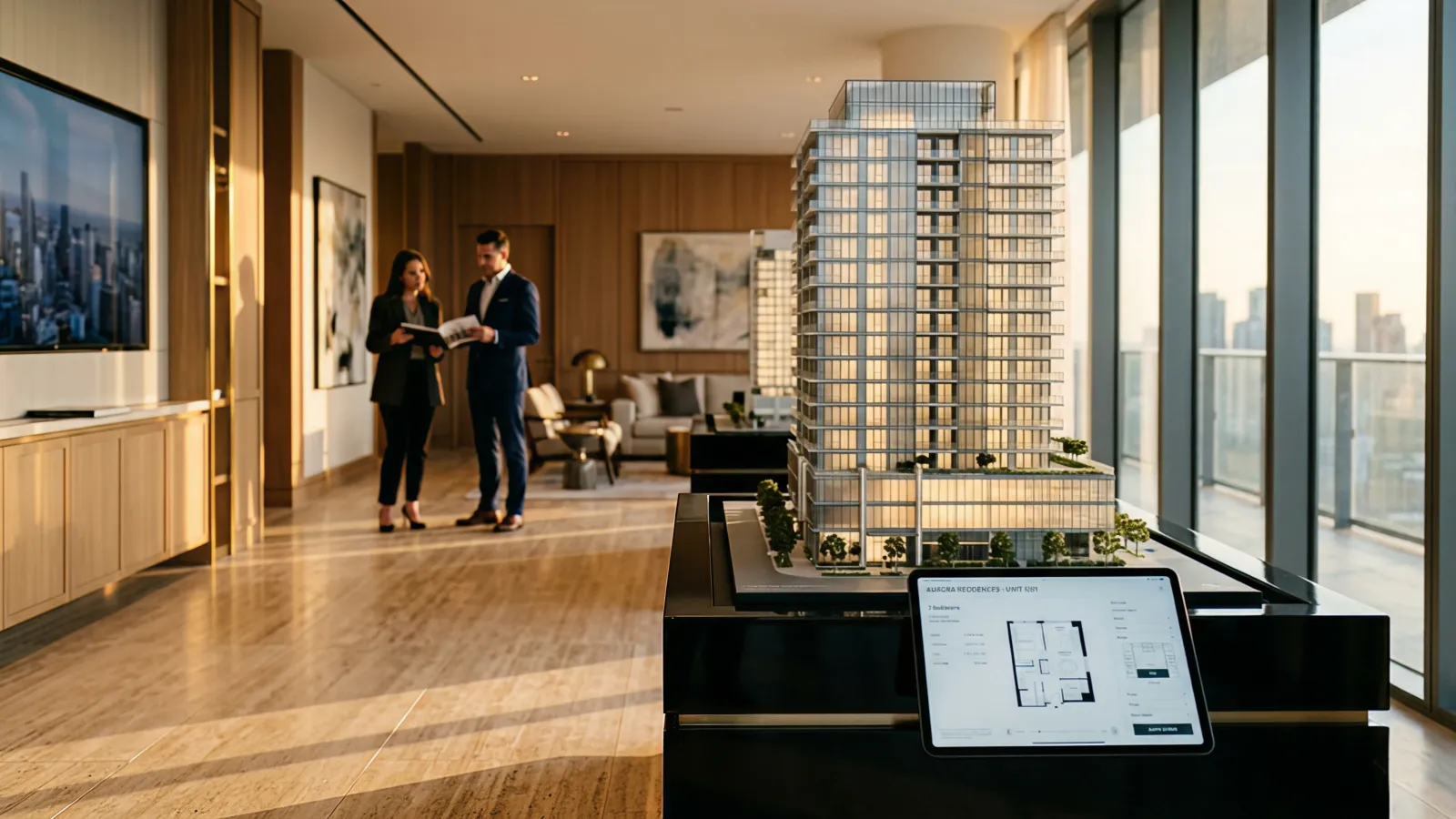
The site does three jobs: pre-qualify remote buyers before they fly in, support the sales-team conversation in the gallery itself (often on tablets, sometimes on a 4K display next to a physical model), and re-engage prospects between visits. None of those map to a generic CMO website spec.
1-4. Cross-border buyers and a definite end-of-life
Luxury residential moves cross-border. A Tokyo project sells to Hong Kong, Singapore, and Bay Area buyers. A Manhattan project sells to São Paulo, London, and Riyadh. Without proper localization, you lose 30–60% of the addressable buyer pool before they fill out a form. And unlike brokerage or corporate sites, project sites end. Once you sell out, the URL becomes either a brand asset for the next launch or a graveyard of broken links and stale "starting from" pricing. Plan for it on day one.
2. Budget Tiers: $15K to $500K+
Project websites split into four practical tiers. Treat these as starting ranges. Real numbers depend on language count, 3D scope, integrations, and how much creative direction the developer has internally.
For deeper context on what drives custom website pricing in general, see the Premium Website Cost Guide. For data-heavy or interactive functionality (configurator, owner portal), see the Custom Web App Cost Guide.
Tier 1 — Teaser Microsite: $15,000–$40,000
What's included:
- 1–3 page site with project name, location, hero imagery, "register interest" form
- 1–2 languages
- CRM webhook (Salesforce, HubSpot, Mailchimp)
- Basic SEO + analytics
Best for: 12–18 months pre-launch, before pricing or full unit mix is finalized. The job is brand reservation and email capture, not selling.
Timeline: 3–5 weeks.
Tier 2 — Project Launch Site: $60,000–$180,000
What's included:
- 8–20 pages: residences, building, neighborhood, amenities, team, contact
- Floor plan explorer with PDF download
- Unit availability or floor-plate grid (often gated)
- Image gallery + renderings
- Lead capture with sales-team handoff (CRM or appointment booking)
- 2–4 languages with proper hreflang
- CMS (Sanity, Contentful, or Strapi) so the sales team can update inventory
Best for: Most mid-to-luxury condo and townhome launches in the $80M–$500M range. This tier moves units.
Timeline: 12–18 weeks.
Tier 3 — Flagship Immersive Site: $200,000–$500,000+
What's included:
- Everything in Tier 2, plus:
- Custom Three.js or Gaussian Splatting walkthrough
- Interactive 3D building model with view-from-each-unit simulation
- Cinematic motion design and bespoke art direction
- 4–6 languages, full currency switching
- Concierge booking, video chat with sales, sometimes a buyer dashboard
- Performance budget tight enough for in-gallery tablet use
Best for: $500M+ trophy projects. Aman Residences, BIG-designed towers, branded residences from major hotel groups. Projects where the website is part of the proof of quality.
Timeline: 20–32 weeks.
Tier 4 — Corporate Developer Portfolio: $80,000–$250,000
What's included:
- 15–40 pages covering company, leadership, sustainability, current and past projects
- Project archive with consistent presentation
- Press, careers, investor relations
- Multi-language (often 2–3 locales)
- Integrations with project sites (single sign-on for owner portals where applicable)
Best for: Mori Building, Mitsubishi Estate, Related Companies, OneWest — developers with a portfolio that itself sells the next project. Different timeline pressure (no handover deadline), different KPIs (brand trust, recruitment, investor confidence).
Timeline: 16–24 weeks.
| Tier | Budget | Typical Timeline | Best For |
|---|---|---|---|
| Teaser microsite | $15K–$40K | 3–5 weeks | Pre-launch interest capture |
| Project launch site | $60K–$180K | 12–18 weeks | Most condo and townhome launches |
| Flagship immersive | $200K–$500K+ | 20–32 weeks | Trophy projects, branded residences |
| Corporate portfolio | $80K–$250K | 16–24 weeks | Multi-project developers |
3. Core Features That Move Units
Not every project needs every feature. Use this section as a checklist against your launch deck and pick the 5–7 that map to your buyer's actual decision path.
3-1. Floor plan explorer
What it does: Lets buyers compare layouts, view dimensions, see which unit numbers match each plan, and download a PDF for offline review.
When worth the spend: Always. This is the single feature buyers spend the most time on. Skimping here is a false economy.
Conversion impact: Strong. Sales teams routinely report that buyers walk into the gallery already knowing which 2–3 units they want to discuss when the floor plan UX is good.
3-2. Unit availability + price grid
What it does: Shows live status (available / reserved / sold) for each unit, often by floor plate. Sometimes shows price; often shows "Inquire."
When worth the spend: Tier 2 and above. Pre-launch teaser sites should not have this — leaking pricing too early can trigger reservation-rule complications in some jurisdictions and undermines launch-day urgency.
Conversion impact: Strong on returning visitors and remote buyers. The fear of "the unit I want is gone" creates urgency that brochureware can't.
3-3. Neighborhood storytelling
What it does: Long-form content on the surrounding area — restaurants, schools, transit, cultural anchors, future infrastructure. Maps, photo essays, sometimes interviews.
When worth the spend: Always for luxury, often for mid-market. Buyers from outside the city are buying the neighborhood as much as the unit.
Conversion impact: Hard to A/B test directly, but it consistently lifts time-on-site and is the page sales teams cite when international buyers commit without a site visit.
3-4. Amenity reveal
What it does: Walks the buyer through pool, spa, lounge, co-working, dining, child-friendly spaces, services. Renderings, video, sometimes interactive 3D.
When worth the spend: When amenities are differentiated. If the project is "another condo with a gym," skip the deep-dive. If it has a Michelin-aspiration restaurant or 5-star concierge, this is what the buyer is paying the premium for — show it.
Conversion impact: Strong for branded residences and resort-adjacent projects.
3-5. Gallery + renderings
High-resolution photography (post-construction) and CGI renderings (pre-construction). A Pinterest-style grid plus full-screen lightbox is table stakes. Get the photography and rendering budget right before you over-engineer anything else — this is the asset buyers send to their partner over WhatsApp.
3-6. 3D walkthrough or virtual tour
Lets a buyer "walk" through a model unit from anywhere. Three flavors: Matterport-style 360 capture, Three.js custom 3D, or Gaussian Splatting. Always worth the spend for international buyers and pre-construction sales — see §4 for the trade-offs. Notable lift in qualified-meeting bookings, particularly for buyers more than 4 hours' flight from the project.
3-7. Lead capture + sales team handoff
Captures inquiries, qualifies them (budget, timeline, unit interest), and routes to the right salesperson with full context. Always worth the spend — CRM integration is the difference between "a website that generates leads" and "a website that closes units." Every minute shaved off lead-to-first-call increases close rate.
3-8. CRM and sales-tool integration
Pushes qualified leads into Salesforce, HubSpot, or a real-estate-specific CRM (Lasso, Spark by Constellation1, Top Producer). Pulls inventory updates from the developer's source-of-truth system into the public site so unit status stays current. Tier 2 and above. Cost is usually 10–20% of project budget and saves the sales team 5+ hours/week.
For multi-language as a feature, see §5 — it's its own conversation.
4. 3D, Virtual Tours & Gaussian Splatting
This is where a lot of developer-website spend goes — and where a lot of it gets wasted on the wrong technology for the project. Three viable approaches in 2026:
4-1. Matterport (or equivalent 360-capture)
Cost: $2,000–$10,000 per unit captured. When it fits: Existing show units or a finished model home you can walk through. Fast turnaround, photographic realism, low engineering cost. Limits: Only works after the unit is built. Useless for pre-construction.
4-2. Custom Three.js / WebGL
Cost: $30,000–$150,000. When it fits: Pre-construction projects where you need a stylized but interactive walkthrough — view from each unit, building cutaway, time-of-day lighting toggle. Limits: Not photorealistic. Expensive to update if the design changes mid-build.
4-3. Gaussian Splatting
Cost: $15,000–$80,000 per unit or amenity space. When it fits: Photoreal walkthroughs of completed model units, sales gallery, nearby landmarks. Far better quality-per-dollar than Matterport for buyers who expect a high-end visual experience. Mobile-friendly, GPU-light enough for in-gallery tablets. Limits: Tooling is still maturing as of 2026. Pick a specialist studio.
For deeper coverage on when and how to deploy Gaussian Splatting in real estate, see Gaussian Splatting for Commercial Real Estate and the 3D Gaussian Splatting Guide.
VR headsets get asked about more than they get used. Unless your sales gallery has a dedicated headset station, plan for browser-based 3D first. Headset support is a nice-to-have, not the main spend.
5. Multi-Language and International Buyers
Luxury and ultra-luxury residential is cross-border by definition. According to firms like Knight Frank's Wealth Report and JLL's residential insights, the share of branded residences and luxury condos sold to non-resident buyers continues to grow across major Asian and Middle Eastern hubs.
A few practical requirements:
Hreflang and locale routing. Each language version needs hreflang tags pointing to its alternates. Mistakes here cost you Google's correct-locale serving — particularly painful in Mandarin and Japanese markets.
Currency switcher. Show prices in JPY, USD, HKD, SGD, AED, and CNY where relevant. Indicate exchange rate source and date so the disclosure holds up under regulator scrutiny.
Locale-native contact channels. A Mandarin-speaking buyer expects WeChat. A Japanese buyer expects LINE. A Korean buyer expects KakaoTalk. Embedding a "leave a message in WeChat" QR code is sometimes a higher-converting CTA than the form.
Locale-appropriate imagery and language. Beyond translation: a Tokyo project sold to Hong Kong buyers benefits from Cantonese-friendly cultural cues, not direct Mandarin transliteration. Hire native copywriters, not translators, for the launch site.
Mobile-first by region. In China, Hong Kong, and Southeast Asia, mobile share is higher than in North America. The site has to work flawlessly on a 2-year-old Android phone over LTE.
For the Japan and broader Asia luxury market specifically, expect 4 languages minimum: Japanese, English, Mandarin (Simplified or Traditional based on target market), and Korean. Add Mandarin (Traditional) for Taiwan and Hong Kong if those are buyer pools.
6. Pre-Sales Website Timeline
Project sites have a definite life cycle. Treat it as three phases, each with its own scope.
6-1. Phase 1 — Teaser (12–18 months pre-launch)
Brand reservation and email capture. No pricing, limited renderings, architect's name, a strong art-directed hero. Tier 1 microsite, CMS optional, form to CRM webhook. Multi-language if international buyers are part of the early-interest list. Common mistake: building it in-house quickly and trying to expand it into the launch site. Rebuild — don't extend.
6-2. Phase 2 — Launch (6 months pre-handover through sellout)
Drive qualified appointments, support remote and gallery sales, sustain momentum from launch event through final unit. Tier 2 or Tier 3 site with live (or near-live) inventory, floor plan explorer, 3D walkthroughs or virtual tours, multi-language, CRM integration, and a performance budget tight enough for a tablet at the gallery. Content covers residences, neighborhood, amenities, team, financing process, FAQ. Common mistake: launching with placeholder copy. The first 30 days of traffic are your highest, and broken language at that moment is a multi-million-dollar leak.
6-3. Phase 3 — Archive (post-sellout)
Preserve the URL as a brand asset for future launches. Static export or simplified CMS. No live inventory, no prices, no "register interest" form for the dead project — link to the developer's master site or current launches instead. Final photography, awards, resident quotes. Common mistake: letting the site rot. Stale "starting from" prices and broken contact forms damage trust for the developer's next launch.
For deeper ROI framing on when a site needs a refresh vs full redesign — including post-sellout transitions — see the Website Redesign ROI Guide.
7. Procurement: In-House vs Agency vs Specialist
Three viable models. The best choice depends on whether this is a one-off launch or a repeating program.
In-house team. Works for developers with 5+ active launches per year and a real digital team. Slow first project, fast subsequent ones. Hard to staff for the 3D and immersive peaks.
Generalist marketing agency. Works for Tier 1 microsites and Tier 4 corporate sites. Predictable, brief-driven, often bundled with above-the-line creative. Underwhelming on technical depth for Tier 2 and Tier 3.
Specialist studio (web + 3D). Works for Tier 2 and Tier 3 launches where the technical bar is real — performant 3D, custom interactivity, multi-language at scale. Higher day rate, fewer revisions wasted on technical clean-up.
For a deeper breakdown of when each model wins, see In-House vs Agency vs Freelance for Web Projects.
A common pattern for $300M+ projects: corporate marketing keeps a generalist agency for brand work, then brings in a web + 3D specialist for the project-launch site. The specialist works against the brand guidelines but owns the technical execution.
8. 7 Common Mistakes to Avoid
These are the recurring failures we see when auditing developer sites — and what each one costs.
Placeholder copy at launch. "Lorem ipsum" on the residences page two days after press day is not unusual. Plan content lock 4 weeks before launch, not 4 days.
Floor-plan UX that breaks on mobile. Pinch-zoom that fights with page scroll. PDFs that download instead of opening inline. Plans that lose the unit number when zoomed. Test on a real phone, not a desktop emulator.
No mobile gallery. A 4-photo carousel on a $1M+ unit page. International buyers are mostly on phones — 30+ photos and a proper full-screen viewer is table stakes.
Broken multi-language. Translated nav, untranslated body copy. Or all locales pointing to the English form. Or hreflang missing entirely so Google serves the wrong language. Audit every language end-to-end before launch.
No archive plan post-sellout. Site goes stale, prices look 3 years old, contact form points to a salesperson who left. Plan the archive at the original brief, not when sellout happens.
Leaking pricing too early. In some jurisdictions (notably parts of Asia and the Middle East), publishing unit pricing pre-launch can trigger reservation rule complications. Even where it's permitted, it removes launch-day urgency. Default to "Inquire."
Generic stock photography. Stock photos of "people who could be neighborhood residents" insult the buyer's intelligence at this price point. Either commission the photography or use the budget on something else.
9. How to Get Started
A practical roadmap for a developer marketing lead briefing this work in the next 30 days:
Week 1 — Set the budget against carry cost. Estimate unsold-unit carry per month (financing + tax + opex + HOA + marketing). Multiply by 3–6 months of projected savings if the site accelerates absorption. That number is your honest budget ceiling. Most teams under-budget by 50–70%.
Week 1–2 — Lock the tier. Use §2 as the framework. Be honest about whether this is a Tier 2 launch or a Tier 3 flagship. The wrong tier on either side wastes money.
Week 2 — Decide the language list. Talk to the sales director about target buyer geography, not the marketing team. Sales sees the actual inquiry flow.
Week 2–3 — Write the brief. Project facts, brand guidelines, content list, language list, integrations (CRM, booking tool, inventory feed), reference sites, success metrics, hard launch date.
Week 3 — RFP 3–5 specialists. Mix one generalist agency with 2–3 web + 3D specialists. Ask for case studies in residential or hospitality, not just "creative work."
Week 4 — Pick on team fit, not deck design. This is a 4–8 month engagement during a high-pressure launch. Pick the team you want in a war room, not the prettiest pitch.
For a deeper template on what should be in the brief, see the Immersive Storytelling Websites Guide.
10. About Utsubo
Utsubo is a creative studio in Osaka, Japan, building premium web experiences and interactive installations for hospitality, real estate, museum, and luxury-retail clients across Asia, Europe, and North America.
We work at the intersection of web, 3D, and physical space — Three.js, WebGL, Gaussian Splatting, and modern web frameworks for the digital side; sensor-driven and projection-based interactive work for installations. For real estate developers, we build project-launch websites and sales-gallery digital experiences that ship on the launch date and hold up through sellout.
We work in English, Japanese, and Mandarin, with localization partners for Korean, French, and Arabic. We're comfortable across budget tiers — from a $30K teaser to a $400K flagship — and we'll tell you up front if your project doesn't need the larger spend.
11. Ready to Build?
If you're scoping a real estate developer website for a launch in the next 6–18 months — or if your existing project site isn't pulling its weight against unsold inventory — let's talk.
We'll discuss:
- The project, the launch timeline, and the carry-cost math
- The right tier and tech approach for your buyer mix
- Whether we're the right specialist for your team and brand
12. Developer Website Procurement Checklist
- Estimated unsold-unit carry cost per month (financing + tax + opex + HOA + marketing)
- Set website budget at honest % of marketing spend, pegged to absorption acceleration target
- Locked the tier (teaser / launch / flagship / corporate) against project size and brand bar
- Confirmed language list with sales director, not just marketing team
- Confirmed locale-native contact channels (WeChat, LINE, KakaoTalk where relevant)
- Decided 3D approach: Matterport vs Three.js custom vs Gaussian Splatting vs none
- Defined inventory data flow (CRM source-of-truth → site display)
- Confirmed launch date and content lock date (4 weeks before launch, minimum)
- Planned the post-sellout archive at brief stage, not at sellout
- Briefed 3–5 specialists with web + 3D + multi-language references
- Built a 10–15% contingency into total project budget
- Defined success metrics (qualified meeting bookings, language-pair conversion, days-on-market)
FAQs
How much does a real estate developer website cost? Project-launch websites span four tiers: teaser microsites at $15K–$40K, project launch sites at $60K–$180K, flagship immersive sites at $200K–$500K+, and corporate developer portfolio sites at $80K–$250K. The right tier depends on project size, brand bar, and international buyer mix — not just unit count. For a $300M+ project, anything below Tier 2 typically underspends.
Should we have one site per project, or one master site with project sub-pages? Both, usually. Run a corporate developer portfolio site (Tier 4) as the brand home and recruitment + investor channel, and individual project sites (Tier 1–3) for each launch. Buyers research the developer separately from the project, and search-engine performance is stronger with this split. Cross-link aggressively between them.
Do we need a 3D walkthrough? For pre-construction sales to international buyers, almost always — it materially reduces the friction of buying without an in-person visit. For a small project selling locally to buyers who can drive to the gallery, a strong rendering library is often enough. Match the tool to your buyer geography. See §4 for the Matterport vs Three.js vs Gaussian Splatting decision.
What about VR headsets? Headsets get asked about more than they get used. Unless your sales gallery has a dedicated headset station with a trained host, plan browser-based 3D first. WebXR support is improving in 2026 but still trails phone and tablet experiences in real-world use. Treat VR as a nice-to-have, not a primary spend.
How do international buyers actually find us? A mix of broker referrals, branded residence partners (hotel groups, luxury brands), private banker introductions, and search. The website's job for inbound search is to serve the right language version with proper hreflang, work flawlessly on mobile in slower markets, and convert via locale-native contact channels (WeChat, LINE, KakaoTalk) — not just an English form.
When should the website launch? Teaser microsite: 12–18 months pre-handover. Full launch site: 4–6 months pre-handover, ideally 2–4 weeks before press day so search engines have time to index. Many developers compress this and pay for it in launch-week traffic that hits a half-built site.
What happens to the site after sellout? Archive the project: simplify the build, remove inventory and pricing, lock content, and re-point the CTAs to the developer's corporate site or current launches. Plan the archive in the original brief, not after sellout. A well-archived URL is a brand asset for the next project; a stale, broken one is a trust liability.


 Technology-First Creative Studio