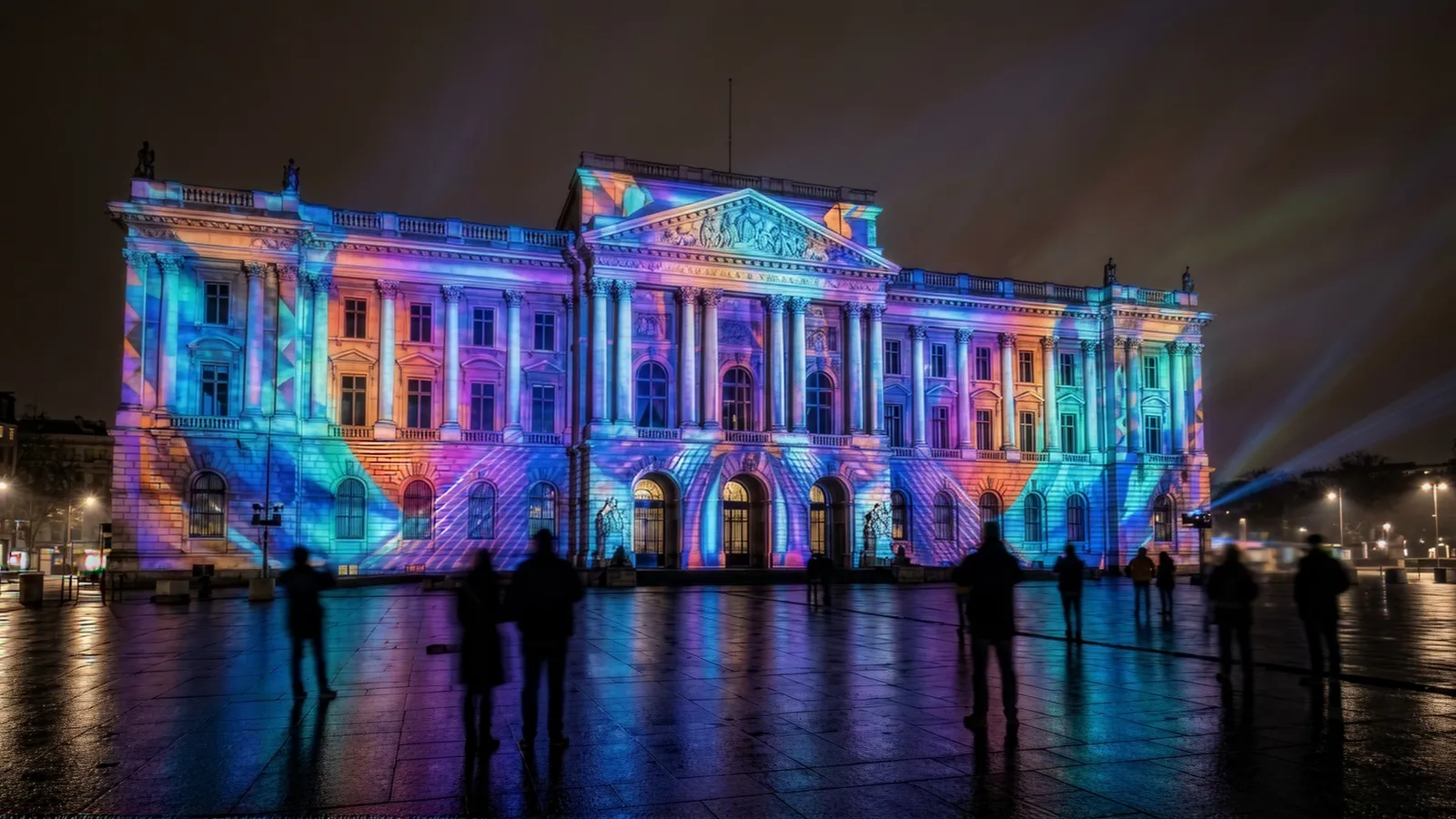
A single-night event facade can run $15,000–$50,000. A permanent lobby projection system lands closer to $40,000–$150,000+. The gap between those numbers is almost entirely equipment, labor, and how long the show has to run reliably.
This guide breaks down what you actually pay for—projector by projector, line item by line item—so you can build a realistic budget before you call a vendor, and read an AV quote without guessing what "media server" or "edge blending" is doing to your total.
Who this is for: Event producers, museum exhibit managers, corporate facilities and AV buyers, and brand marketers spec'ing a projection mapping installation—either a one-time event or a permanent system—and pricing it before issuing an RFP.
If you're still deciding whether projection mapping is the right technology versus a touchable, measurable display, start with our interactive installation vs projection mapping decision guide. This article assumes you've already chosen projection and want to know what it costs.
Key Takeaways
- Event projection mapping typically costs $15,000–$50,000 for a single night or short run; permanent installations run $40,000–$150,000+, driven mostly by projector count, brightness, and content.
- The projector is rarely the biggest line item. Content creation (15–40% of budget), labor, and the media server often cost more than the hardware itself.
- Brightness (lumens) is the single biggest hardware cost driver—a 10,000-lumen projector costs roughly 3–5× a 5,000-lumen one, and ambient light forces you brighter.
- Rental vs. buy crosses over around 4–6 uses. Below that, rent; above it, owning hardware is cheaper despite higher upfront cost.
- Permanent systems carry ongoing costs—laser projectors now run ~20,000 hours, but content refresh, recalibration, and warranties still add $3,000–$15,000/year.
- A typical equipment-only quote splits roughly: projectors 35–50%, media server 10–20%, mounting/rigging 5–15%, content 15–40%, labor 15–25%.
1. What You're Actually Paying For
Most people searching for "the cost of projection mapping equipment" picture a projector and a laptop. The real bill of materials has six categories, and the projector is usually not the line that surprises you.
| Cost category | Typical share of budget | What it covers |
|---|---|---|
| Projectors | 35–50% | The light engines—count and brightness drive everything |
| Media server / playback | 10–20% | The hardware + software that warps, blends, and plays content |
| Mounting, rigging & cabling | 5–15% | Trusses, brackets, lifts, weatherproofing, signal/power runs |
| Content creation | 15–40% | The actual animation/video mapped to the surface |
| Labor (install & calibration) | 15–25% | Setup, alignment, warping, on-site operation, teardown |
| Contingency / misc | 5–10% | Spare lamps/units, weather cover, permits, insurance |
The takeaway that reframes most budgets: content and labor frequently exceed hardware. A spectacular projector pointed at a blank, poorly-mapped animation looks cheap. A modest projector running world-class content looks expensive—in the good way.
2. Projector Costs: The Brightness Question
Brightness, measured in ANSI lumens, is the variable that moves your budget most. You need enough light to overpower the ambient light in the room and cover the surface area at a usable resolution.
2-1. Projector Cost by Brightness Tier
| Brightness | Typical use | Buy price (per unit) | Day rental (per unit) |
|---|---|---|---|
| 3,000–5,000 lumens | Small indoor, dark room, object mapping | $1,500–$6,000 | $150–$400 |
| 7,000–12,000 lumens | Mid-size interior, controlled light | $8,000–$25,000 | $400–$900 |
| 15,000–20,000 lumens | Large interior, semi-lit, small facade | $25,000–$60,000 | $900–$2,500 |
| 25,000–40,000+ lumens | Building facades, outdoor, high ambient | $60,000–$150,000+ | $2,500–$7,000+ |
A practical rule: every step up in brightness tier roughly multiplies the per-unit cost by 2–4×. This is why controlling ambient light (covered in Section 6) is the cheapest way to lower a projection budget—going dark can drop you a whole tier.
2-2. Lamp vs. Laser
Older lamp-based projectors are cheaper upfront but cost more over time. Modern laser phosphor projectors dominate permanent installs:
- Lamp projectors: lower purchase price, but lamps cost $300–$2,000 and last roughly 2,000–10,000 hours in full-power mode, depending on the model (longer in eco mode), plus brightness fades.
- Laser projectors: higher upfront (often 30–60% more), but ~20,000 hours of stable brightness, near-zero maintenance, instant on/off.
For anything running daily, laser almost always wins on total cost of ownership. For a one-night event, a rented lamp unit can be the economical choice.
2-3. How Many Projectors?
Surface area and resolution determine count. One projector covers only so much before the image gets dim and pixelated. Large facades and immersive rooms use multiple overlapping projectors, which is why "edge blending" (Section 3) becomes necessary—and why a four-projector job isn't 4× a one-projector job, it's more, once you add blending and a bigger server.
2-4. How to Choose a Projector for Projection Mapping
Pick a projection mapping projector in this order: brightness for your surface and ambient light, a light source rated for your run time, then a lens that fits your throw distance. Resolution and chip type come after those three.
- Brightness vs. surface and ambient light. Size the lumens to the lit area and the room using the tiers in 2-1. The same wall can sit two tiers apart depending on whether the room is blacked out or sunlit, and dark or textured surfaces reflect less light than a white wall.
- Laser for anything that runs daily. Laser light sources are typically rated for about 20,000 hours to half brightness; lamps need replacing and fade sooner (2-2). For always-on installs, look for an explicit 24/7-operation rating on the spec sheet.
- Throw ratio, short throw, and lens shift. Throw ratio is the projector-to-surface distance divided by the image width. Short-throw lenses (usually about 0.4–1.0:1) and ultra-short-throw lenses (below about 0.4:1; around 0.3–0.37:1 on installation models) fit tight rooms. Lens shift moves the image optically, so you avoid digital keystone correction, which throws away pixels. Installation models commonly offer around ±60% vertical shift and interchangeable lenses.
- Resolution after brightness. WUXGA (1920×1200) is the installation workhorse. "4K" labels vary: Epson's 4K Enhancement shifts a WUXGA chip to about 4.6 million pixels, while native 4K UHD is 8.3 million, and native-4K installation projectors sit at the top of the brightness range. With a fixed budget, buy lumens before pixels (8-1).
- DLP vs. 3LCD. Above roughly 30,000 lumens, you're choosing among 3-chip DLP projectors. Below that, 3LCD and single-chip DLP compete: 3LCD and 3-chip DLP deliver equal white and color brightness, while many single-chip DLP models measure lower in color than in white and can show a "rainbow" artifact that laser and LED light sources reduce.
- Outdoor use needs an enclosure. Video projectors aren't weather-rated. The "IP5X" rating on some Panasonic, Epson, and Sharp models covers dust only, with no water rating. Budget a weatherproof enclosure under rigging (Section 1).
- Edge blending and warping live in the media server. Many installation projectors can blend and warp on board (Epson, Panasonic, Barco, Christie), but multi-projector mapping is usually warped and blended in the media server (Section 3). Check the software tier too: in Resolume, edge blending is available only in Arena, not Avenue.
2-5. Can You Use Any Projector for Projection Mapping?
Yes, for a test: the mapping happens in software, so any projector that takes a video signal can map a small object in a dark room. Outside a test, three limits show up. Budget projectors often lack optical lens shift, so you fall back on keystone correction and lose resolution. Lamps fade over their life, so several lamp units drift apart in brightness. And no standard projector survives outdoor weather without an enclosure.
| Use case | What to spec | Example model classes | Budget (2-1 tiers) |
|---|---|---|---|
| Home, small event, object mapping | 3,000–5,000 lumens in a dark room; laser if it will run often | 4,000–5,000-lumen laser business projectors | $1,500–$6,000 per unit, or $150–$400/day rented |
| Brand facade, one-night event | 25,000–40,000+ lumens, 3-chip DLP laser, usually several units blended, rented with the media server | Panasonic PT-RQ35K2 (30,500 lm), Christie Griffyn 4K35-RGB (36,500 lm), Barco UDX-4K40 FLEX (40,000 lm) | $2,500–$7,000+ per unit per day rented |
| Permanent lobby or museum | 7,000–20,000 lumens laser, dust-sealed (IP5X) optics, lens shift, a 24/7-operation rating | Panasonic PT-REZ15 series (8,000–15,000 lm, 1-chip DLP), Sharp XP-A201U (20,000 lm, LCD) | $8,000–$25,000 per unit at 7,000–12,000 lm; $25,000–$60,000 at 15,000–20,000 lm |
The models are examples of each class as of September 2026, taken from the manufacturers' spec pages, not endorsements. Any projector in the class with the same specs will do the job.
3. The Media Server: The Line Item People Forget
The media server is the brain. It takes your content, warps it to fit the surface geometry, blends the seams between projectors, and plays it back in sync. This is both hardware and software—and it's the line item most first-time buyers leave out of their estimate.
| Tier | Software/hardware | Cost | Best for |
|---|---|---|---|
| Entry | Single projector, simple mapping (e.g. MadMapper on a capable Mac/PC) | $300–$2,000 | Object mapping, small indoor |
| Mid | Multi-projector blending, timeline playback (Resolume, mid-tier server) | $3,000–$15,000 | Events, mid-size installs |
| Pro | Show-grade media servers (disguise, Pixera, Watchout, Hippotizer) | $15,000–$80,000+ | Facades, broadcast, large permanent |
Common projection-mapping software you'll see on quotes includes MadMapper and Resolume at the accessible end, and disguise for large-scale show production. For a permanent lobby system, the server is bought once and runs for years; for an event, it's usually part of the rental package.
4. Content Creation: 15–40% of Your Budget
Hardware projects light. Content is the thing people actually remember—and it's priced like the creative production it is, not like a commodity.
If the surface is a sphere or a dome rather than a wall, content carries an extra step before any of this applies: obtaining the delivery format and mapping file from the display vendor. Our LED sphere and dome content guide covers that handshake.
| Content scope | Typical cost | What it includes |
|---|---|---|
| Simple loop | $3,000–$10,000 | Abstract motion, branded patterns, short loop |
| Custom animation | $10,000–$40,000 | Bespoke narrative, 2D/3D animation, sound design |
| Premium / 3D mapped | $40,000–$150,000+ | Photoreal 3D, character animation, architectural storytelling, full sound |
Cost drivers for content:
- Run time — a 90-second hero loop costs far less than an 8-minute narrative show.
- Surface complexity — mapping to a flat wall is simpler than wrapping a textured, multi-plane facade.
- 3D and photorealism — render-heavy work multiplies hours.
- Sound design — a dedicated audio track is its own budget line (see our guide to sound design for installations).
- Revisions — bake a revision round into the contract or it becomes a change order.
A frequent, expensive mistake: spending 80% on equipment and treating content as an afterthought. The light is only as good as what you put through it.
5. Two Real Budget Scenarios
5-1. One-Night Brand Event (Building Facade)
A product launch projecting a 4-minute show onto a mid-size building facade for a single evening.
| Line item | Estimate |
|---|---|
| 4× 20,000-lumen projectors (rental, 3 days) | $9,000–$18,000 |
| Media server + operator (rental) | $3,000–$6,000 |
| Rigging, lifts, power, cabling | $3,000–$8,000 |
| Custom 4-min content | $12,000–$35,000 |
| Labor: install, mapping, show, strike | $5,000–$12,000 |
| Permits, insurance, contingency | $2,000–$6,000 |
| Total | $34,000–$85,000 |
For a smaller single-night event—object mapping, an indoor stage backdrop, a storefront—the same structure compresses to roughly $15,000–$40,000, which is the range most "projection mapping for events" searches are really asking about.
5-2. Permanent Lobby Projection System
An always-on immersive projection feature in a corporate or hotel lobby, running 12+ hours daily.
| Line item | Estimate |
|---|---|
| 3× 12,000-lumen laser projectors (purchase) | $30,000–$60,000 |
| Show-grade media server (purchase) | $8,000–$25,000 |
| Permanent mounting, enclosures, cabling | $6,000–$20,000 |
| Custom content (looping, seasonal variants) | $15,000–$50,000 |
| Install, calibration, commissioning | $8,000–$20,000 |
| Total | $67,000–$175,000 |
| Annual ongoing (content refresh, recalibration, warranty) | $3,000–$15,000/yr |
This is the scenario behind queries like "what equipment components are typically included in a lobby projection system"—and the answer is everything in that table, with the media server and content as the lines people most often underestimate.
6. Five Ways to Lower the Cost (Without Cheapening It)
- Control the ambient light. Going from a half-lit space to a dark one can drop you an entire projector brightness tier—the single biggest hardware saving available.
- Shrink the canvas. Mapping a focused architectural feature instead of an entire facade cuts projector count, brightness, and content area at once.
- Rent for one-offs, buy for permanence. The crossover is roughly 4–6 uses. Renting a $40,000 projector for one night costs a fraction of owning it.
- Invest in content, economize on spectacle. A modest projector running brilliant content beats a bright projector running filler. Spend where the audience looks.
- Design content to be reusable. Modular, seasonally-swappable content amortizes the most expensive line item across years instead of one event.
7. Ongoing Costs for Permanent Systems
A permanent system isn't "install and forget." Budget for:
- Recalibration — projectors drift; expect periodic re-alignment, especially after any physical movement.
- Content refresh — the most-cited reason permanent installs go stale. Plan a refresh cadence (seasonal or annual).
- Warranty / service contract — for show-critical systems, a service agreement covering rapid projector replacement is worth the line item.
- Spares — for 24/7 systems, a spare projector avoids dark-screen downtime.
- Power and cooling — projectors run hot and draw real power; large arrays affect HVAC.
Even with laser projectors' ~20,000-hour lifespans, these soft costs are why we quote permanent projection at $3,000–$15,000/year in ongoing budget.
8. Common Pitfalls to Avoid
8-1. Buying on Resolution, Forgetting Brightness
A 4K projector in a sunlit atrium still looks washed out. Lumens beat pixels when ambient light is the enemy. Spec brightness for the room first.
8-2. Leaving the Media Server Out of the Estimate
The single most common budgeting error. The server is 10–20% of the job and is not optional for anything beyond one projector.
8-3. Underfunding Content
Treating a $100K hardware install as the whole project and the content as a $3K add-on. The content is the experience.
8-4. Ignoring Throw Distance and Ceiling Height
Projectors need room to throw the image. A space with low ceilings or short throw distances may force short-throw lenses (more cost) or more units.
8-5. Renting Repeatedly Instead of Buying
If you're running the same activation 6+ times, you've likely paid for the hardware twice in rental fees. Run the crossover math.
9. How to Get Started
- Define the surface and the room. Dimensions, surface material, and—critically—how much ambient light you can control.
- Set the run requirement. One night, a season, or always-on? This determines rent vs. buy and lamp vs. laser.
- Decide the content ambition. Abstract loop, branded narrative, or photoreal 3D show? This sets 15–40% of your budget.
- Build a line-item budget using the categories in Section 1—don't accept a single lump-sum number.
- Request itemized quotes. A trustworthy vendor breaks out projectors, server, rigging, content, and labor separately.
Project details:
- Surface: [e.g. building facade / lobby wall / object / immersive room]
- Approximate surface size: [dimensions]
- Ambient light I can control: [full blackout / dim / bright/sunlit]
- Duration: [single night / seasonal / permanent always-on]
- Content ambition: [simple loop / custom animation / photoreal 3D show]
- Rough budget ceiling: [if any]
Please help me:
- Estimate projector count and brightness (lumens) needed
- Break my budget into the six standard line items (projectors, media server, rigging, content, labor, contingency) with rough ranges
- Flag whether I should rent or buy the hardware
- List the top 3 questions I should ask any vendor I get a quote from
10. About Utsubo
Utsubo is a creative studio specializing in interactive installations and immersive experiences, including projection mapping for events, retail, museums, and permanent architectural spaces.
We're technology-agnostic and budget-honest: we help clients scope the right system for their surface, lighting, and run requirements—and we'll tell you when a focused, well-content'd setup beats an over-specced one. From a single-night brand activation to an always-on lobby feature, we plan, produce content for, and commission projection systems that actually hold up in the room.
11. Let's Talk
Planning a projection mapping installation—an event activation, a permanent lobby feature, or something in between? We work with teams on the full stack: surface mapping, hardware specification, content production, and on-site commissioning.
If you're exploring a partnership, let's discuss your project:
- The surface, the space, and the run requirement you're working with
- Which equipment and content approach fits your budget and goals
- Whether we're the right fit to help you execute
12. Budget Checklist
- We've measured the surface dimensions and identified its material/color
- We've assessed how much ambient light we can control
- We've set the run requirement (one-night / seasonal / permanent)
- We've decided rent vs. buy based on number of uses
- We've chosen lamp vs. laser based on operating hours
- We've budgeted the media server as a distinct line item
- We've allocated 15–40% to content creation
- We've included rigging, power, and labor in the estimate
- For permanent systems, we've budgeted annual ongoing costs
- We've requested itemized quotes, not a single lump sum
FAQs
How much does projection mapping cost for an event? A single-night event projection typically costs $15,000–$50,000 for smaller setups (object mapping, indoor stage, storefront) and $34,000–$85,000+ for a mid-size building facade with custom content. The biggest variables are projector brightness and count, content run time and complexity, and rigging/labor for the venue.
What equipment do you need for projection mapping? The core components are: projectors (count and brightness sized to the surface and ambient light), a media server running mapping/blending software, mounting and rigging (trusses, brackets, weatherproofing for outdoor), cabling and power, and the content itself. For multi-projector setups you also need edge-blending capability in the server.
How much does a permanent projection mapping installation cost? Permanent systems—such as an always-on lobby or immersive room—typically run $40,000–$150,000+, plus $3,000–$15,000/year in ongoing costs for content refresh, recalibration, and service. Laser projectors (~20,000-hour lifespan) are standard for permanent installs because they minimize maintenance versus lamp-based units.
Why is the projector not the most expensive part? Because content creation (15–40% of budget) and labor (15–25%) often exceed the hardware. A projector is a commodity; bespoke animation, surface mapping, sound design, and skilled on-site calibration are not. Budgets that pour everything into brightness and skimp on content produce a bright but forgettable result.
Should I rent or buy projection mapping equipment? Rent for one-offs; buy for repeated or permanent use. The crossover is roughly 4–6 uses—below that, renting is cheaper despite paying a daily premium; above it, you've effectively paid for the hardware in rental fees and ownership wins. Permanent installations are almost always a purchase.
How many lumens do I need for projection mapping? It depends on surface size and ambient light. Dark indoor rooms can work with 5,000–10,000 lumens; semi-lit interiors need 15,000–20,000; outdoor facades and high-ambient spaces require 25,000–40,000+ lumens. Controlling ambient light is the cheapest way to reduce the brightness—and therefore the cost—you need.
What kind of projector do I need for projection mapping? One bright enough for your surface and ambient light, with a lens that fits your throw distance and a light source rated for your run time. That means roughly 3,000–5,000 lumens for a small object in a dark room, 7,000–20,000 for most permanent interiors, and 25,000–40,000+ (usually 3-chip DLP laser) for building facades. Per-unit prices run from $1,500–$6,000 at the low end to $60,000–$150,000+ for facade-class units. For anything that runs daily, choose a laser light source; for tight rooms, a short-throw lens or lens shift.
Can you do projection mapping with any projector? Yes, for a test or a small object in a dark room: the mapping is done in software, so any projector that accepts a video signal will work. For public events and permanent installs, you need enough lumens for the surface and ambient light, optical lens shift or the right throw ratio (keystone correction costs resolution), a laser light source for long run times, and a weatherproof enclosure outdoors.
What software is used for projection mapping? Common options range from accessible tools like MadMapper and Resolume for object and mid-size mapping, to show-grade media servers like disguise, Pixera, Watchout, and Hippotizer for large facades and permanent installations. The software choice scales with projector count and show complexity, and is part of the media-server line item.


 Osaka Interactive Installation Studio