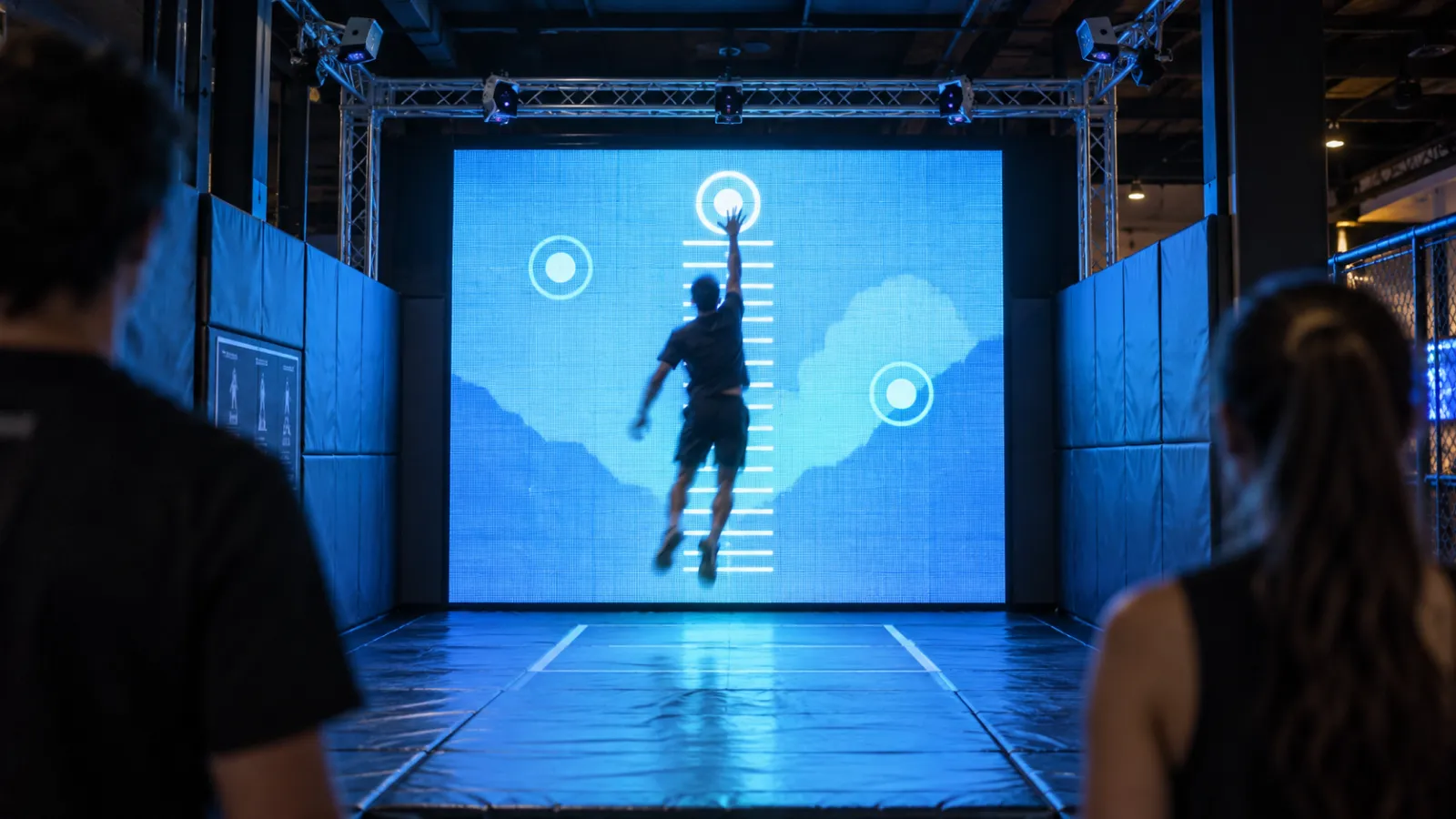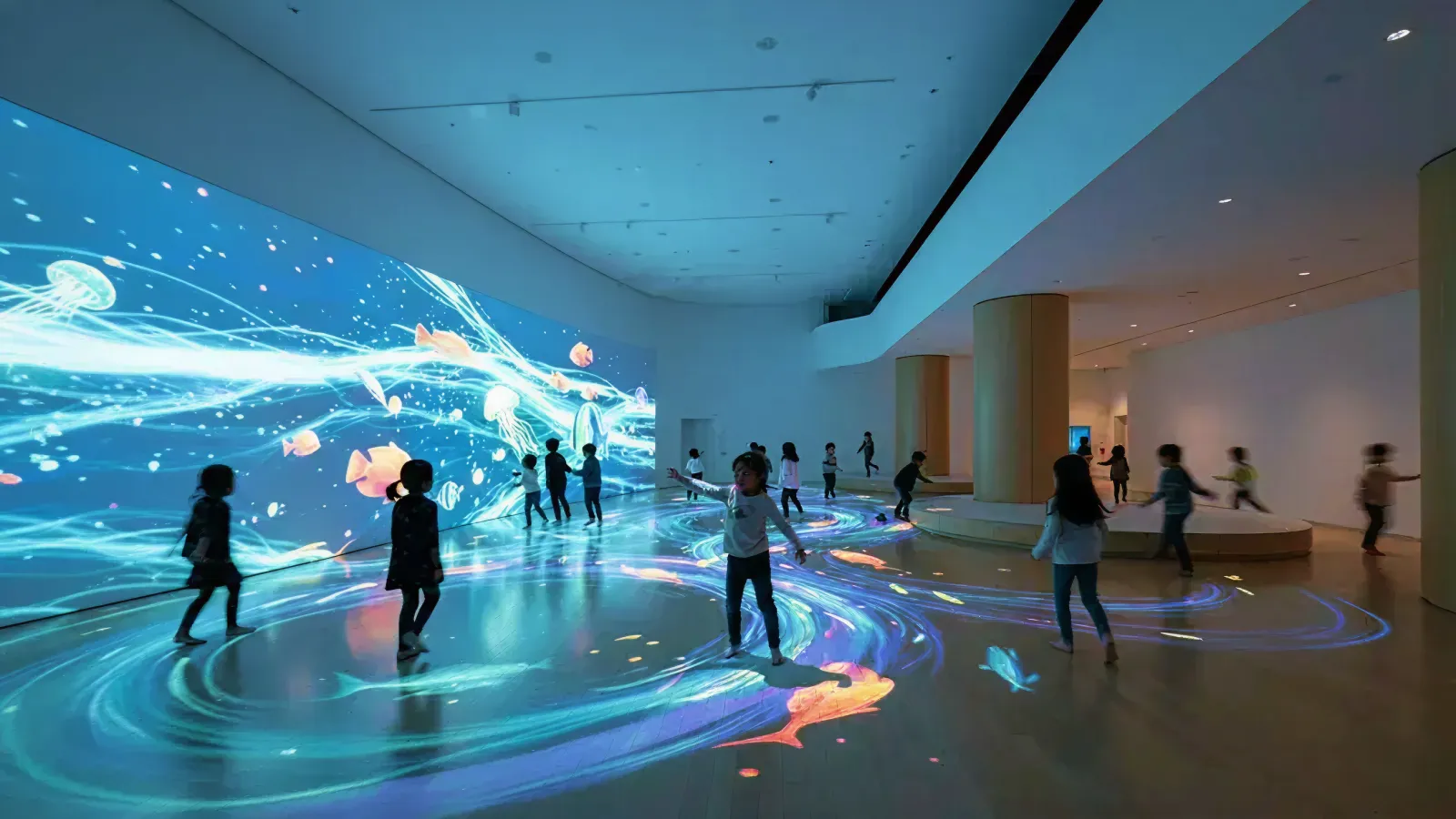
A children's museum is not a smaller version of an adult museum. It is a fundamentally different environment.
Everything children touch gets pulled, licked, climbed on, and slammed. The technology must survive that. At the same time, it must be safe enough for a 2-year-old and engaging enough for a 12-year-old — while keeping caregivers involved and staying on the right side of federal privacy law.
Standard museum installation guides — including ours — address adults-first environments where visitors typically observe, then interact. Children's museums flip that sequence: children interact first, observe second, and break things third.
This guide covers the specific requirements — safety, durability, data privacy, sensory design, and age-appropriate interaction — that make children's museum installations different from everything else you will commission.
Who this is for: Children's museum directors, family entertainment center operators, science center exhibit developers, and play space designers planning interactive technology for audiences aged 0–12.
Key Takeaways
- Safety: ASTM F963-23 is mandatory since April 2024 for products targeting children under 14 — your interactive installation may fall under it
- COPPA: Fines reach $42,530 per violation — any installation collecting data from children under 13 needs compliant architecture
- Age bands: Design for 3 age bands (0–3, 4–7, 8–12) with different interaction modes, heights, and cognitive complexity
- Durability: Industrial-grade hardware rated for 16–24 hour operation and IP65+ dust/water protection is non-negotiable
- Maintenance: Budget 10% of tech costs annually for maintenance and content refresh
- Sensory design: Sensory-friendly features (quiet zones, visual schedules, adjustable stimulation) expand your audience and improve outcomes for all children
- Caregivers: The best installations design for the adult-child pair, not just the child
1. Why Children's Museums Are a Different Category
1-1. The usage pattern problem
Children's museums see dramatically different usage patterns than art or history museums. Visitors are younger, sessions are shorter and more intense, group dynamics always involve caregivers, and the physical stress on hardware is extreme.
The numbers frame the market: the Association of Children's Museums (ACM) has more than 470 member institutions across 50 states and 19 countries. The broader US museum industry represents $16.4 billion in 2026 across 11,085 institutions. Children's museums compete for families in a market where only about half of all museums had returned to pre-pandemic attendance levels by 2024.
Interactive installations are how children's museums differentiate — and they know it. According to ACM survey data, 65% of children's museums have already incorporated digital interactive elements, with 80% planning expansions by 2026. Static exhibits do not work for a 4-year-old. But the installations that work for adults — delicate touch tables, slow-paced AR overlays, complex kiosk interfaces — fail in children's environments for predictable reasons:
- Durability: Consumer-grade touchscreens fail within months under children's museum traffic
- Attention span: A 5-year-old will not watch a 90-second intro animation
- Interaction model: Multi-step menus and text-based instructions exclude your core audience
- Physical safety: Mounting heights, sharp edges, and cable routing designed for adults become hazards for children
1-2. The tight-margin reality
Children's museums operate on tighter margins than major art institutions. A typical financial model projects ~$1 million in annual revenue from 30,000 single-day visits, with fixed operating expenses consuming most of that. Interactive displays and digital content can account for up to 25% of total operating costs.
This means installations must deliver ROI through repeat visits, membership conversions, and school group revenue rather than ticket premiums. A family that visits once is a transaction. A family that returns monthly and buys a membership is the business model.
1-3. What this guide covers (and what it does not)
This guide covers what makes children's museum installations different. For general museum installation budgets, timelines, and ROI metrics, see our main museum guide. For detailed cost breakdowns by tier, see the interactive installation cost guide. For accessibility compliance (WCAG 2.1 AA, ADA), see our accessibility guide.
2. Safety Standards & Compliance
2-1. ASTM F963-23: What it means for interactive installations
ASTM F963-23 became the mandatory US toy safety standard as of April 2024. It applies to any product designed, manufactured, or marketed as a plaything for children under age 14 — and interactive installations in children's museums frequently fall under this definition.
The standard covers:
| Hazard Category | What It Tests | Why It Matters for Installations |
|---|---|---|
| Small parts | Components that could detach and pose choking hazards | Buttons, knobs, decorative elements on interactive stations |
| Sharp edges & points | Exposed edges that could cut or puncture | Metal enclosures, display bezels, mounting hardware |
| Toxicity | Heavy metals and restricted substances in materials | Paints, coatings, and materials children touch or mouth |
| Flammability | Materials near heat or flame sources | Fabric coverings, foam padding, cable insulation |
| Entrapment | Openings that could trap fingers, heads, or limbs | Gaps in enclosures, between display and frame, cable routing |
What to ask your vendor: "Has this installation been evaluated against ASTM F963-23? Can you provide a test report from a CPSC-accepted third-party laboratory?"
If your vendor has never heard of ASTM F963-23, that is a red flag. They may be building adult museum installations and assuming children's environments are the same.
2-2. Physical safety design
Beyond ASTM compliance, children's museum installations require safety considerations that adult museums rarely address:
- No pinch points: Every moving or accessible joint must be evaluated. Children will push fingers into any gap.
- Anti-tip anchoring: All floor-standing units must be anchored to prevent tip-over. A 30 kg (66 lb) display on a stand becomes a crushing hazard if a child climbs it.
- Cable management: All cables must be fully enclosed or routed through conduit. Loose cables are strangulation and tripping hazards.
- Height-appropriate mounting: No heavy displays above child head height without structural engineering review. The mounting system must exceed the display weight by a safety factor of at least 3x.
- Rounded corners: Every exposed edge on enclosures, frames, and mounting hardware must have a minimum radius. No sharp corners at child height.
- Fall zone clearance: Interactive stations that encourage physical movement (jumping, running, waving) need clear fall zones with impact-absorbing flooring.
2-3. Cleaning and hygiene protocols
Post-pandemic expectations have made hygiene a permanent design constraint. Children's museums face particularly intense cleaning demands — sticky hands, runny noses, and the occasional deliberate lick are standard operating conditions.
Design for cleaning from day one:
- IP65+ rated surfaces on any component children touch, so cleaning spray doesn't damage electronics
- Antimicrobial coatings on high-touch surfaces (touchscreens, buttons, handles)
- Seamless enclosure design with no crevices where grime accumulates
- Cleaning-compatible materials — screens and surfaces that withstand alcohol-based and quaternary ammonium cleaners without degradation
- Quick-access panels so staff can clean behind and beneath stations without tools
- Cleaning schedule integration: Design interaction cycles with 15-second "attract mode" gaps that naturally coincide with staff cleaning rotations
3. COPPA Compliance for Museum Installations
3-1. When COPPA applies (and when it does not)
The Children's Online Privacy Protection Act (COPPA) applies to the online collection of personal information from children under 13. Violations carry fines of up to $42,530 per incident.
Many children's museum installations are exempt — if they operate fully offline with no data collection, COPPA does not apply. But common features can trigger compliance requirements:
| Feature | COPPA Triggered? | Why |
|---|---|---|
| Offline interactive with no data collection | No | No personal information collected |
| Photo booth that displays on-site only, then deletes | No | No persistent storage or transmission |
| Photo booth that emails pictures to parents | Yes | Collects email address from/about a child |
| Drawing app that uploads to a shared online gallery | Yes | Collects and publishes child-created content online |
| Interactive with login/profile system | Yes | Collects name, age, or other identifiers |
| Analytics that track individual visitor behavior | Maybe | Depends on whether persistent identifiers are used |
| Aggregate anonymous visitor counters | No | No personal information collected |
3-2. What counts as personal information
Under COPPA, personal information includes:
- First and last name
- Email address
- Phone number
- Street address
- Photos, videos, or audio recordings of the child
- Geolocation precise enough to identify a street
- Persistent identifiers that can track a child across sessions (cookies, device IDs)
3-3. Compliant architecture patterns
If your installation needs features that trigger COPPA, design around these patterns:
Pattern 1: Offline-first (recommended) The simplest approach. The installation runs locally with no network connection. No data leaves the device. COPPA does not apply.
Pattern 2: Ephemeral data Data is created during a session (a photo, a drawing) and displayed on-site, then automatically deleted when the session ends. No persistent storage, no transmission. This works for "create and see it on the big screen" experiences.
Pattern 3: Verifiable parental consent If you must collect and retain data (email for sending photos home, profiles for return visits), you need a verifiable parental consent mechanism. This typically means:
- A parent-facing consent form (digital or physical) before the child participates
- Clear disclosure of what data is collected and how it is used
- A mechanism for parents to review and delete their child's data
- Ongoing compliance monitoring
Pattern 4: Anonymous analytics Track aggregate behavior (total interactions, average session length, popular stations) without individual identifiers. Use session-scoped counters that reset, not persistent tracking.
3-4. What to ask your vendor about COPPA
Use this checklist in your procurement conversations:
- "Does this installation collect any data listed under COPPA?"
- "Where is data stored — on the device, on a local server, or in the cloud?"
- "What is the data retention policy? When is data deleted?"
- "Is there a parental consent mechanism, and how does it work?"
- "Can you provide documentation of COPPA compliance?"
If your vendor says "we don't handle COPPA — that's on you," consider that a warning sign. A studio experienced with children's environments will have COPPA-compliant architecture patterns ready.
4. Age-Band Design Framework: 0–3, 4–7, 8–12
The single biggest design mistake in children's museum installations is treating "children" as one audience. A 2-year-old and a 10-year-old have almost nothing in common in terms of motor skills, cognitive development, attention span, or social behavior.
Design for three age bands, each with fundamentally different interaction requirements:
4-1. Ages 0–3 (Toddler): Cause and effect
Design principle: One action → one response. Immediately. Every time.
Toddlers are learning that they can affect the world. The interaction must be instant, predictable, and endlessly repeatable. They cannot follow instructions, read text, or wait for loading screens.
| Design Parameter | Specification |
|---|---|
| Interaction model | Single cause-and-effect (press → light, step → sound, touch → color) |
| Motor skills | Large motor only — no fine motor, no pinch, no drag |
| Interface height | Floor-level or mounted at 45–60 cm (18–24 in) |
| Session length | 30–90 seconds per interaction (but may repeat 10–20 times) |
| Text/instructions | None. Zero. The interaction must be discoverable through play. |
| Caregiver role | Always present; co-play is the default mode |
| Materials | Soft, rounded, nothing detachable, drool-resistant |
What works: Floor projections that light up when stepped on. Large buttons that trigger sounds. Surfaces that change color when touched. Water and sand tables with digital overlays.
What fails: Touchscreens with menus. Anything requiring a sequence of steps. Anything with a loading screen.
4-2. Ages 4–7 (Early Childhood): Guided exploration
Design principle: Simple steps, visual guidance, shared play.
Children in this band can follow 2–3 step sequences if guided visually. They are developing fine motor skills, beginning to recognize letters and numbers, and are intensely social. They want to play with other children, not alone.
| Design Parameter | Specification |
|---|---|
| Interaction model | 2–3 step sequences with visual cues (icons, arrows, animations) |
| Motor skills | Developing fine motor — drawing, pressing specific targets, dragging |
| Interface height | Mounted at 60–90 cm (24–36 in), or table height |
| Session length | 2–5 minutes per interaction |
| Text/instructions | Minimal — use icons, animations, and visual storytelling |
| Caregiver role | Facilitator — reads instructions, encourages, shares the experience |
| Social design | 2–4 children simultaneously is ideal |
What works:teamLab's Sketch Aquarium is the gold standard for this age band. Children color a sea creature on paper, scan it, and watch it swim in a giant projected aquarium. They can touch the fish to make them swim away, or touch a virtual food bag to feed them. The interaction requires no reading, produces immediate personal results, and is inherently social — every child's creation joins the same shared world.
What fails: Text-heavy interfaces. Single-user kiosks that create queues. Abstract concepts without visual metaphors.
4-3. Ages 8–12 (School Age): Challenge and mastery
Design principle: Give them a goal, let them figure it out, let them compete or collaborate.
School-age children can read, follow multi-step instructions, understand abstract concepts, and want to demonstrate competence. They are motivated by challenge, mastery, and social comparison. They will also deliberately try to break your installation to see what happens.
| Design Parameter | Specification |
|---|---|
| Interaction model | Multi-step problem-solving, building, creating, quiz mechanics |
| Motor skills | Full fine motor — typing, precise touch, gesture control |
| Interface height | Standard standing or seated height: 90–120 cm (36–48 in) |
| Session length | 5–15 minutes per interaction |
| Text/instructions | Text is acceptable; combine with visual/audio for accessibility |
| Caregiver role | Observer — may participate if the design invites it |
| Social design | Competitive or collaborative multiplayer; leaderboards work |
What works: Science experiment stations with hypothesis-test-observe loops. Building and engineering challenges with visible outcomes. Multiplayer quiz games. Coding or logic puzzles with tangible outputs.
What fails: Passive video content. Interactions that are too easy (they will dismiss them in seconds). Single-player experiences in a social environment.
4-4. Mixed-age design strategies
Most children's museums serve all three age bands simultaneously. A family arrives with a 2-year-old and a 9-year-old. Designing one installation that works for both is the hardest challenge — and the most valuable.
Layered complexity: The same physical installation produces different outcomes based on the sophistication of the input. A simple touch produces a simple color change (toddler). A deliberate drawing produces a detailed animation (school-age). The 4-year-old and 10-year-old use the same station at the same time, each at their own level.
Zoned design: A single installation area includes distinct zones — a floor-level cause-and-effect zone, a table-height creative zone, and a standing-height challenge zone — all connected by a shared visual theme.
Caregiver mediation: Design the adult role intentionally. Provide dual-height information: the child interacts at their level while the adult reads learning context at eye level. The caregiver becomes part of the experience, not just a supervisor.
5. Sensory-Friendly Design
5-1. Why sensory design matters for children's museums
One in 36 children in the US is diagnosed with autism spectrum disorder (ASD), according to the CDC. Many more have sensory processing differences, ADHD, or other neurodevelopmental conditions that affect how they experience stimulation.
Sensory-friendly design is not a niche accommodation — it improves the experience for all children. Research indicates that sensory-rich, inclusive exhibit designs increase visitor satisfaction by up to 25% and boost content retention by 35% in children aged 4–12. A calmer, more controllable environment benefits toddlers overwhelmed by noise, school-age children who need focus, and caregivers managing multiple children.
Leading children's museums are making sensory-friendly programming standard:
- Port Discovery Children's Museum runs dedicated neurodiversity and inclusion programs
- Hands On Children's Museum offers regular sensory-friendly sessions
- The New Children's Museum hosts sensory-friendly mornings with modified exhibit settings
5-2. Sensory environment controls
Every interactive installation in a children's museum should include sensory controls — either staff-accessible or visitor-accessible:
- Volume controls with hard limits: Maximum decibel caps in software that staff cannot accidentally override. Target 60–70 dB at 1 meter for interactive audio, never exceeding 75 dB.
- Brightness controls: Adjustable display brightness and projection intensity. Avoid sudden bright flashes or strobing effects.
- Transition warnings: Gradual audio and visual transitions instead of sudden changes. A 3-second fade is better than an instant switch.
- "Calm mode" toggle: A staff-accessible switch that reduces all stimulation (dimmer, quieter, slower animations) during sensory-friendly hours.
5-3. Sensory-friendly programming models
Technology alone is not enough. The best children's museums pair installation design with programming:
Sensory maps: Picture-based maps using icons (a hand for tactile, a sun for bright, an ear for loud) so families can plan their visit around their child's tolerance levels. Sensory maps should be available at the entrance and on the museum's website.
Sensory-friendly hours: Dedicated times (often early morning, before general opening) when all installations run in calm mode, crowds are limited, and support staff are available. Museums typically offer these weekly or bi-weekly.
Support resources: Weighted pillows, noise-dampening headphones, fidget tools, and visual schedules available for loan at the front desk.
Guided programs: Structured experiences like the Discovery Squad model — 45-minute guided tours for neurodivergent children ages 5–12 and their families, with modified exhibit settings and trained facilitators.
5-4. Technical implementation
For sound design considerations, including directional speakers and spatial audio containment, see our dedicated audio guide. Key children's museum-specific requirements:
- Directional speakers to contain sound within the installation zone — critical when installations are close together
- Haptic feedback as an alternative to audio cues for hearing-impaired visitors or during quiet hours
- Animation speed controls — reduce speed and frequency of movement during calm mode
- Color palette options — muted alternatives for visitors sensitive to high contrast or saturated colors
6. Durability & Hardware for High-Abuse Environments
6-1. The children's museum stress test
Children's museums see more physical abuse per square meter than any other museum type. Sticky fingers, thrown objects, climbing, liquid spills, and deliberate testing-the-limits behavior are daily occurrences. The 8-year-old who discovers a touchscreen responds to being hit will hit it. Repeatedly.
Consumer-grade hardware — the kind that works fine in a corporate lobby or art museum — fails within months in a children's environment. Plan for industrial-grade from the start.
6-2. Industrial-grade display specifications
| Specification | Consumer Grade | Children's Museum Grade |
|---|---|---|
| Daily operation | 8–10 hours | 16–24 hours |
| Touch overlay | Standard glass (1–2 mm) | 3 mm tempered glass, vandal-resistant |
| Ingress protection | IP20 or none | IP65+ (dust-tight, water jet resistant) |
| Anti-glare | Basic coating | Industrial anti-glare that survives cleaning chemicals |
| Mounting | Standard VESA | Recessed flush-mount, tamper-resistant fasteners |
| Operating temp | 0–40°C | 0–50°C (accounts for enclosed, unventilated spaces) |
6-3. Enclosure design for children's environments
The enclosure is as important as the display inside it:
- Aluminum alloy construction — not plastic, not wood (which splinters and harbors bacteria)
- Tamper-resistant fasteners: Security Torx or proprietary heads, not Phillips screws. Children will try to unscrew things.
- Cable-free front surfaces: Every cable, connector, and port must be fully enclosed and inaccessible
- Rounded corners on all exposed edges — minimum 3 mm radius at child height
- Floor anchoring: Bolt to floor or wall. A free-standing interactive is a climbing frame waiting to happen.
- Ventilation design: Intake and exhaust vents positioned where small fingers cannot reach, with fine mesh to block debris
6-4. Maintenance budgeting
Budget for reality, not the brochure:
- 10% of total technology cost annually for maintenance, repairs, and content refresh
- Spare parts strategy: Keep one replacement display and one replacement compute unit per 5 installed stations. Waiting 4–6 weeks for a replacement while a station sits dark is unacceptable.
- Remote monitoring: IoT-based health monitoring that alerts staff before visitors discover a failure. Track uptime, temperature, touch calibration drift, and application crashes.
- Content refresh cadence: Plan quarterly content updates to keep repeat visitors engaged. The family that visits monthly will notice stale content by visit three.
7. Parent & Caregiver Involvement by Design
7-1. Co-play as a design principle
Adults are always present in children's museums. The best installations design for the adult-child pair, not just the child. Research consistently shows that co-play between caregivers and children produces longer dwell time, better learning outcomes, and higher satisfaction scores for both the child and the adult.
Yet most installations treat the adult as irrelevant — or worse, as an obstacle standing behind the child, looking at their phone. Design the adult back into the experience.
7-2. Design patterns for caregiver involvement
Dual-height interfaces: The child interacts at their level (buttons, touch, motion). The adult reads learning context, prompts, and conversation starters at eye level. "Ask your child: what do you think happens next?" turns a passive observer into an active co-learner.
Shared contribution: Both adult and child contribute to the same outcome. The child draws; the adult chooses the color palette. The child answers the question; the adult reads the clue. This creates a collaborative dynamic that extends session length.
Adult information layer: Educational context that gives adults something to learn, too. "While your child explores the water cycle, here's what's actually happening at the molecular level." Adults who learn something are more likely to return.
Physical comfort: A caregiver holding a toddler, pushing a stroller, and watching a 6-year-old simultaneously needs: a clear sightline to the interactive, a place to park the stroller, seating within arm's reach, and enough space to maneuver.
7-3. Stroller and accessibility logistics
Children's museums have unique physical constraints:
- Approach paths: Minimum 122 cm (48 in) wide — enough for a stroller and a wheelchair side by side
- Stroller parking zones within sightline of interactive clusters, clearly marked
- Seating for caregivers at every interactive cluster — not across the room, but within 2 meters
- Diaper-changing proximity: Floor plans should consider restroom and changing station access when locating interactive zones for the youngest visitors
- Nursing/feeding areas: Quiet zones near but not inside high-stimulation interactive areas
For comprehensive physical accessibility standards (ADA, WCAG), see our accessibility guide.
8. Examples & Case Studies
8-1. teamLab Sketch Aquarium
teamLab's Sketch Aquarium is the most widely deployed children's museum interactive in the world, installed in institutions across Japan, the US, and Europe.
How it works: Children color a sea creature on paper using crayons. The paper is scanned at a station. The colored creature is projected onto a giant wall-sized virtual aquarium, swimming alongside creatures drawn by other children. Visitors can touch the projected fish to make them swim away, or touch a virtual food bag to feed them.
Why it works for children's museums:
- Zero reading required — the interaction is entirely visual and physical
- Personal ownership — "That's MY fish!" creates emotional investment
- Immediate gratification — scan to swim in under 5 seconds
- Social by design — every child's creation joins a shared world
- Mixed-age appeal — toddlers scribble, school-age children draw detailed creatures, adults participate too
- Connected World feature — creatures can swim between Sketch Aquarium installations globally, creating cross-museum connections
8-2. Utsubo Hokusai Wave
Our Hokusai interactive installation was designed for cross-generational engagement, but its performance with children revealed important insights:
- Children jumped in immediately — zero hesitation, zero instructions needed
- Adults took longer to engage but were drawn in by watching children play
- Children queued repeatedly, often 5–10 times, each time experimenting with different movements
- The full-body motion interaction (Kinect-based) required no touch, no screens, no buttons — just movement
- Multi-user support (6 simultaneous users) prevented queuing bottlenecks
The key insight: the best children's installations are the ones that require no explanation. If a child can walk up and start playing within 3 seconds, you have succeeded.
8-3. Installation examples by age band
| Age Band | Example Installation | Interaction Type | Session Length | Key Design Feature |
|---|---|---|---|---|
| 0–3 | Floor projection (step and light up) | Cause-effect, gross motor | 30–90 sec | No instructions, instant response |
| 4–7 | Sketch Aquarium (teamLab) | Create, scan, observe | 3–5 min | Personal creation in shared world |
| 8–12 | Science experiment station | Hypothesis-test-observe | 5–15 min | Challenge, mastery, visible outcomes |
| All ages | Motion-reactive wave (Hokusai) | Full-body gesture | 1–3 min | Zero instruction, multi-user |
| All ages | Water table with digital overlay | Physical + digital hybrid | 2–10 min | Tactile + visual, caregiver-friendly |
9. Planning Checklist
Use this checklist when specifying or evaluating interactive installations for children's environments:
Safety
- ASTM F963-23 compliance verified with vendor (test reports available)
- Physical hazard review completed (pinch points, sharp edges, entrapment, tip-over)
- Fall zone clearance with impact-absorbing flooring where needed
- Cleaning and hygiene protocols defined (IP65+ surfaces, antimicrobial coatings)
Data Privacy
- COPPA applicability assessed for each installation
- Compliant architecture specified (offline-first, ephemeral, or consent-based)
- Data retention policy documented
- Vendor COPPA documentation obtained
Age-Appropriate Design
- Target age bands defined (0–3, 4–7, 8–12, or mixed)
- Interaction modes mapped per age band (cause-effect, guided, challenge)
- Interface heights appropriate for target age band
- Session lengths validated against attention span benchmarks
Sensory Design
- Volume caps and brightness controls implemented
- "Calm mode" toggle available for sensory-friendly hours
- Transition animations are gradual (no sudden flashes or sounds)
- Sensory map created for the museum floor plan
Durability
- Industrial-grade displays specified (16+ hour daily operation rating)
- IP65+ protection on all surfaces children touch
- Tamper-resistant fasteners and enclosed cabling
- Maintenance budget allocated (10% of tech cost annually)
- Spare parts strategy defined (1 spare per 5 installed)
Caregiver Design
- Dual-height interfaces for child and adult
- Stroller-accessible approach paths (122 cm / 48 in minimum)
- Caregiver seating within sightline of interactive
- Co-play opportunities designed into the interaction
General
- Budget reviewed against cost guide
- Accessibility compliance per accessibility guide
- Content refresh schedule defined (quarterly recommended)
- Remote monitoring and uptime tracking specified
About Utsubo
Utsubo is an interactive installation studio based in Osaka, Japan. We design and build custom interactive experiences for museums, science centers, hotels, retail spaces, and events — from concept through fabrication, software development, and on-site installation.
Our Hokusai wave installation demonstrated what works in family environments: zero-instruction interaction, multi-user support, and the kind of engagement where children queue 10 times and adults forget they are in a museum.
We work with children's museums on installations designed to survive thousands of small hands while delivering real educational outcomes.
Book a project discussion — we will review your space, audience, and goals, and propose an approach that fits your budget and operational reality.
FAQs
Q: Do interactive installations in children's museums need to meet ASTM F963-23?
A: If the installation is designed, marketed, or used as a plaything for children under 14, ASTM F963-23 likely applies. This covers most interactive exhibits in children's museums. Have your vendor provide test reports from a CPSC-accepted laboratory. If the installation is purely observational (no child interaction with hardware), the standard may not apply — but most children's museum installations are hands-on by design.
Q: What is COPPA and does it apply to museum exhibits?
A: COPPA (Children's Online Privacy Protection Act) regulates the online collection of personal information from children under 13. Offline installations with no data collection are exempt. But features like photo-to-email, online galleries, or login profiles trigger compliance. The safest approach is offline-first or ephemeral data architecture. Violations carry fines of up to $42,530 per incident.
Q: How do you design one installation that works for ages 2 through 12?
A: Use layered complexity. The same physical station produces different outcomes based on the sophistication of the input — a simple touch yields a simple response (toddler), a deliberate drawing yields a detailed animation (school-age). Combine this with zoned design (floor-level, table-height, and standing-height areas) and intentional caregiver mediation.
Q: How durable do children's museum displays need to be?
A: Industrial-grade. Expect 16–24 hour daily operation ratings, 3 mm tempered glass overlays, IP65+ dust/water protection, and aluminum alloy enclosures with tamper-resistant fasteners. Consumer displays designed for 8–10 hour daily use will fail within months. Budget 10% of technology cost annually for maintenance.
Q: What are sensory-friendly installations?
A: Installations designed to work for children with sensory processing differences, including autism spectrum disorder (affecting 1 in 36 US children). Features include adjustable volume and brightness, gradual transitions, "calm mode" settings, and quiet zones. Sensory-friendly design benefits all visitors, not just those with diagnosed conditions.
Q: How much does a children's museum interactive installation cost?
A: Costs follow the same ranges as general museum installations — single-station interactives from ~$20K, room-scale from $75K–$200K+ — but children's environments typically add 15–25% for durability upgrades, safety compliance, and hygiene features. See our cost guide and budget calculator for detailed breakdowns.
Q: How long do children's museum installations last?
A: With proper maintenance, 5–10 years for hardware, with content refreshed quarterly. Budget 10% of tech cost annually for upkeep. Industrial-grade displays outlast consumer models by 3–5x in high-abuse environments. The spare parts strategy (1 replacement per 5 installed) prevents extended downtime.


 Interactive Installations for Museums