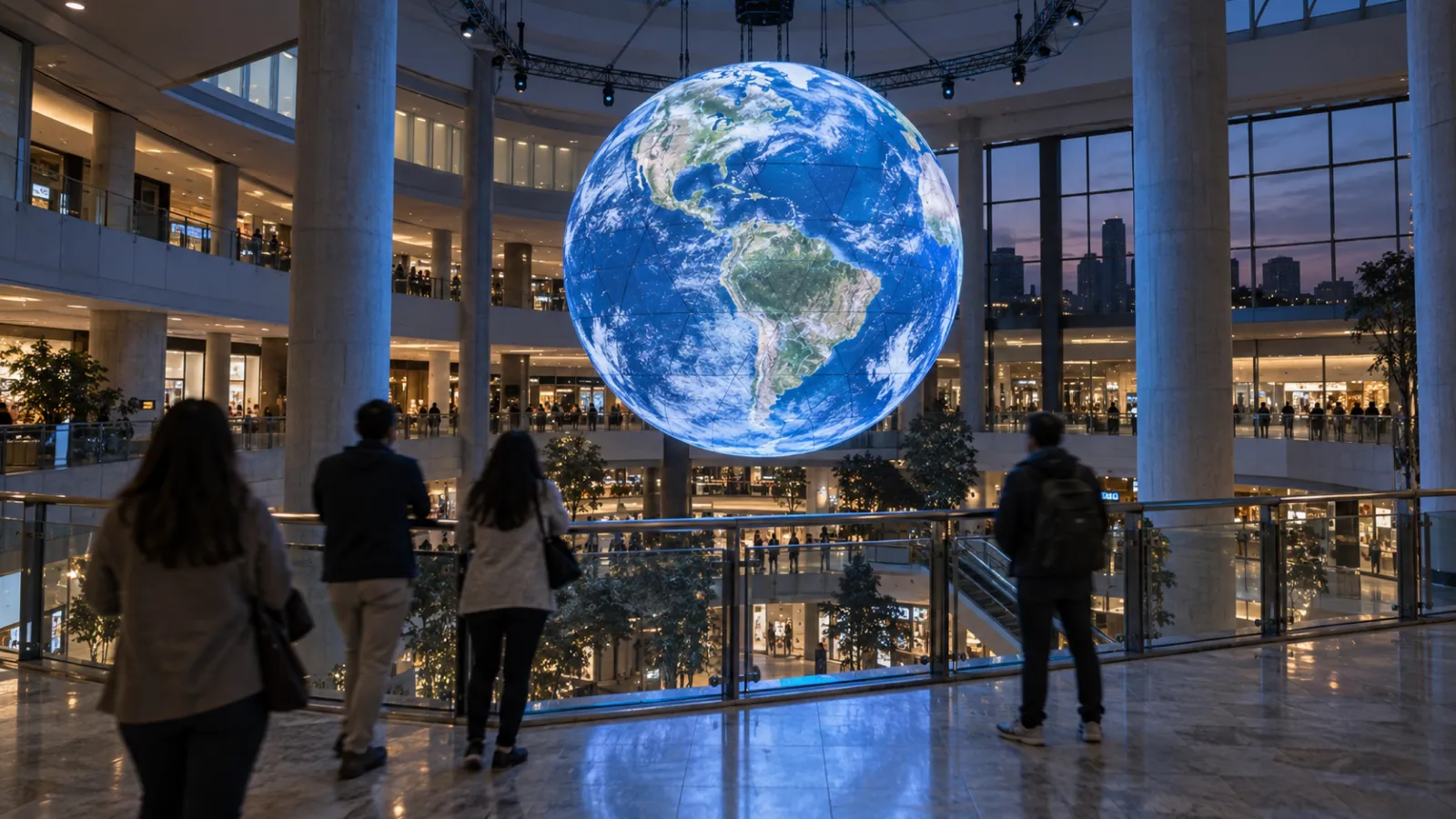
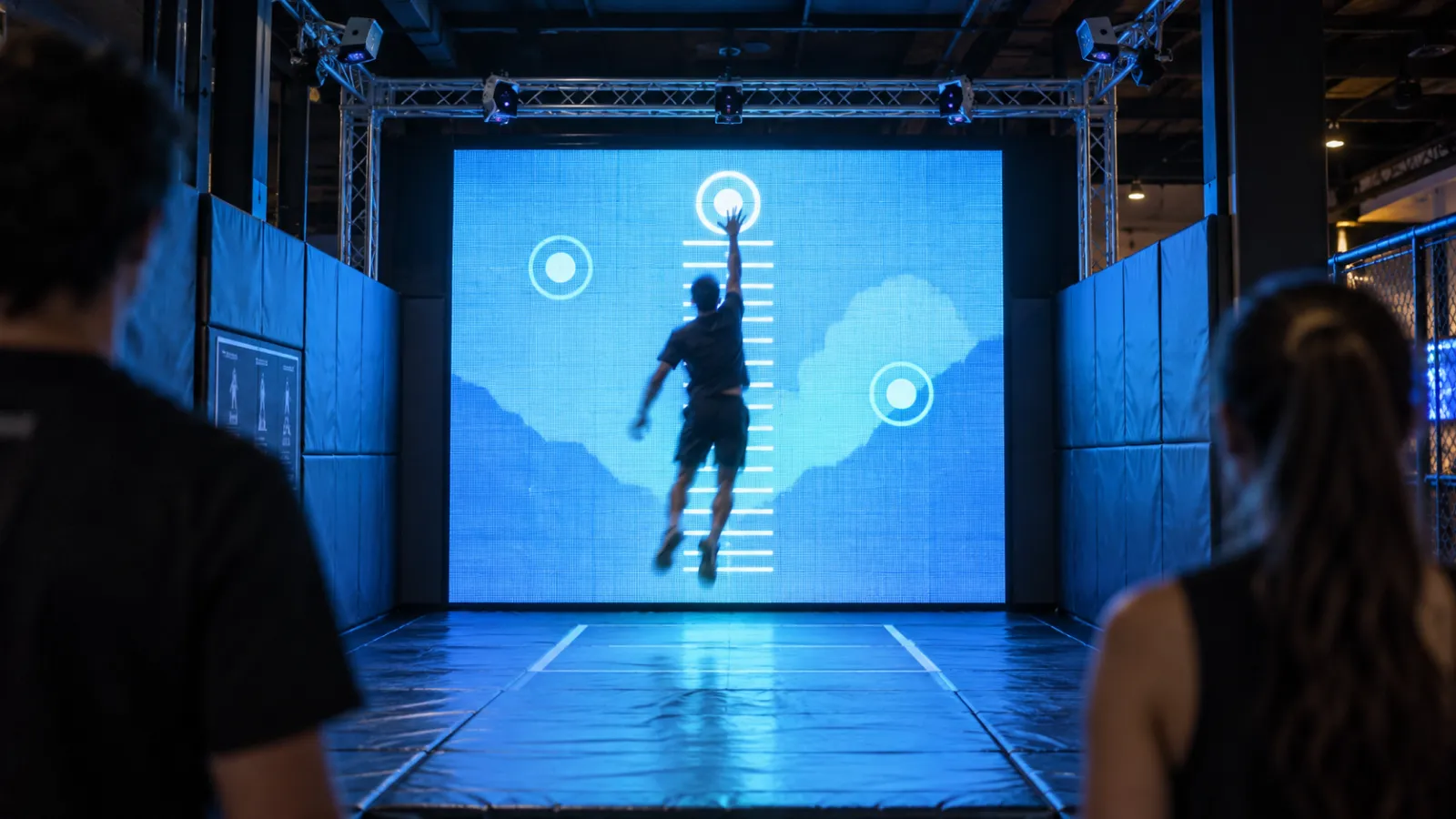
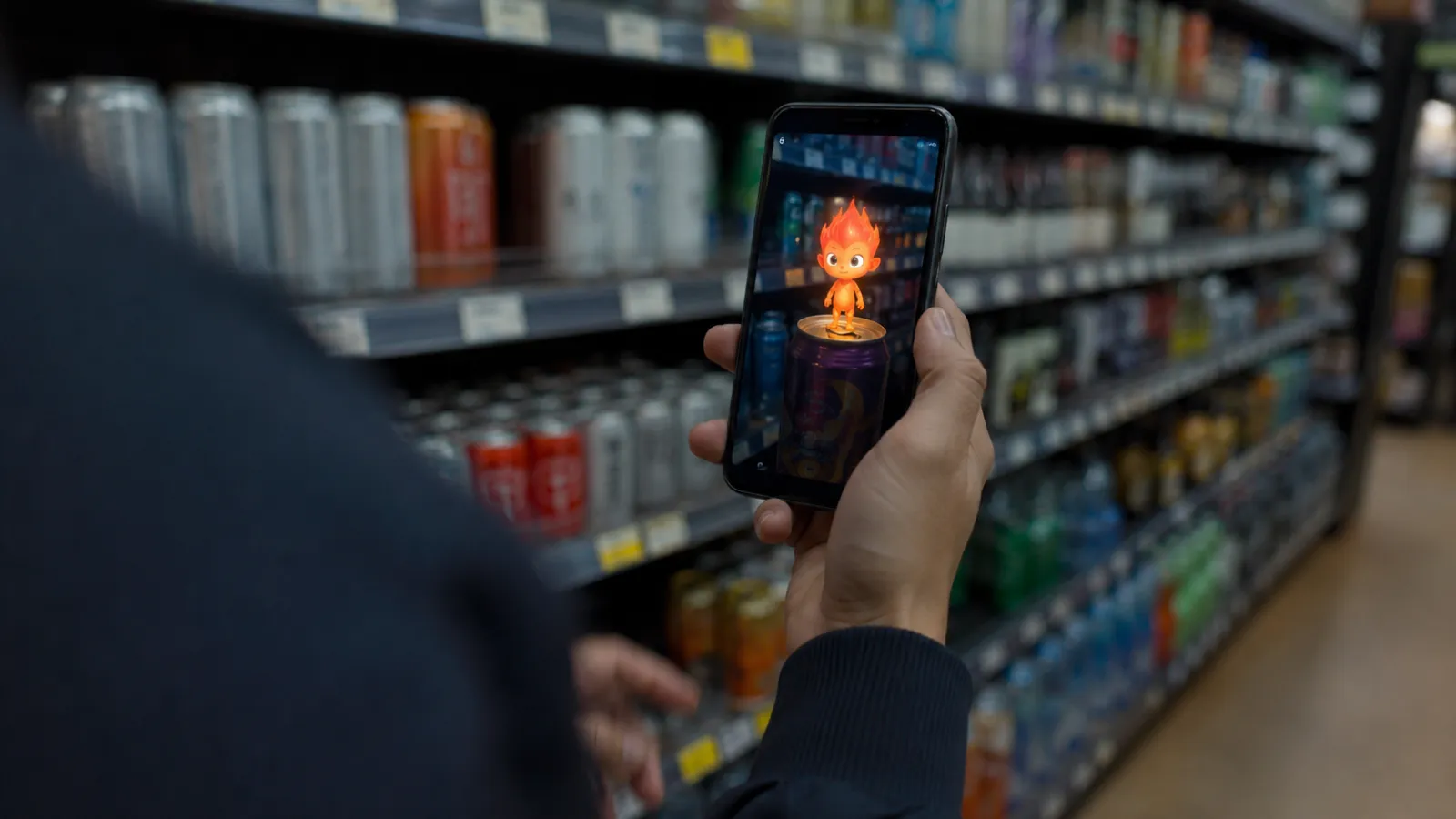
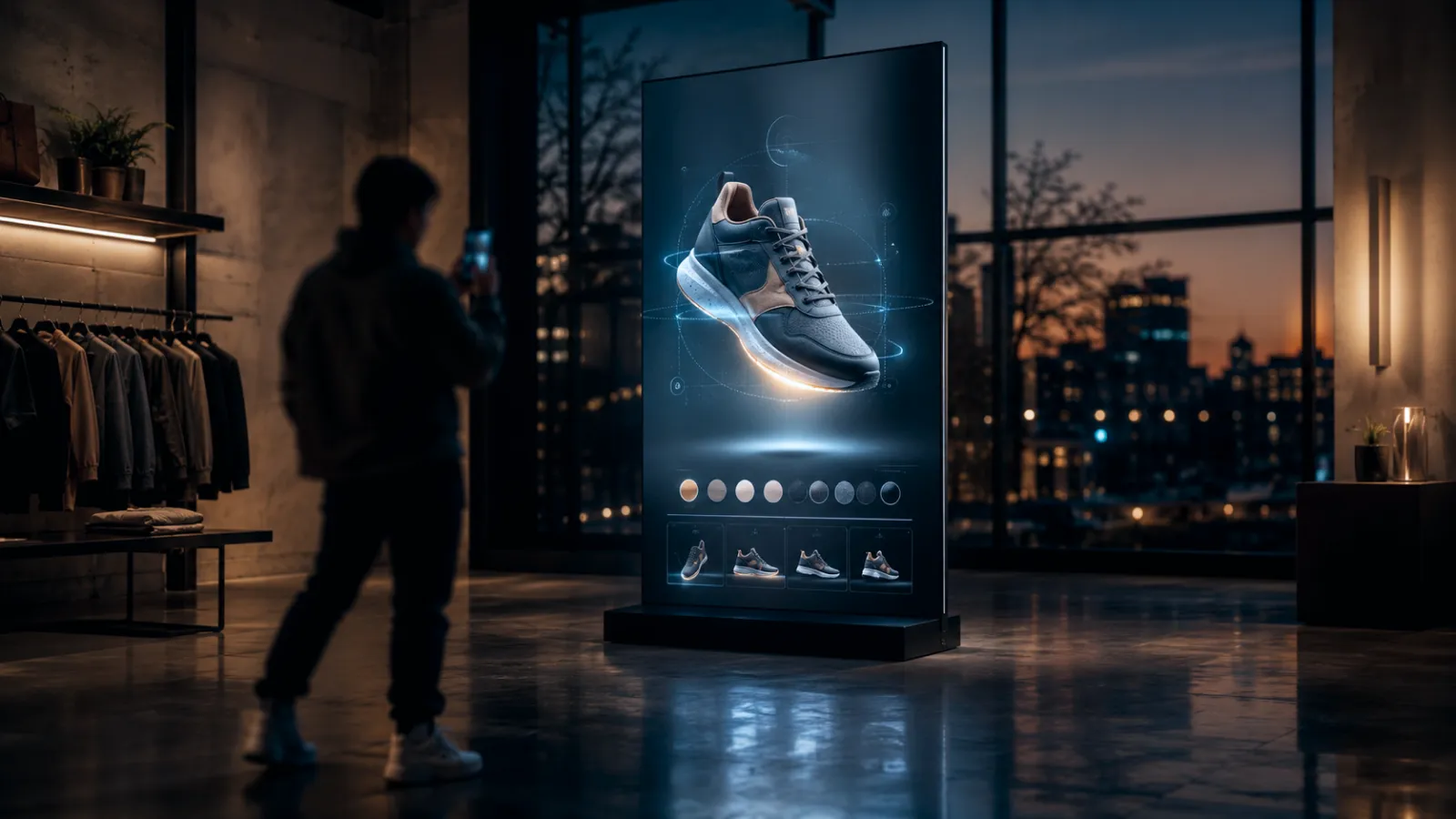
An interactive retail installation is an in-store or storefront experience that responds to a customer's presence, motion, touch, or device — turning a walk-past into a stop, a crowd, and something worth filming.
This guide is built around 14 installations that actually exist, with the brand, the city, the year, the mechanic, who built it, and a source for each. Then the five design rules that separate the ones that work from the ones that sit dark by month three, what they cost, and how to measure them without creating a legal problem.
One scope note: this page is about physical installations. Web-based retail interactivity — 3D product viewers, configurators, AR try-on — is a different build with different economics, covered in our guide to interactive retail experiences on the web.
Who this is for: Retail marketing teams, brand experience leads, visual merchandising, store innovation/DX teams, and agencies planning a flagship moment, pop-up, or in-store activation.
Key Takeaways
- Most of the best-known installations have never published a performance number. We flag that honestly below rather than repeating the fabricated statistics that saturate this topic. Treat any "dwell time +70%" claim you find elsewhere as marketing copy until you see the study.
- The mechanics that recur across every strong example are narrow: body tracking, projection on switchable glass, product-pickup triggers, AR mirrors, kinetic/robotic objects, and live UGC walls. Almost everything else is a variation.
- Budget honestly: a genuine single-screen interactive starts at $20K; multi-surface work runs $40K–$80K; room-scale is $100K–$200K. Below ~$20K you are buying digital signage, not interactivity.
- Camera analytics is where retail projects get into legal trouble. "We don't store any images" is not a legal defence in Japan, the EU, or Illinois — all three attach to capture and processing, not retention.
- You don't need a permanent build on day one. Pilot at pop-up scale, prove the numbers, then scale.
1. What an Interactive Retail Installation Actually Is
The defining property is agency: the customer does something, and the space answers. That is the entire difference between an installation and a very expensive screen.
- "I did something."
- "The brand reacted to me."
- "I want to try again — and show someone."
Across the examples in the next section, almost every build reduces to one of six mechanic families:
- Body and pose tracking — an overhead or forward-facing camera reads posture, movement, or silhouette and drives the visuals. The most language-independent mechanic available, and the most demanding to calibrate.
- Projection and switchable glass — turning a facade or a wall into a surface that only exists at certain hours, or under certain conditions.
- Product-pickup triggers — RFID, NFC, weight sensors, or QR. Lifting the product is the input. The shortest possible path from interaction to purchase intent.
- AR and smart mirrors — facial tracking overlaying product on a live reflection. Dominant in beauty, increasingly regulated (see §5).
- Kinetic and robotic objects — physical movement rather than pixels. Expensive, hard to maintain, and by far the most photographed.
- Live UGC walls — the store displays its own customers' content in real time, making the audience the content pipeline.
The strategic question is never "which technology." It is which behaviour you want to change — stop, enter, try, join, share, return — and then the shortest mechanic that produces it.
2. 14 Interactive Retail Installations Worth Studying
A note on evidence before the list. Publicly reported outcome numbers for retail installations are rare. Brands treat store performance as competitive information, and agencies publish craft, not results. Where a real number exists and is attributable, it is below. Where it doesn't, the entry says so — because the alternative, which the rest of the internet has chosen, is to invent one.
1. Moncler — an alpine expedition inside a Milan courtyard
Where: Portrait Milano, Milan · Year: 2026 · Built by: Random Studio
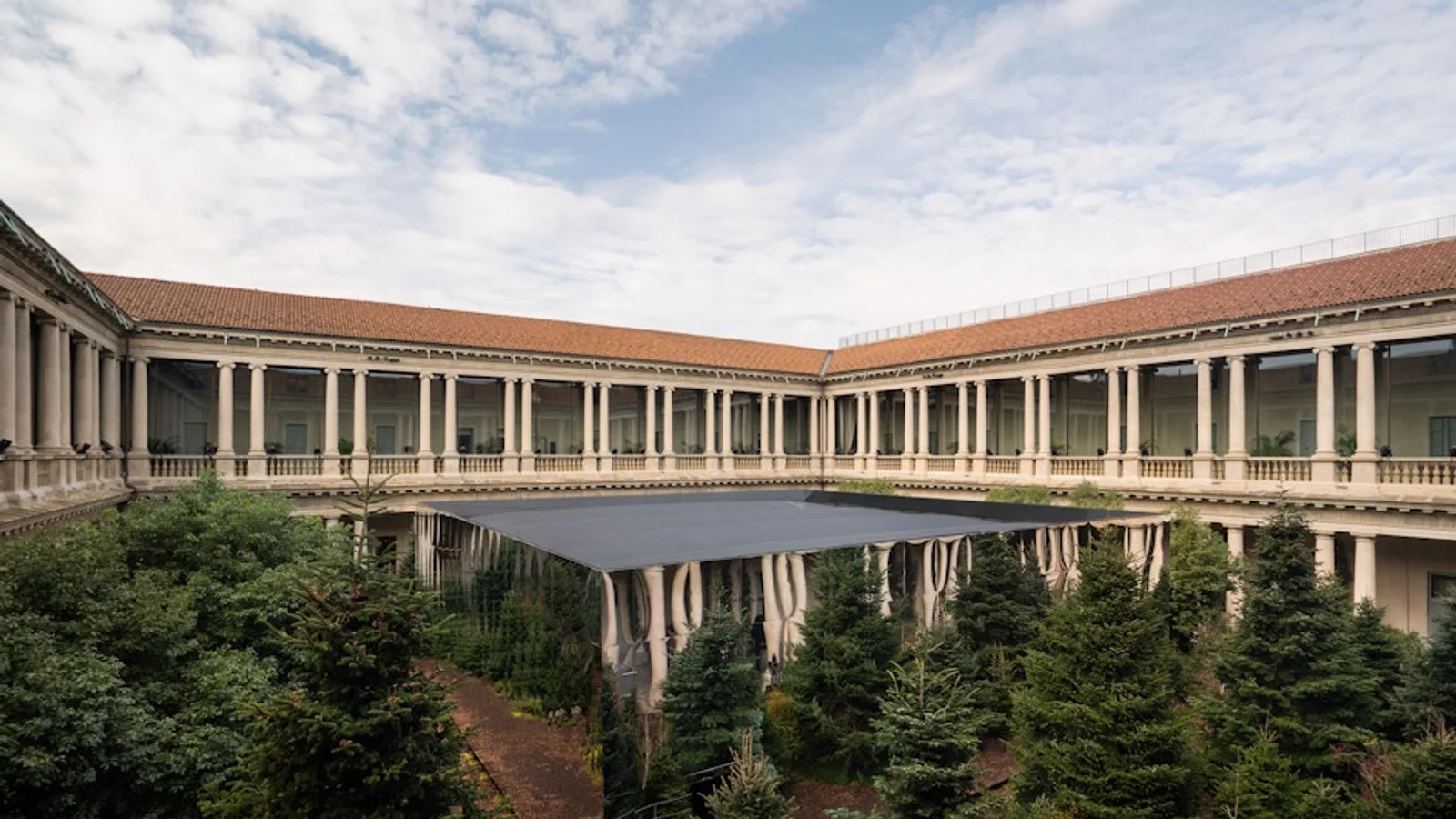
650 m² across a courtyard, staged for the Olympic Winter Games. Three colour-coded trails — blue, white, red — run visitors through a simulated alpine environment built from a 128-speaker spatial audio system, a 360° panoramic LED display, two-way mirror cabinets with automated lighting, fog, artificial snow, strobes, wind fans, and a four-stage scent track (resin, suncream, firewood smoke, metallic notes). It is the clearest current example of an installation that sells a product category by simulating the conditions the product is for.
Outcome: No performance figures published.
Source:random.studio
2. Nike — a robotic arm that repaints the whole store
Where: House of Innovation, Paris · Year: 2025 · Built by: Random Studio, with Uncanny Valley and Satis&fy
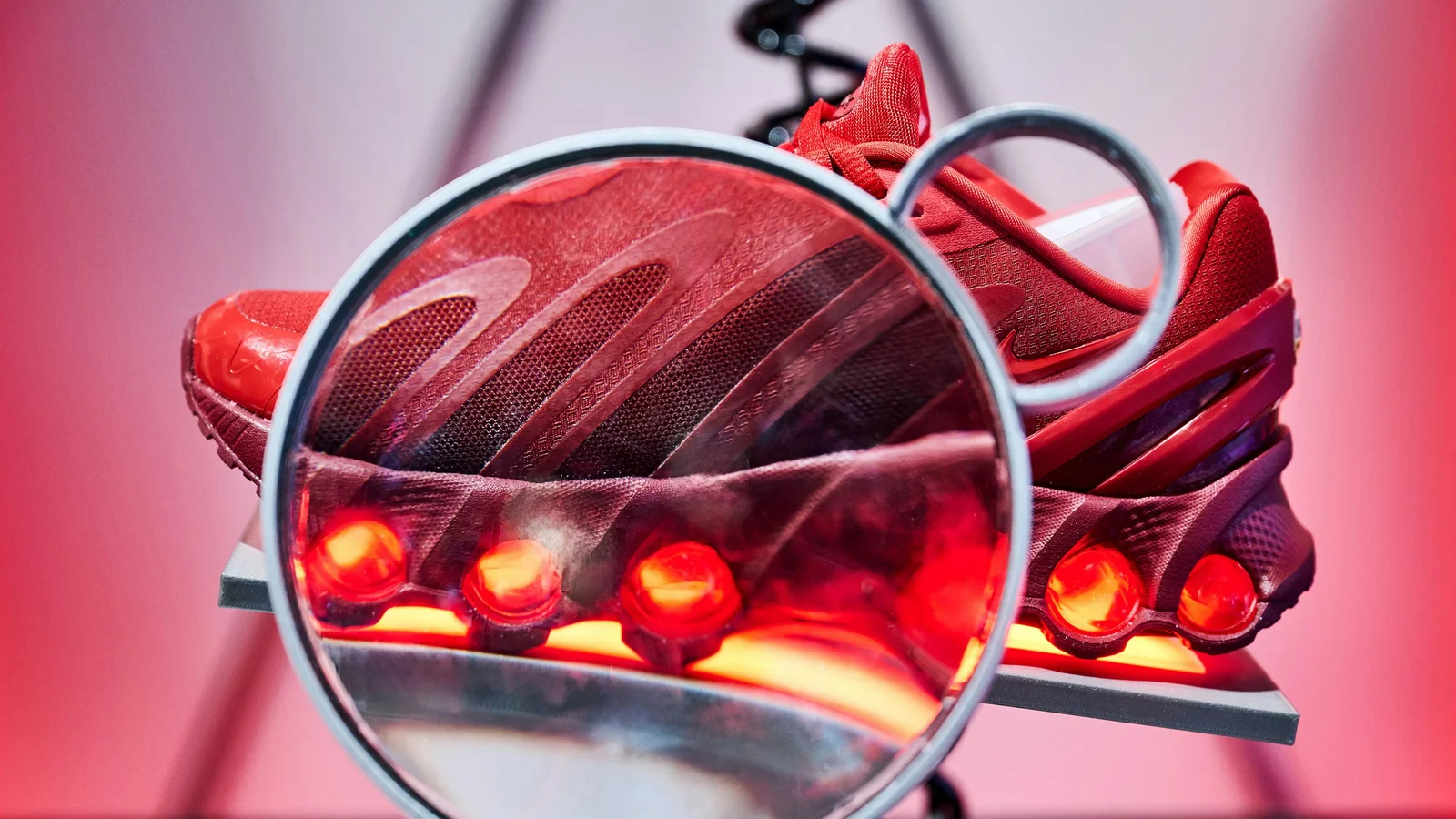
For the Air Max DN8 launch, a robotic arm carrying a magnifying screen works the storefront, spotlighting the shoe and letting passers-by select from eight colourways. The selection then triggers a synchronised light show through the entire 1,000 m² store in the chosen hue. Inside, four pods: reflective kinetic rings demonstrating pressure dispersal, motion-responsive light sculptures, responsive floor surfaces, and layered projection.
This is the best example on the list of a storefront interaction with a store-wide consequence — the reward for participating is visibly larger than the interaction itself, which is what pulls people through the door.
Outcome: No performance figures published.
Source:random.studio
3. Glossier — a perfume launch where the bottle writes you a poem
Where: Galerie Joseph, Paris · Year: 2025 · Built by: Random Studio, with Double Dragon and Satis&fy
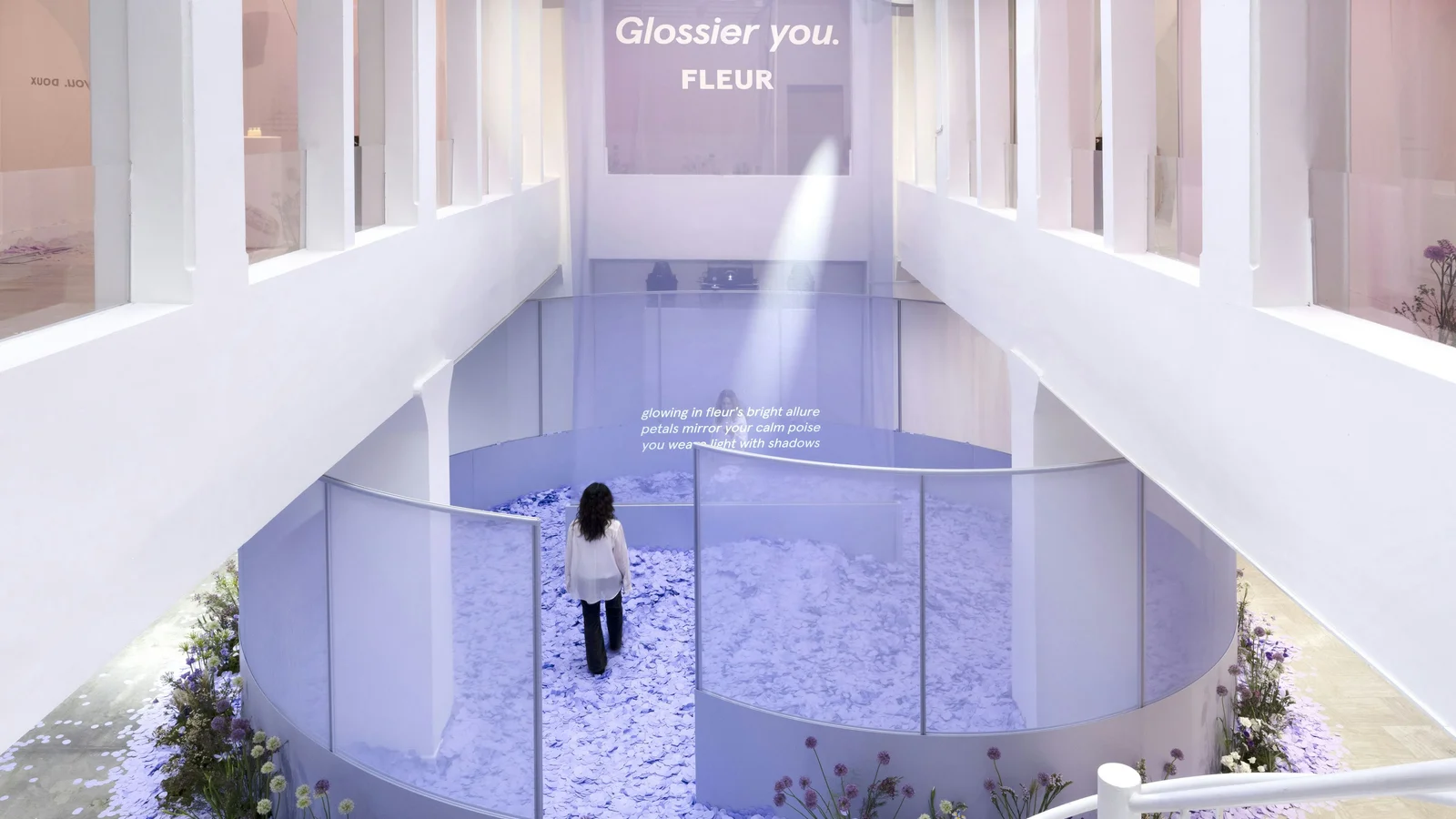
850 m² over two floors for the Fleur fragrance. Lifting the bottle off its plinth trips a hidden weight sensor; a webcam captures the visitor and sends the frame to a GPT model, which writes a bespoke poem from their clothing, posture, and presence. The poem is projection-mapped onto a fabric wall with synchronised AI voice narration within seconds — lighting throws the visitor's silhouette first, then reveals the text.
The mechanic is worth stealing: the product itself is the controller, so there is no instruction to read and no interface to learn.
Outcome: No performance figures published.
Source:random.studio
4. Boucheron — a facade that only exists after dark
Where: Tokyo flagship · Year: 2022 · Built by: Random Studio

A 28-metre facade of French arches driven by 15 ultra-bright projectors behind switchable privacy glass. By day the glass is transparent and the store shows through. At night it turns opaque and becomes a projection surface for an evolving digital garden generated in Unreal Engine, running on a circadian cycle with seasonal themes — cherry blossom, fireflies, harvest moon, ice festival — and matched sound design.
The switchable-glass approach solves the oldest problem in storefront media: a screen is dead weight during daylight, and a window is dead weight at night.
Outcome: No performance figures published.
Source:random.studio
5. Gentle Monster — an in-house robotics lab
Where: Houston Galleria (2023), Tokyo (2024), London, Paris (2025) · Built by: Gentle Monster, in-house
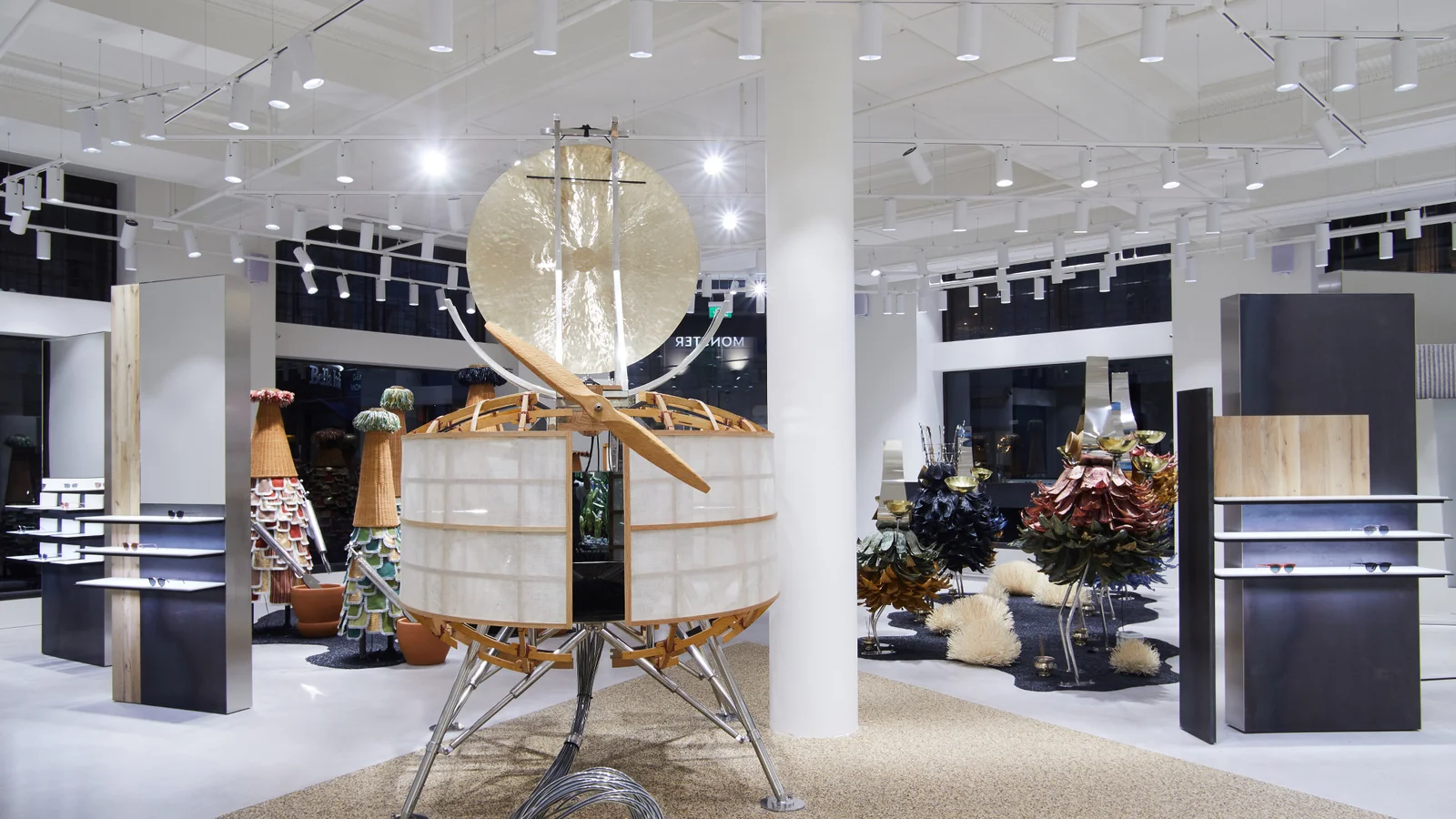
Houston runs a nine-foot hyper-realistic kinetic human face — human-like skin, eyebrows, eyelashes — that blinks and makes slight movements in response to shoppers, plus "The Probe," a six-legged walking machine. London has kinetic martial-arts figures upstairs and hydraulic-armed robots fighting in a bamboo forest below.
The genuinely instructive part is not the robots. It is that Gentle Monster built a robotics lab in-house rather than commissioning each store. That converts a per-project cost into an amortised capability, and it is why they can refresh flagships at a cadence no agency-commissioned programme matches.
Outcome: No performance figures published.
Source:chron.com
6. Burberry × Tencent — the canonical "phygital" store
Where: Shenzhen Bay MixC, Shenzhen · Year: 2020 · Built by: Burberry with Tencent (technology stack)
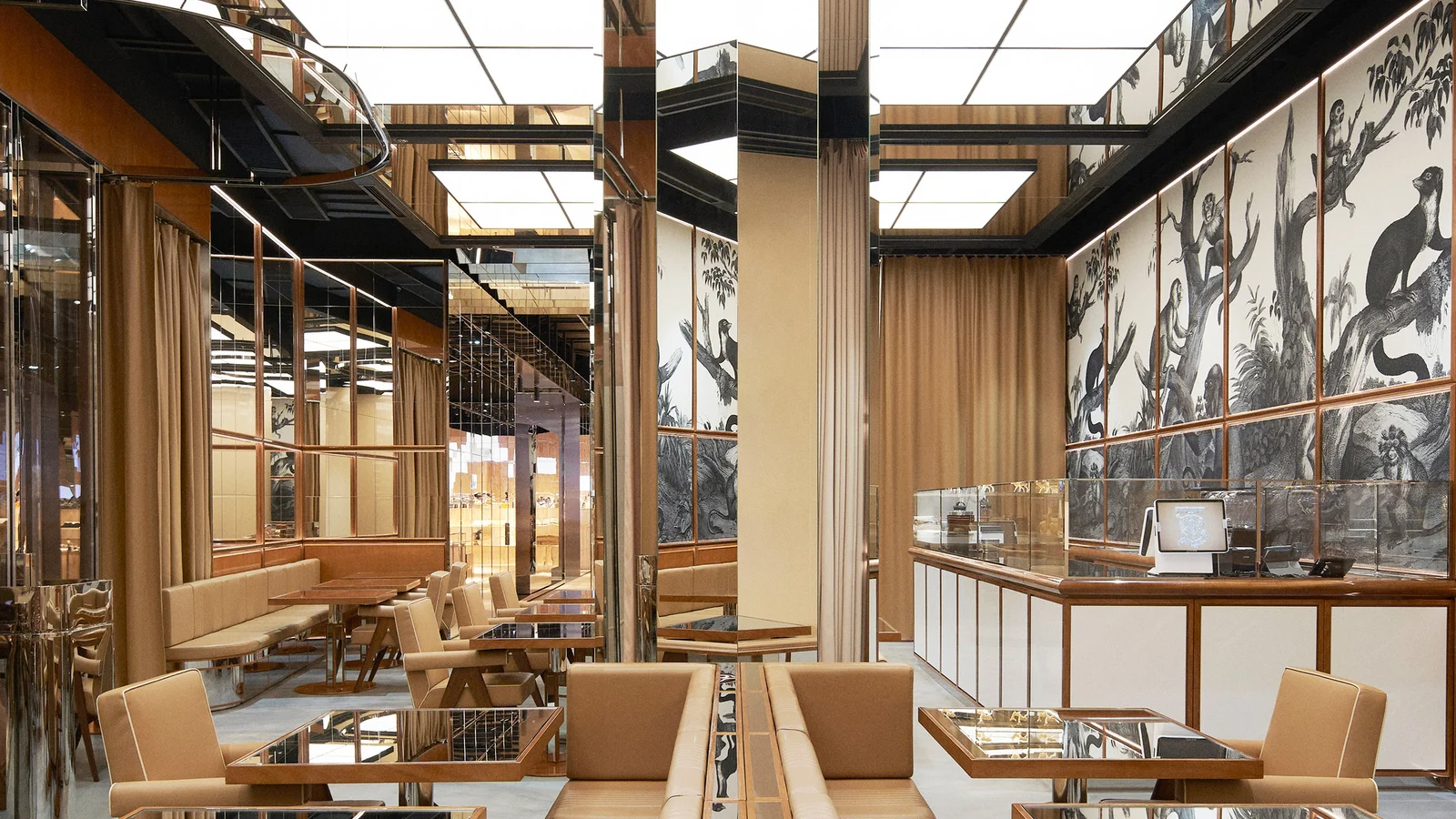
~5,800 sq ft across ten themed rooms. Merchandise is QR-coded and connected to in-store digital screens; scanning unlocks content in a bespoke WeChat mini-program, which also handles store tours, product information, appointment booking and events. Customers receive a gamified animal character — a fawn that hatches from an egg — that changes as they interact with the store.
The window display is a sculptural recreation of the AW20 runway in which mirrors and screens capture the movement of people passing. Inside, three themed fitting rooms — Animal Kingdom, Reflections, and the Thomas Burberry Monogram — are bookable through the mini-program, with clothes pre-selected and the customer's own music playing.
Still the most complete example of tying every physical interaction to a persistent digital identity. Note that Burberry has never published performance data for it — a five-year silence that is itself informative.
Outcome: No performance figures published.
Sources:dezeen.com · retaildive.com
7. adidas LDN — a shop floor made of screens
Where: 425 Oxford Street, London · Year: 2019 · Built by: adidas with DB3 Group
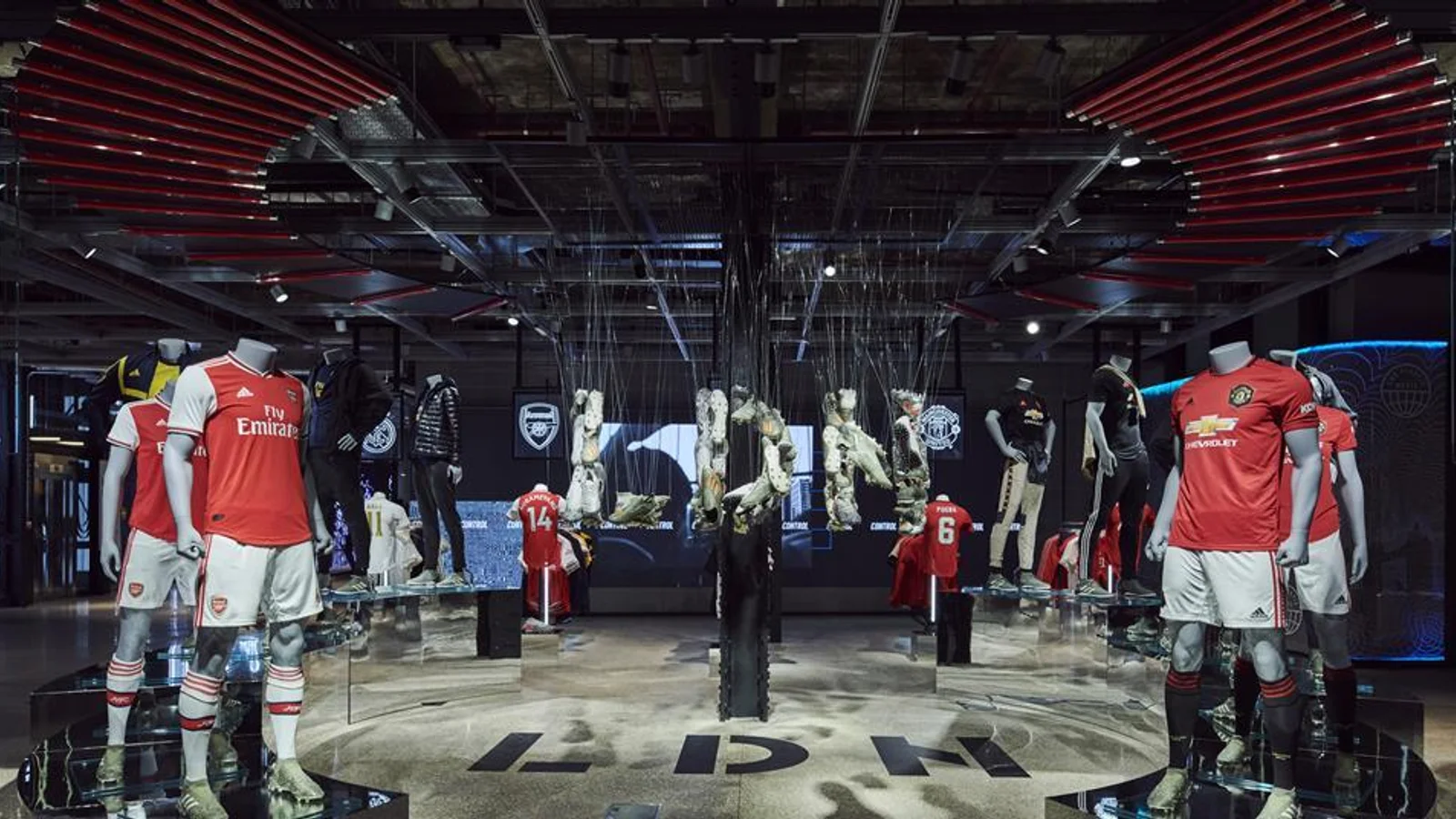
Four floors and over 100 digital touchpoints. "The Base" is an immersive environment built from LED screens and LED flooring — the floor is a display, not a surface with displays on it. "Bring It To Me" uses in-store geolocation tracking so staff can bring a size to the customer wherever they are standing. A MakerLab customisation hub turns the visit into a physical object you leave with.
The transferable idea is that adidas treated digital as architecture rather than as fixtures bolted onto a finished store. That is a decision made at fit-out, and it cannot be retrofitted.
Outcome: No performance figures published.
Source:adidas-group.com
8. Canada Goose — the Cold Room
Where: Toronto (2018), then Beijing, Montreal, West Edmonton Mall · Built by: Canada Goose
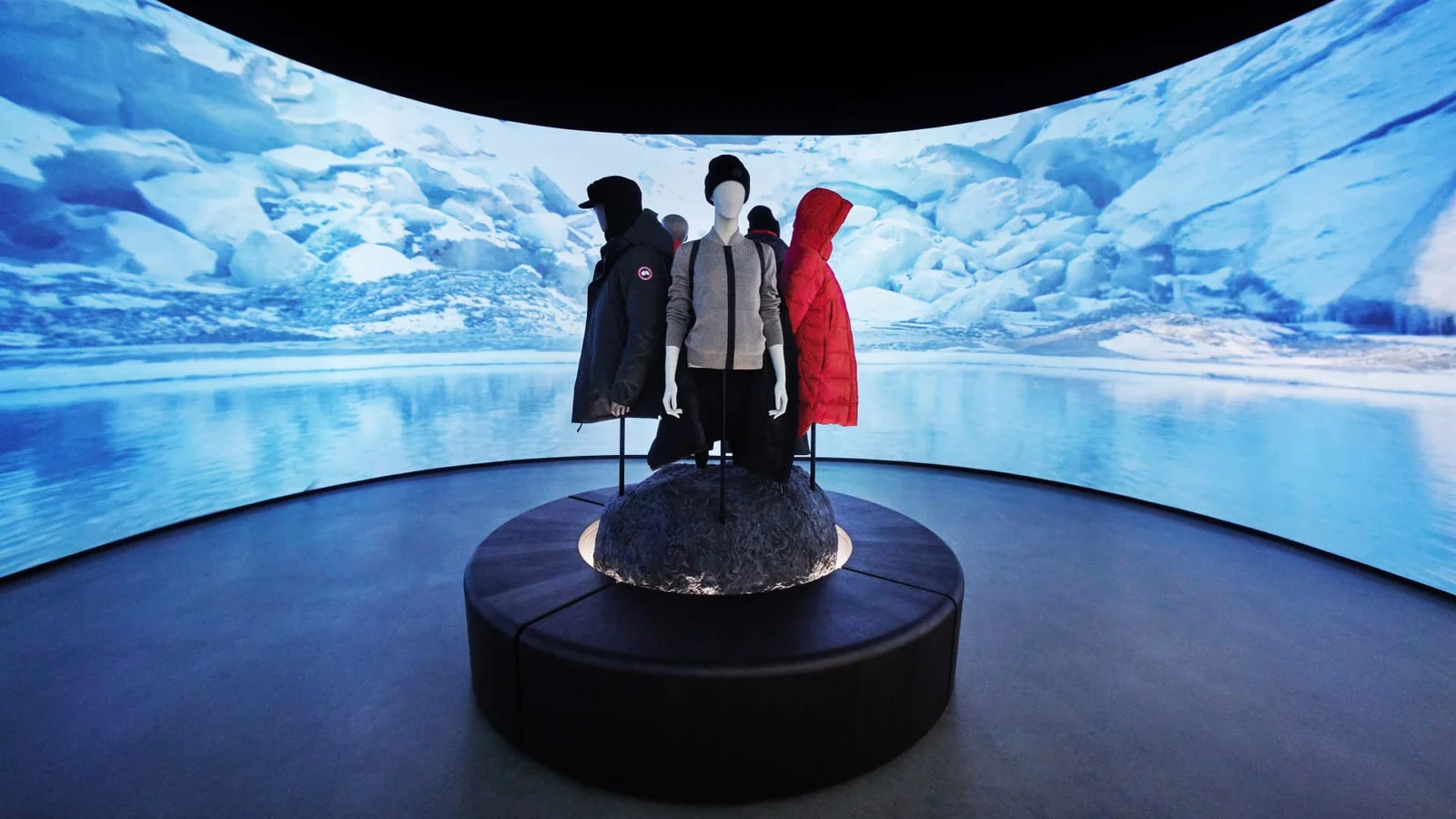
A thermal chamber chilled to 10 °F (−12 °C), so customers can physically test a parka before buying. The 2019 "Journey" store at CF Sherway Gardens extended it with daily indoor snowfall — claimed as a North American first — and a "Crevasse" entrance with OLED panels under glass flooring simulating cracking ice. It carried no inventory for shoppers to take home at all: you try, then order, and it arrives that night or the next day.
This is the counter-example the rest of the list needs. It is not spectacle. The experience performs a job the product page cannot do: it resolves the single biggest purchase objection for a $1,000 coat. If you only take one idea from this page, take this one — find the objection, then build the room that answers it.
Outcome: No performance figures published.
Source:cnbc.com
9. PUMA — an RFID mirror and a customisation studio
Where: 609 Fifth Avenue, New York · Year: 2019 · Built by: PUMA with Design Republic; iMirror by NOBAL
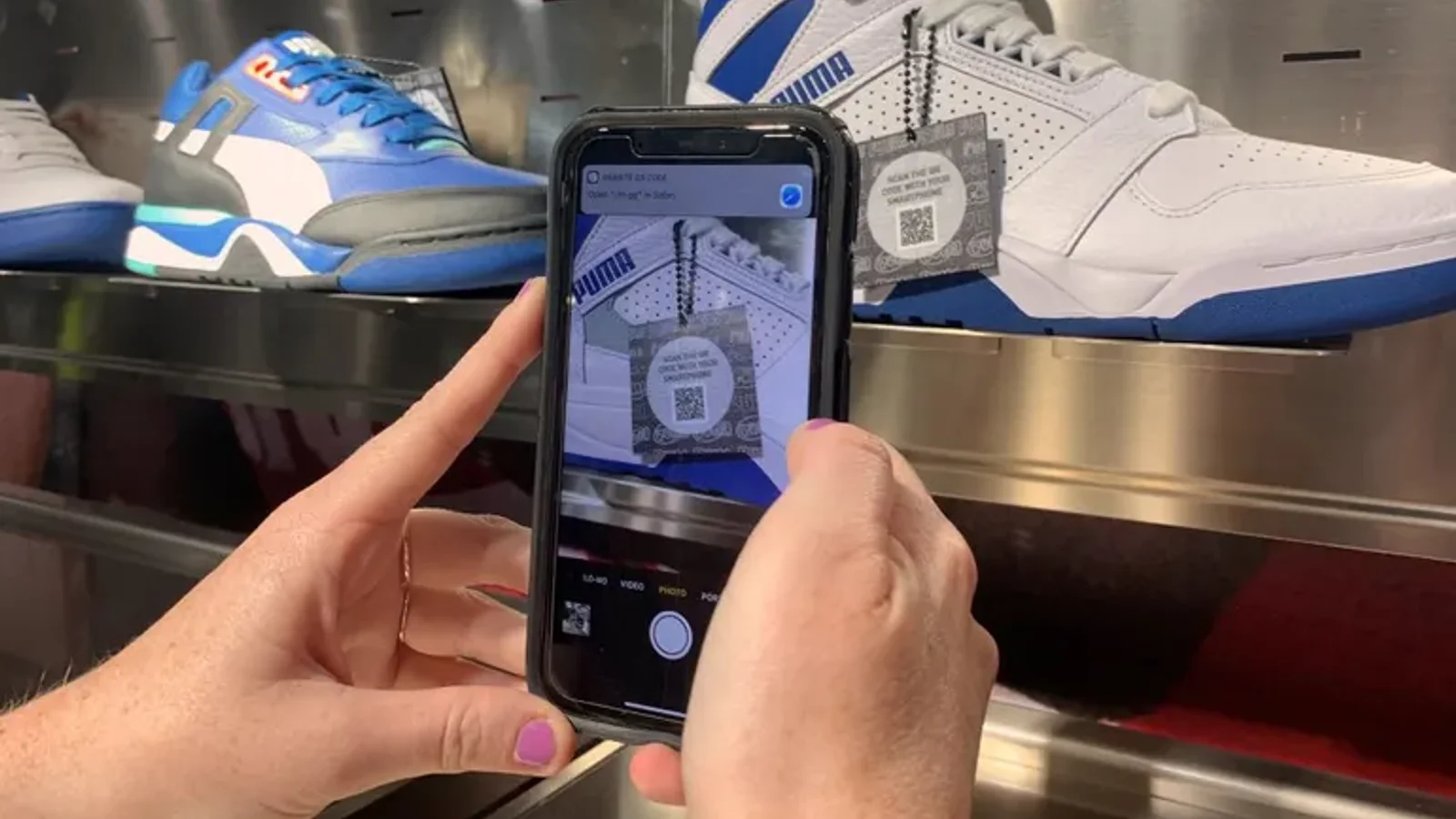
18,000 sq ft over two floors, with a 160 ft wraparound frontage. The iMirror by NOBAL is RFID-driven: it surfaces alternate colourways for whatever you are holding, and has a button to call a store associate. A basketball zone with stadium seating runs an NBA 2K experience. The PUMA x YOU studio does on-site customisation with dyes, embroidery, 3D knitting and laser printing.
The RFID mirror is the part worth noting: like Farfetch below, picking the product up is the query. No app, no scan, no typing.
Outcome: No performance figures published.
Source:about.puma.com
10. Nike Rise, Seoul — comparing two shoes by putting them down
Where: Myeongdong, Seoul · Year: 2021 (concept launched Guangzhou, 2020) · Built by: Nike
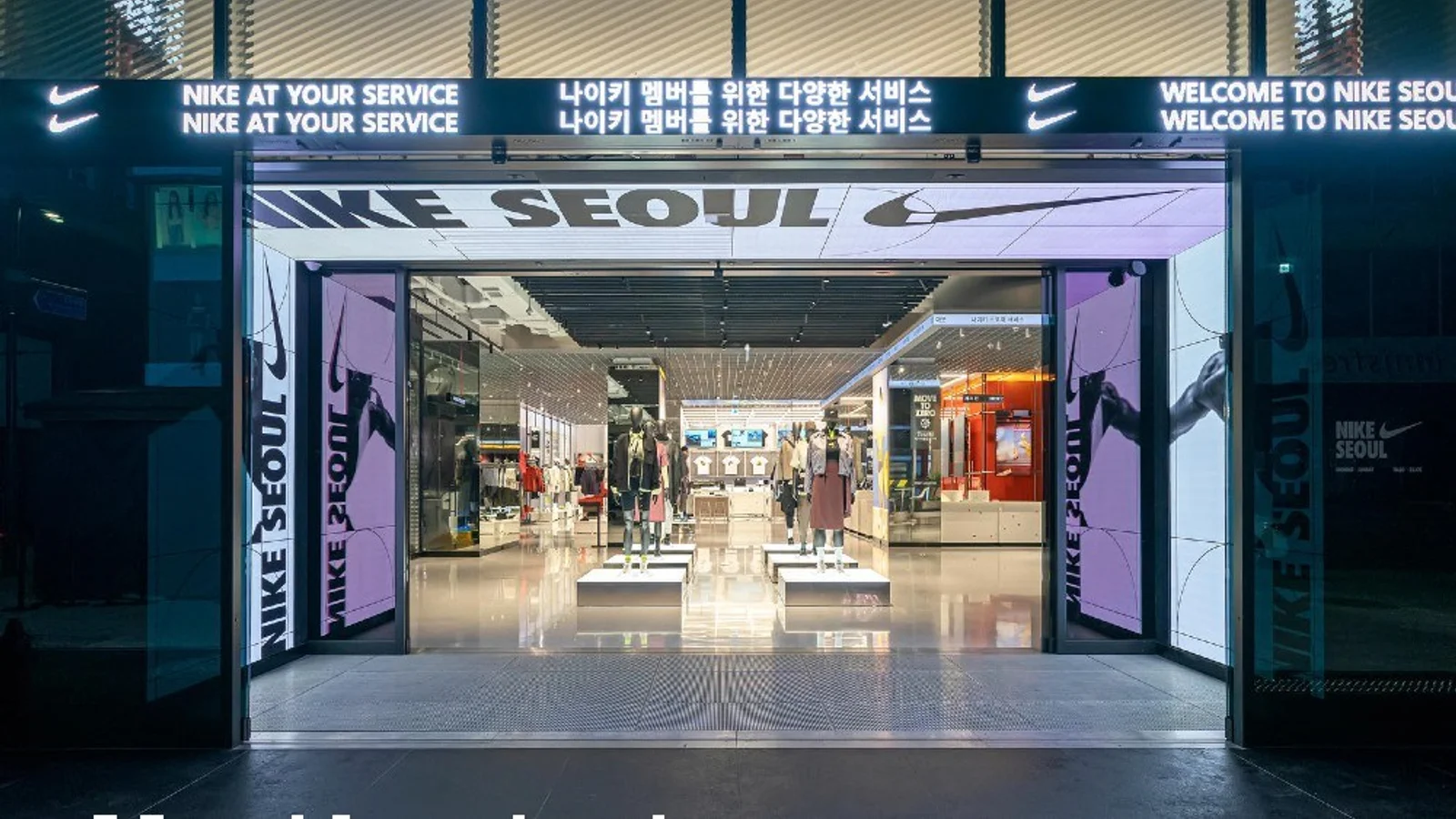
"Inside Track" is an RFID-powered digital footwear table: put any two shoes down on it and it pulls up a side-by-side comparison of benefits, technology, and online reviews. "Sport Pulse" is a digital layer spanning every level of the store, surfacing Nike product trends and sports updates.
Inside Track is the cheapest good idea on this page. It answers the question a shopper is already asking — which of these two? — using the gesture they are already making, and it needs one table rather than a room.
Outcome: No performance figures published.
Source:retailtouchpoints.com
11. Samsung 837 — the store that sells nothing
Where: 837 Washington Street, New York · Year: 2016 · Built by: Samsung
The original "un-store" — in WWD's words, "not a retail store; in lieu of shopping.""Social Galaxy" is a tunnel that loads the content of participants' Instagram accounts onto its screens as they walk through. The atrium carries a three-storey Main Stage screen, and there is a 4D VR theatre.
Outcome: No reliable visitor figure exists. A "450,000 visitors in year one" number circulates widely and is usually credited to WWD — WWD's anniversary coverage contains no such figure. The only volume metric it reports is that the venue had hosted more than 400 events. Treat the visitor number as unsourced.
Source:wwd.com
12. LEGO Leicester Square — the Mosaic Maker
Where: Leicester Square, London · Year: 2016 · Built by: LEGO Retail
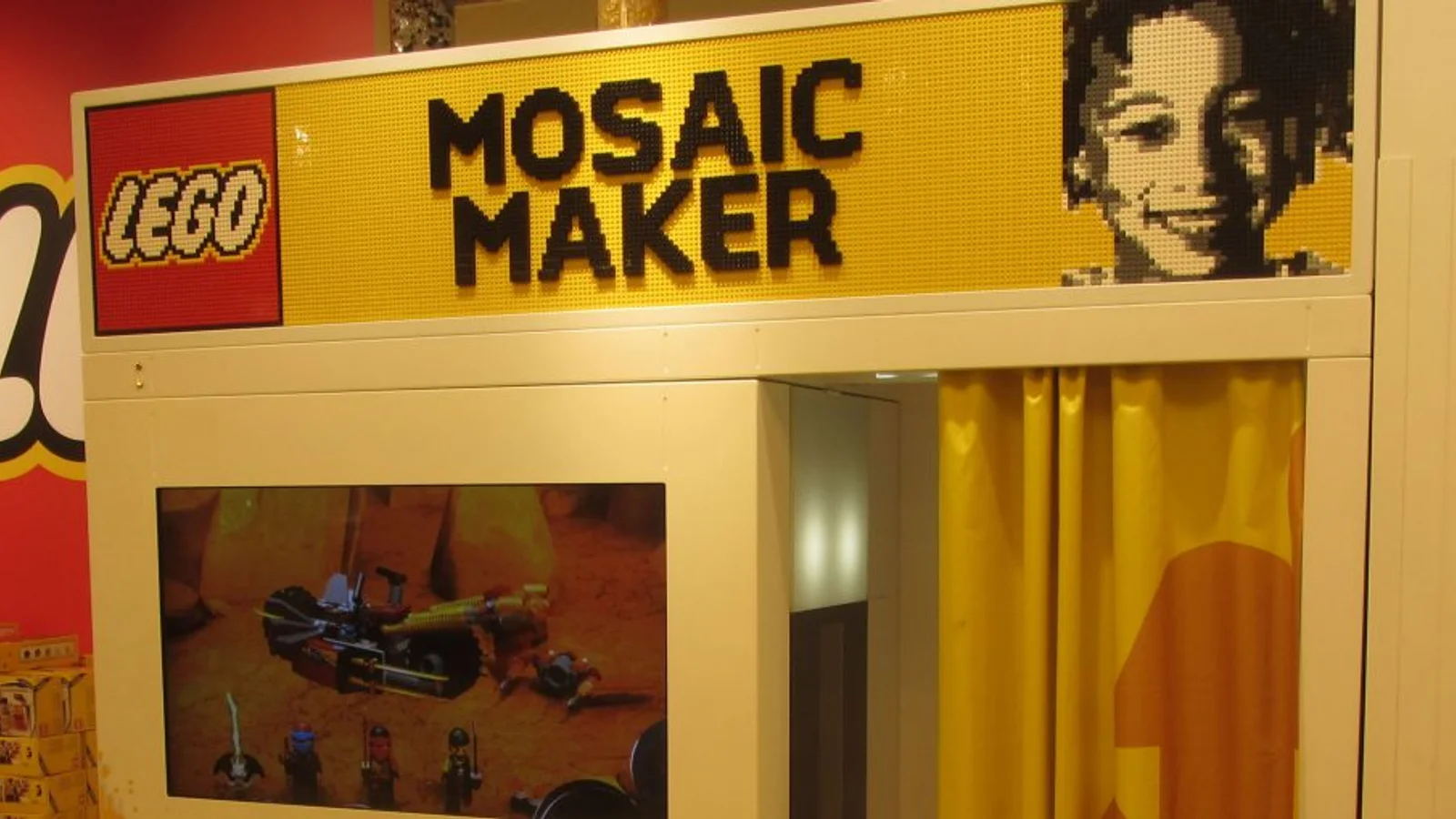
Mosaic Maker is a photo booth that photographs the customer and, in about 90 seconds, produces a boxed set containing all the bricks needed to build your portrait plus printed instructions unique to you. The "Storytelling Table" surrounds a physical set with screens playing designer interviews and process footage, so the model and the story behind it occupy the same table.
Mosaic Maker is the purest demonstration of the takeaway-output principle in §3: the interaction's output is a product with a price, so the experience pays for itself directly rather than through attribution.
Outcome: No performance figures published.
Source:brickfanatics.com
13. Nike House of Innovation, Paris — the motion-capture dance box
Where: House of Innovation, Paris · Built by: Random Studio
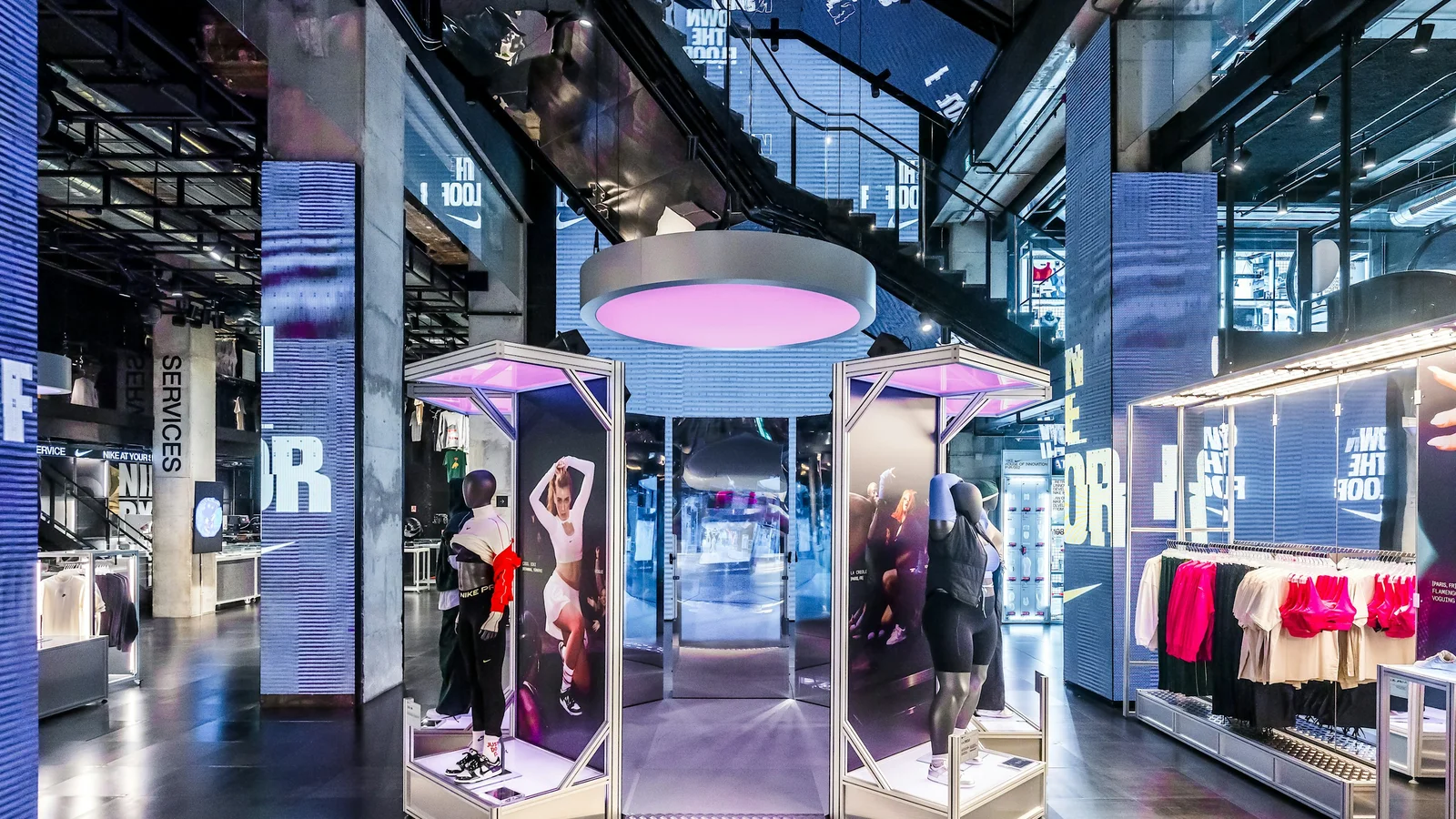
A glass box lined with double-sided mirrors containing a dancefloor. An overhead camera runs real-time motion capture; a splintered, live-filtered video view renders dancers as a music-video edit. Sound and pulsing lights respond to movement, and a circular light display in the shop window reacts to the activity inside — so the interior interaction advertises itself to the street. Three podiums for breakbeat, vogue, and afrobeat.
(Random Studio does not publish a date for this project, so we have not assigned one.)
Outcome: No performance figures published.
Source:random.studio
14. Farfetch and Charlotte Tilbury — two that are worth studying for the wrong reasons
Farfetch "Store of the Future" (announced 2017, launched at Browns London, later at Thom Browne's New York flagship) built an RFID-enabled clothing rail — picking a garment up registered it to your phone and populated an in-store wishlist, what founder José Neves called the "offline cookie" — plus a connected mirror that surfaced that wishlist and summoned other sizes and colours to the fitting room. Customer recognition at the door ran through beacons or a phone wallet. Technically excellent. It did not scale, and after Farfetch's 2024 acquisition the programme is historical. The lesson is that infrastructure-heavy retail tech dies when the sponsoring organisation changes shape.
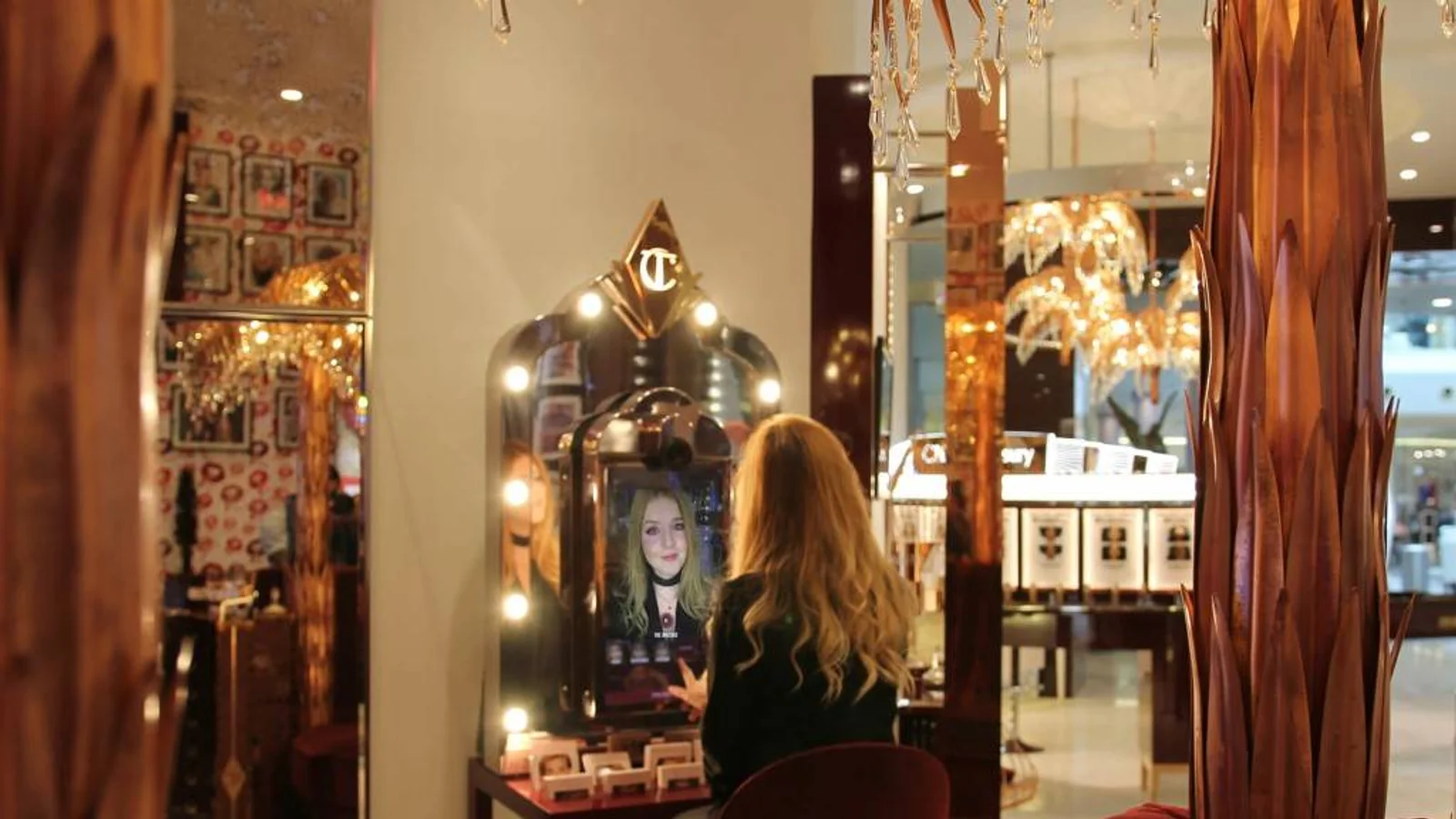
Charlotte Tilbury's "Magic Mirror" (Holition, 2016) put facial-tracking AR on ten of the brand's signature makeup looks, and reached 11 deployments across London, Dubai, Hong Kong, Kuwait, Doha, and Abu Dhabi. It is genuinely the origin point for AR beauty mirrors. But every conversion and dwell-time figure circulating about it traces back to agency marketing copy, not to a primary Charlotte Tilbury source. We could not verify any of them, and neither should you.
Outcome: No verifiable performance figures for either.
Sources:businessoffashion.com · holitionbeauty.com
What the evidence actually supports
Four statistics in this category survive scrutiny. Use these; discard the rest.
- Mall operator PREIT reports a 25% uptick in visits and a 22% jump in dwell time at properties with retailtainment tenants, which now make up 17% of tenants across its portfolio. This is an operator's self-reported figure, published by ICSC in August 2025 — attribute it to PREIT, not to the industry. icsc.com
- US consumer foot traffic was up year-over-year in the first half of 2025 — measured from device-location panel data rather than survey. (The report covers H1 only; treat anything said about the full year as projection.) placer.ai
- Holiday shoppers planning to gift activities such as tickets to movies and events rose five percentage points year-over-year, to 21% in 2025. icsc.com
- The experiential retail market is valued at $132 billion in 2025, projected to $543 billion by 2035 (Metatech Insights, via ICSC). Note the 2035 horizon — this figure circulates widely with the end date wrongly given as 2025, which implies an impossible fourfold jump in twelve months.
What to distrust: "immersive installations increase dwell time 50–70%," "a 10-second dwell increase boosts sales up to 130%," and the widely quoted Sephora Virtual Artist figures ("200m shades tried on," "20% sales boost"). None trace to a primary source. They appear almost exclusively on vendor blogs and AI-generated listicles, citing each other.
3. Five Rules That Separate the Ones That Work
These come from the examples above and from our own build experience, including a three-installation pop-up we delivered for a global sportswear brand and a major anime IP in Harajuku — full-body pose analysis, multiplayer interaction, physical controls, three stations connected by a shared fiction. That project is still under client confidentiality, so the lessons are general, but they were paid for in production.
3-1. The first action has to be obvious in five seconds
Use an idle state that demonstrates itself. Limit the first action to one behaviour — stand here, wave once, pick this up. Then let watching someone else play teach the next person; a well-designed queue is the tutorial.
Glossier's weight-sensor plinth and Nike's colour-selection arm both pass this test because the product is the interface. Nothing to read.
3-2. Pose tracking needs a floor, not just a camera
The single most common failure mode in body-tracked retail work: the system is calibrated in an empty room and deployed into a busy one. People stand too close, stand off-axis, or stand behind someone else, and the tracking degrades exactly when the crowd you wanted finally forms.
Design the floor — physical markings, a raised platform, a rug, a lit zone — so that standing in the right place is the natural thing to do rather than an instruction. This is cheap at design time and nearly impossible to retrofit.
3-3. Physical controls beat gesture for first-time users
Gesture looks better in the case-study video. A button, a dial, a lever, or a product you pick up gets more first-time users through the experience, because the affordance is unambiguous and the failure mode is visible. Reserve gesture for the expressive part of an experience, after the user is already committed — not for the entry point.
3-4. Multi-station experiences need a shared fiction
If you build three installations in one space, they must belong to the same world, or visitors read them as three unrelated demos and do one. A shared visual universe, a shared narrative premise, or a shared progression (collect a result at each station) converts three separate interactions into one journey — which roughly triples dwell without tripling the build.
3-5. End with something they can take away
A branded photo or clip, a digital card, a QR download, a printed object. LEGO's Mosaic Maker is the maximal version — the takeaway is a sellable product, so the experience pays for itself directly rather than through attribution. adidas's MakerLab and PUMA's customisation studio are the same idea applied to apparel.
The takeaway is what converts an in-store moment into an online one, and it is the only part of the experience the customer still has 48 hours later.
4. Designing for Mixed, Multilingual Audiences
Very few retail spaces now serve a single customer type, and the strongest installations are the ones that never assumed they did.
4-1. Discovery channels differ, so prior knowledge can't be assumed
Customers arrive through incompatible routes — maps and reviews, creators and short video, or simply walking past with friends and following the group's energy. A domestic customer may know your brand's entire history; a visitor may be meeting it for the first time, fifteen seconds ago. The installation has to work at zero prior brand knowledge, which means the brand meaning has to be carried by the experience itself, not by context the visitor is assumed to have.
4-2. Reduce language dependence rather than translating more
The strongest retail interactives are playable with one obvious first action, clear visual feedback within seconds, and icons or animation that demonstrate the interaction. Text still helps — keep it short, large, and high-contrast — but it should never be load-bearing. Adding a fifth language does not fix an experience whose core loop can only be understood by reading.
4-3. Japan is the clearest worked example
Japanese retail is where this pressure is most visible right now, and the numbers are counter-intuitive. In 2025, Japanese department stores recorded more than 6.21 million inbound shoppers — an all-time high — while tax-free sales fell 12.7% and total department store sales fell 1.5%, the first decline in five years. Spending shifted from high-ticket luxury toward low-ticket consumables, so spend per visitor dropped even as visitor counts hit records. jiji.com
More feet, less spend per pair of feet. You cannot solve that with more inventory. You solve it with reasons to stay longer and reasons to come back — which is the actual business case for an experiential build, stated in a way a CFO will accept.
The same shift shows in the national spending mix: of ¥9.45 trillion in inbound consumption in 2025, accommodation (36.6%) now exceeds shopping (27.0%) — spending has already migrated from goods to time spent. mlit.go.jp
4-4. Mixed-audience design is a measurable property, not a virtue
CHOOSEBASE SHIBUYA, Sogo & Seibu's QR-only concept floor in Shibuya, reported about 30% overseas customers and 1.7 million cumulative visitors across more than 1,200 brands at its third anniversary — in a format built around scanning a QR code rather than reading a price tag. netkeizai.com
Designing for both audiences at once is not a compromise that weakens the experience for either. Done properly it widens the addressable audience of the same fixed build — which is the only way the economics of an installation improve after it is installed.
4-5. Inclusion expands participation
Different heights and reach ranges. Mobility and navigation space. Captioning where audio carries meaning. Alternate inputs where gesture-only excludes people who cannot perform the gesture. Every one of these decisions also increases the number of people who complete the experience, which is the metric you are being judged on anyway.
5. Measuring It Without Creating a Legal Problem
This is where retail installation projects most often go wrong, and the failure is usually a compliance failure discovered late rather than a technical one.
Camera-based analytics can genuinely tell you things nothing else can: how many people stopped, how long they stayed, whether they finished, what time of day performs, how often people replay. But the legal exposure rises sharply depending on what you infer, and it rises in different places in different jurisdictions.
5-1. The claim you should stop making
The most common vendor reassurance in this category is "no images are stored."
That is not a legal defence in Japan, the EU, or Illinois. All three regimes attach to the capture and processing of the data, not to its retention. Deleting frames immediately is a necessary design choice and it materially reduces risk — but it does not discharge the obligation. Any vendor who tells you it does is either uninformed or is managing your objection rather than your risk.
The one near-exception is Washington State's RCW 19.375, which is drafted around enrolment in a database — though Washington's My Health My Data Act may still apply to emotion inference.
5-2. The five tiers, and where each becomes a problem
Analytics capability is a ladder, and the legal line falls at a different rung in each region.
| What you infer | Japan | EU/EEA | US |
|---|---|---|---|
| (a) Anonymous people counting | Safe | Safe | Safe |
| (b) + dwell time | Safe — treated as movement data | Mostly safe | Safe if tracked by silhouette, not face embedding |
| (c) + estimated age / gender | Permissive today, tightening | Transparency notice already mandatory | Biometric-law exposure begins here |
| (d) + inferred emotion | No regulator guidance at all | High-risk classification from Dec 2027 | Adds Washington MHMD exposure |
| (e) + gaze direction | As (d) | Worst option | Assume exposure |
Japan. The Personal Information Protection Commission has confirmed that derived attribute and movement data — gender and age ratios, foot-traffic paths — is not personal information, provided it cannot be readily cross-referenced back to the source footage. ppc.go.jp But the momentary capture of an identifiable face is still acquisition of personal information, so the purpose of use must be specified and published — and the exemption that covers ordinary security cameras does not extend to analytics. The practical standard is the METI/MIC camera-image guidebook (ver 3.0), which requires advance notice at the capture location, a published detail page, and a named contact point. meti.go.jp Japan's 2026 amendment to the APPI introduces a new category covering facial feature data, with mandatory advance notification and a near-unconditional right to demand cessation of use; the implementing ordinance is still pending, so anyone deploying in Japan now is building into a regime that is about to tighten.
EU/EEA. Age and gender estimation without a biometric template is generally not special-category data under GDPR — the EDPB's guidance on video devices addresses this case directly. But the AI Act's transparency duty (Article 50(3)) has applied since 2 August 2026 to deployers of emotion recognition and biometric categorisation systems, and it attaches to the operation of the system, entirely indifferent to whether anything is stored. digital-strategy.ec.europa.eu A DPIA is effectively mandatory, legitimate interest is the only workable lawful basis, and France's CNIL has already refused an adjacent age-estimation deployment as neither necessary nor proportionate. cnil.fr
Two EU traps worth naming. Emotion inference in retail is not prohibited — the prohibition covers workplaces and education — but if your staff are in frame, you are in a workplace, and the prohibition bites. And biometric categorisation to deduce race, religion, political opinion, or sexual orientation is a prohibited practice, not merely a regulated one; some demographic SDKs ship ethnicity inference on by default. Turn it off, and say so in the contract.
United States. Illinois BIPA prohibits collecting or capturing a biometric identifier without prior written consent, with no retention element in the operative section. Recent federal decisions have narrowed BIPA on a different axis — that the data must be capable of identifying someone, and that the defendant must have control over it — which gives a genuinely strong defence to an edge-device classifier that never produces a matchable template. That defence is not certain: those are federal rulings, and Illinois state courts are not bound by them. Texas, Colorado, and Washington each add their own requirements, and California's notice-at-collection rule means physical signage at the entrance, not a privacy policy on a website.
5-3. What to actually do
- (a) and (b) everywhere, with clear on-site signage. This covers stop rate, dwell time, completion rate, and time-of-day performance — which is the large majority of the decision-useful data anyway.
- (c) with deliberate architecture: on-device processing, no template generation, documented purpose, signage at the entrance and the installation. Viable in Japan and most of the US; in the EU only with a DPIA, a legitimate-interest assessment, and Article 50(3) notice.
- (d) and (e) — don't, in the EU or in Illinois and Washington. In Japan the constraint is reputational rather than legal, since the regulator has simply not addressed emotion inference. In most cases these tiers add very little decision value over (b) and (c), and they carry nearly all of the risk.
Then connect what you can measure to retail KPIs: store entry rate, conversion or basket lift where measurable, CRM sign-ups and app installs, QR scans, and UGC volume. Define two to four of these before the build, not after.
This is a practitioner's summary, not legal advice. Three points here are genuinely unsettled — Japan's pending implementing ordinance, whether age and gender count as "protected attributes" for EU high-risk classification, and BIPA's treatment of template-free estimation. Have local counsel sign off before deploying anything above tier (b).
6. Budgets, Pitfalls, and a Pilot-to-Scale Path
6-1. What these cost
Figures below are our standard ranges for interactive installation work.
| Scope | Range | What it covers |
|---|---|---|
| Pop-up / temporary | $15K–$30K | Single touchpoint, template software, standard hardware |
| Standard, multi-surface | $40K–$80K | Custom-designed, multi-sensor, professional content, site survey, analytics |
| Premium, room-scale | $100K–$200K | Fully bespoke, projection mapping or real-time 3D, one year maintenance |
| Flagship / multi-site | $200K+ | Multi-store, connected, custom hardware, dedicated team |
Two things to hold onto. A genuine single-screen interactive has a $20K floor — below that you are specifying digital signage with a touch layer, which is a legitimate purchase but will not produce the behaviour described anywhere on this page. And maintenance runs 10–15% of project value per year, rising toward 20% in 24/7 or high-abuse environments. An installation with no maintenance line in the budget is an installation that will be dark within eighteen months.
For a fuller breakdown, see our interactive installation cost and budget guide.
6-2. Four ways these projects fail
- Starting with visuals instead of behaviour. If the video is chosen first and a small interaction bolted on afterwards, the result stays passive. Define what people should do first.
- Designing for one audience. If the experience assumes one language or one cultural context, it underperforms in exactly the high-footfall locations that justified the spend. See §4.
- Launching without success metrics. "It looks cool" is not a KPI. Pick two to four, before the build.
- Going too big too soon. Permanent builds carry the full risk of an unproven concept. Pilot first.
6-3. Pilot, then scale
Step 1 — Define theme and KPIs. The brand world, the next action you want (enter, try, sign up, share), the audience segments and language needs, and the metrics you'll judge on.
Step 2 — Run a limited-time pilot. Pop-ups and campaign windows are ideal: short enough to move fast, long enough to see patterns, and a natural opportunity to A/B test creative and UI. Collect engagement metrics, staff feedback, visitor reactions, and friction points.
Step 3 — Scale. Improve clarity and throughput, expand content variations, replicate with modular hardware and software, and integrate with always-on marketing and CRM.
This is also the sequence that gets an installation approved internally. A pilot is a marketing expense; a permanent build is a capital request.
About Utsubo
Utsubo is a creative studio specialising in interactive installations and web experiences, based in Osaka and working internationally.
We design and build interactive installations for brands, retail spaces, and cultural venues; we connect in-store moments to online journeys through QR, landing pages, campaigns, and CRM; and our multinational team designs experiences that work for mixed domestic and international audiences. We can take a project from strategy and concept through build, installation, analytics, and iteration.
Related reading: how to choose and brief an interactive installation studio, installations vs projection mapping, and pop-up and event installations.
Let's Talk
If you're evaluating an interactive installation for a flagship, pop-up, or store renewal, we'll map the right experience format for your space and audience, which KPIs to prioritise, and a realistic pilot scope for your budget and timeline.
Retail Team Checklist
- We have at least one in-store moment designed to create a stop and participation
- The first action is understandable within 5–10 seconds without reading
- The floor and standing position are designed, not left to instructions
- The experience reinforces the brand story or product, not just "a game"
- The installation works for solo visitors and groups, and at zero prior brand knowledge
- The experience ends with a takeaway output (photo, video, card, QR, object)
- We track engagement metrics (stop rate, dwell time, completion)
- We defined 2–4 KPIs tied to business outcomes (entry, conversion, sign-ups, UGC)
- Our analytics tier is deliberate, and signage and legal review match it
- Maintenance is budgeted at 10–15% of project value per year
- We're running a pilot before committing to a large permanent build
FAQs
What is an interactive retail installation? An in-store or storefront experience that responds to a customer's presence, motion, touch, or device to trigger visuals, sound, or an outcome. In practice almost all of them use one of six mechanics: body and pose tracking, projection on switchable glass, product-pickup triggers via RFID or weight sensors, AR and smart mirrors, kinetic or robotic objects, or live UGC walls. The defining quality is agency — the customer acts, and the space answers.
What do interactive retail installations cost? A pop-up or temporary single touchpoint runs $15K–$30K. Standard multi-surface work with custom design, multiple sensors, and analytics runs $40K–$80K. Premium room-scale builds with projection mapping or real-time 3D run $100K–$200K, and flagship or multi-site programmes start at $200K. A genuine single-screen interactive has a $20K floor — below that you are buying digital signage. Budget maintenance separately at 10–15% of project value per year.
How do you measure ROI on an interactive store installation? Define metrics before the build: stop rate, dwell time, completion rate, and share rate, then downstream outcomes such as store entry, conversion, CRM sign-ups, and QR scans. Aggregate people-counting and dwell measurement is legally straightforward almost everywhere and covers most of what you need to make decisions. Be aware that published ROI benchmarks for this category are extremely thin — most figures in circulation are unsourced vendor claims.
Is AI-based visitor analytics legal in a retail store? It depends entirely on what you infer. Anonymous counting and dwell time are safe in Japan, the EU, and the US. Estimated age and gender is where obligations begin: the EU AI Act's transparency duty has applied to biometric categorisation since August 2026, and Illinois BIPA exposure starts at the same point. Inferred emotion and gaze direction carry materially more risk and we do not recommend deploying them in the EU, Illinois, or Washington. Importantly, "we don't store any images" is not a legal defence — these laws attach to capture and processing, not retention. Get local counsel before deploying anything beyond counting and dwell.
When should we bring in a production partner? As early as the idea stage. Agreeing the experience concept, user flow, floor layout, accessibility, and KPIs upfront makes the investment easier to justify internally and materially improves the chance the installation drives measurable outcomes rather than just attention. See our guides on how to choose an interactive installation studio and how to write an effective brief.


 Osaka Interactive Installation Studio