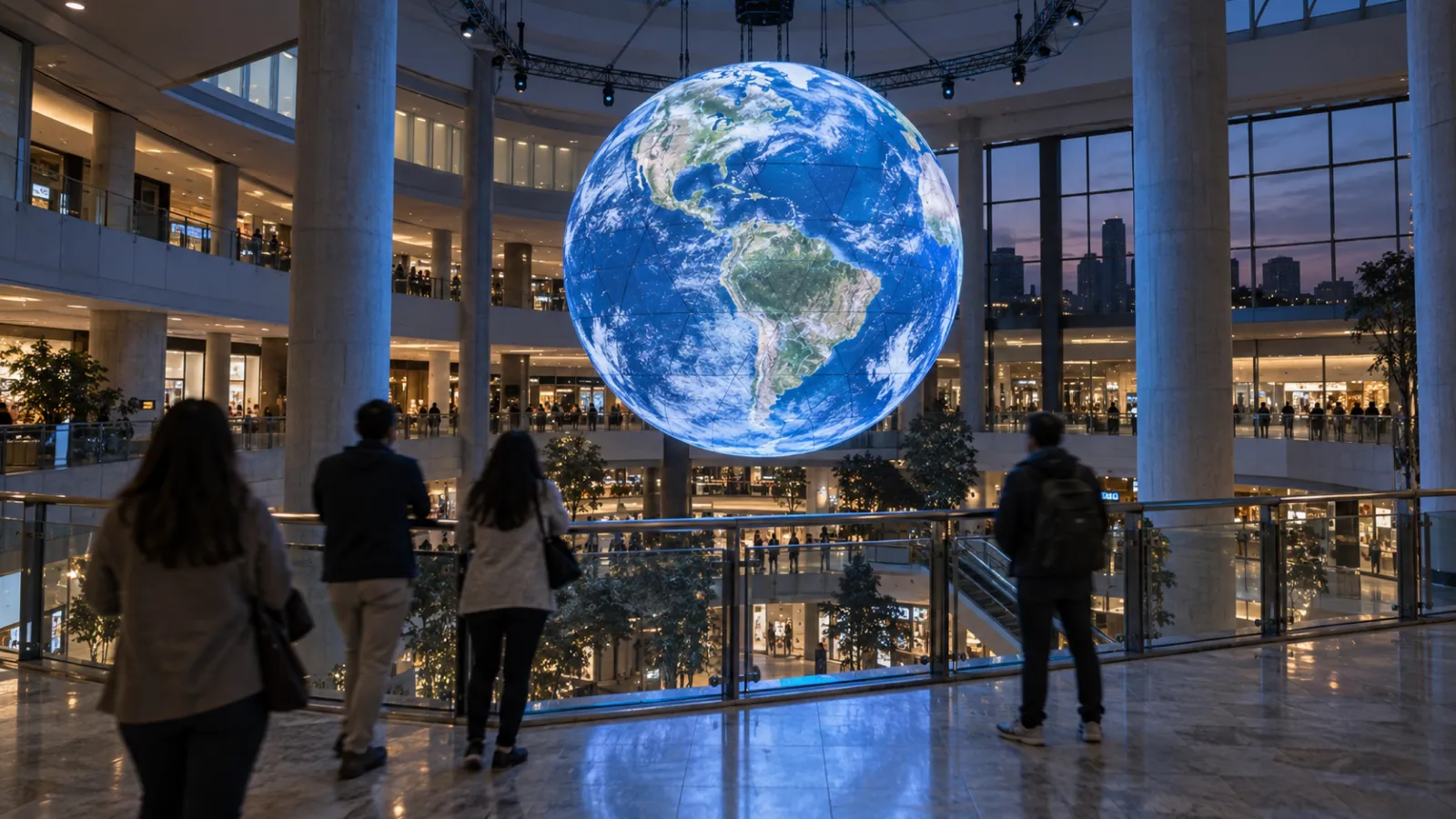
A spherical LED display is one of the easiest things in the world to fall in love with in a showroom and one of the hardest to specify correctly. The hardware quote arrives detailed to the panel: diameter, pitch, brightness, weight, mounting, lead time. Every number you could want is there. Then someone in the room asks what file the thing plays, and the conversation gets vague.
That gap is not a vendor failing. It is a scope boundary, and it sits in a predictable place. Konica Minolta's DYNAVISION-LED — spheres from one metre in diameter, domes from three, with delivery averaging eight to twelve months from order — publishes its own build sequence: design the dome, produce the panels, install the dome, install the video system, and then, fifth and last, "Optional: Produce the video."
Optional. That is the honest shape of the market. The hardware is a product with a lead time; the content is the only line on the list that arrives with a qualifier in front of it.
We write this as a studio that builds interactive installations and real-time 3D. We do not sell LED, we do not resell a media server, and we have no reason to tell you a panel is better or worse than it is.
Who this is for: Developers and facilities leads specifying a lobby or atrium globe, expo and event producers, retail and corporate marketing teams commissioning a centrepiece display, and the AV integrators who have to deliver content onto a surface with no corners.
Key Takeaways
- The pixel budget is ordinary, and pitch drives it more than size. A two-metre globe at 3mm pitch is around 1.4 million pixels, less than a 1080p screen. The same four-metre globe is 1.4 million at 6mm and about 8 million — a 4K screen — at 2.5mm. None of it is exotic, and none of it is your problem.
- The pixel map is the contract. Equirectangular is an intermediate format, not a deliverable. What the processor actually eats is a mapping specific to your panel layout, and it is almost never published on a spec sheet.
- Ask for the mapping file before the first frame is authored, not at delivery. This is the single most expensive thing to get wrong, and it is free to get right.
- Nobody can touch a four-metre globe hanging three metres up. Every touch-derived interaction pattern is off the table, which is why most spheres ship as playback devices.
- Interactive dome content already exists and has won awards — so the question is no longer whether it works, but which of the unsolved cases applies to you.
- A sphere is a map. Live data is the most under-used and most operationally robust content model for a globe, and it needs no sensors and no onboarding at all.
1. What the Hardware Quote Leaves Out
A globe or dome purchase splits into three things, and most quotes cover one and a half of them.
The hardware is well specified. Published sphere specifications run from half-metre units up to five metres and beyond, at pixel pitches from 2.5mm to 6mm, with indoor models around 1,000–1,500 nits at IP41 and outdoor models at 5,000 nits and IP66. Konica Minolta's line starts at one metre for spheres and three for domes. These are real, checkable numbers, and the structural load is the one your engineer will care about first — it scales with the square of the diameter.
The playback chain is usually in scope but rarely spelled out: which box drives the display, which signal it takes, who owns it after handover.
The content is the half that goes missing — not because anyone is hiding it, but because the vendor sells a surface and assumes someone else will fill it. If you have signed a purchase order and your plan for content is "we will sort that out later," later is where the schedule breaks.
1-1. Two shapes, one authoring problem
A convex globe is a screen you look at: seen from a distance, from any direction, by people who did not plan to look. A concave dome is a screen you sit inside: known sightlines, a committed audience, filled peripheral vision. They behave nothing alike commercially, and this guide is mostly about the first.
But they share the problem that makes both difficult: your content has no corners. No 16:9 frame, no rule of thirds, no safe title area, no top-right for a logo. Every compositional habit from flat-screen work is either useless or actively misleading.
1-2. What this guide covers, and what it cedes
This is a content and commissioning guide. It covers the formats a curved screen actually consumes, what to demand in writing before content starts, what works visually on a sphere, how to make one interactive, and how to test it on the real surface.
It is not a venue business case. For The Sphere in Las Vegas and the revenue argument for architectural-scale LED, see our casino and entertainment venue guide, which owns those examples. It is not a hardware or procurement guide: projectors, lumens, media-server tiers and the full bill of materials are broken down in the projection mapping cost guide, and project budget tiers live in the interactive installation cost guide. There are no cost figures anywhere in this article. And for the full sensor comparison across installation types, section 5 defers to the interactive point cloud guide rather than repeating its matrix.
2. The Pixel Map, Not the Resolution
The first instinct when specifying a sphere is to ask what resolution it is. It is the wrong question, and answering it is instructive.
2-1. Run the arithmetic
The pixel count of a sphere is its surface area divided by the area each LED occupies: π·d² ÷ p². A four-metre globe has about 50.3m² of surface — roughly 5.6 million pixels at 3mm pitch, about 8 million at 2.5mm.
| Globe | Approximate pixels | Roughly equivalent to |
|---|---|---|
| 2m, 3mm | 1.4 million | below 1080p |
| 2m, 2.5mm | 2.0 million | ≈1080p |
| 4m, 6mm | 1.4 million | below 1080p |
| 4m, 3mm | 5.6 million | between 1440p and 4K |
| 4m, 2.5mm | 8.0 million | ≈4K |
| 6m, 4mm | 7.1 million | ≈4K |
Two things fall out of this. Pitch matters more than diameter — the same four-metre globe is a sub-1080p job at 6mm and a 4K job at 2.5mm, because pixel count scales with the inverse square of pitch. And the whole range is ordinary display territory. A modern GPU is not troubled by any row in that table. If a conversation about your globe is dominated by rendering horsepower, the conversation is in the wrong place.
2-2. What the processor actually eats
Here is the part that is not on the spec sheet. A spherical LED display is not a lat-long grid of pixels. It is built from vertical gores or geodesic tiles, and the physical arrangement of LEDs does not correspond to any tidy projection. Between your file and the panels sits a processor — NovaStar and Brompton are the common names — holding a pixel map that says which pixel of your image goes to which physical LED.
That map is specific to your unit. It is the actual interface between content and hardware, and it is the thing you need.
Notably, the sphere vendors above publish diameters, pitches, brightness and IP ratings, and no required delivery format. One says only that its displays are "compatible with major design software." That is not evasion — public pages sell hardware, and the mapping is a per-unit project detail. But it does mean the format is something you have to ask for rather than something you can look up, which is exactly why section 3 exists.
2-3. Equirectangular is an intermediate, not a deliverable
Equirectangular — the 2:1 lat-long image familiar from 360° photography, longitude across, latitude down — is how you author, and often how you hand off. It is rarely what the processor consumes directly.
One practical warning that costs nothing to heed: an equirectangular image wraps. Its left edge is its right edge. Any filter with a spatial component — blur, glow, a graded vignette — must wrap too, or you will ship a hard vertical seam down the meridian and only discover it when the globe is lit. This is the most common first-timer bug in the category and it is entirely avoidable.
| Format | Shape | Consumed by | Delivery format? |
|---|---|---|---|
| Equirectangular | 2:1 rectangle | Authoring tools, 360 cameras, some processors | Often |
| Cubemap | Six square faces | Real-time engines, internally | Almost never |
| Dome master | Square, circular image inscribed | Fulldome playback systems | Yes, for domes |
| Vendor pixel map / UV template | Bespoke | Your specific LED processor | The real one |
3. Five Things to Get in Writing Before You Sign
If you take one section from this article into a meeting, take this one. None of it is exotic and all of it is cheap to ask for while you still have commercial leverage.
1. The exact delivery format and the mapping file. Projection type, precise pixel dimensions, frame rate, colour space, codec or image-sequence format, and the pixel map or UV template for your specific unit. Ask for it as a deliverable with a date attached, scheduled before content production begins rather than at content delivery. A content team that starts without it is guessing.
2. Which input signal and playback device is in scope. Is the vendor supplying the machine that plays the content, or the processor only? What signal does it take, and at what resolution and refresh? If the display expects a specific input topology, that constrains everything upstream of it.
3. Who owns the map after handover. Panels get replaced. Sections get serviced. When a gore is swapped, someone re-derives or adjusts the mapping. If that is the vendor, say so; if it is you, you have quietly adopted a maintenance obligation nobody priced. For a projected dome the equivalent question is who owns warp and blend calibration, which is a bigger commitment than it sounds.
4. A test-frame acceptance test on the real surface. Not a screenshot, not a render — content on the actual globe, under the actual lighting, before final acceptance. Section 8 describes what to send.
5. The content refresh path. How does new content get onto the display in eighteen months, who does it, and what does the format handshake look like the second time? A centrepiece display that cannot be economically updated becomes wallpaper within a year.
Working through a spec right now? If you have a hardware quote and a mapping spec in hand and want a straight read on what content that display can and cannot play, send them over. We will talk it through in a project discussion and work out whether we are the right fit.
4. What Content Actually Works on a Sphere
Curved surfaces are unforgiving of habits formed on rectangles. Four rules cover most of it.
4-1. The poles are not usable space
Equirectangular projection squeezes horizontally toward the poles: sampling density scales as 1/cos φ, so an element at 60° latitude is compressed twice as hard as one at the equator, and the top and bottom pixel rows each collapse to a single point.
The physical hardware compounds it. A suspended globe hangs from something, and that mounting occupies the north pole — frequently there are simply no LEDs there. Meanwhile the south pole, which nobody thinks about, is the part an atrium visitor standing underneath actually sees most of.
Keep primary content within roughly ±45–60° of the equator. Treat the poles as flat fields or radial patterns. Never put text or a logo there, and never animate an object across a pole.
4-2. Nobody ever sees half the sphere
From any finite viewing distance a person sees less than a hemisphere. There is always a back, and on an atrium installation the back frequently faces a wall.
Decide explicitly and early: either the piece has a declared primary viewing axis and is composed to it, or it is omnidirectionally coherent so any azimuth is a valid crop. Both are legitimate. What fails is not choosing — which produces a globe whose hero moment plays reliably on the side facing the service corridor.
4-3. Seams reward soft content
Panel edges exist, and brightness and colour drift slightly between them. Thin hard-edged lines, large flat fields of uniform colour and slow linear pans across a seam all expose it; soft fields, particles, organic motion and textured gradients hide it. Less a limitation to work around than a strong hint about what the surface is good at.
4-4. Text is a poor fit
Large, near the primary axis, brief, and never carrying information the experience depends on. If the piece needs a caption to work, the caption belongs on a wall panel or a phone, not wrapped around a curve.
5. Making It Interactive When Nobody Can Touch It
A four-metre globe hangs above head height. A dome is a ceiling. Every touch-derived interaction pattern in the rest of our installation catalogue is unavailable, which is the honest reason most spheres and domes ship as playback devices.
5-1. What already exists
It is worth being precise here, because the field is further along than most vendor conversations suggest.
Kinetarium, built by the Stuttgart studio halbautomaten, runs multiplayer fulldome games in which the audience's own phones are the controllers — visitors open a website, no app, and appear on the dome as rockets, fish or caterpillars. It took Best Interactive Experience at Dome Fest West 2025 for Cosmic Carousel, after winning the same category in 2024 for Smart Swarm, and the approach is documented in a peer-reviewed paper in the International Journal of Computing. Planetarium Berlin and Merseburg Planetarium appear among the venues giving testimonials.
The architectural detail matters more than the games: their software "is installed on the computer that controls the Fulldome projection," with audience input arriving over a server connection. Interactivity is not a layer you bolt on at the end — it has to live on the machine that drives the surface, which is a scoping fact, not a technical footnote.
Separately, Digistar — a Cosm Technology product, in over 700 planetariums, and the descendant of the first digital planetarium system from 1981 — offers Domecasting, described as live two-way interactivity between multiple domes and presenters. Worth reading carefully: that is presenter-to-presenter and dome-to-dome collaboration, not audience input. The incumbent platform solved live operator collaboration; audience participation is a different problem and a much newer one.
5-2. What is still unsolved
Three gaps follow directly from the above, and each is a real commissioning opportunity rather than a technology risk:
- Convex globes have nothing equivalent. Every audience-interactive example above is a concave dome.
- Non-astronomy venues have nothing equivalent. Lobbies, retail floors, expo pavilions and corporate atriums are not planetariums and do not have a planetarium's show machine, operator or content catalogue.
- Web-native onboarding at atrium density is unproven. A seated dome audience is a bounded, attentive group. A shopping-centre atrium is hundreds of strangers arriving and leaving continuously, on their own devices, with no one to explain anything.
5-3. Four models that work
A ring of cameras. This is the arrangement we would design around first for a globe, and it is the one most vendor conversations skip. A sphere has no front, so a single sensor only ever serves one side of it. Three or four cameras spaced around the piece give full azimuthal coverage, and a visitor's physical position then maps directly onto a surface longitude: stand on the north side, affect the north face. Nothing has to be explained to anybody, and there is no onboarding step at all.
Two practical notes that move the budget. Camera count buys coverage, not a headcount — a single depth sensor already tracks several people at once, so the ceiling on simultaneous participants is legibility on the surface, not hardware. And the expensive half of multi-camera tracking, re-identifying the same person across overlapping views, is usually unnecessary here: if the content responds to positions rather than identities, you take the union of detections in world space and skip it entirely.
The geometry trap is calibration — converting floor position into surface longitude means the sensor frames and the globe's mapping have to be solved together, and that step is easy to leave off a schedule. One environmental note: infrared depth sensing degrades in direct sunlight, so a glazed atrium usually points toward camera-based pose estimation rather than depth. Cameras in a public commercial space also need a defensible privacy posture — processing on device, no frame retention, no face recognition. For sensor selection, see the interactive point cloud guide.
Phone as controller. QR to browser to a socket connection — no app, no install, no queue. The audience's own device is the only input they are already carrying, which makes it the right tool for anything deliberate: voting, steering a shared camera, contributing a mark or a name, claiming a region of the globe. Costs: onboarding friction, venue Wi-Fi that has to hold up at density, and an absolute requirement that the piece degrade gracefully to ambient when nobody is connected — which is most of the time. The onboarding mechanics are the same ones covered in our no-app web campaign guide.
Live data. The most under-used model and the one a globe is literally shaped for, because a sphere is a map. Flight and transit movements, weather systems, ocean currents, energy or production figures, seismic and satellite feeds, live visitor counts. No sensors, no onboarding, no dependence on crowd behaviour — and the content is genuinely different every day, which is the cheapest available answer to content fatigue.
Operator driven. In domes this is the incumbent model, not an innovation: planetariums have run real-time engines under live presenter control for decades. Two consequences. The venue may already own the engine and the trained operator, which changes a build enormously. And the genuinely new move is not real-time rendering — it is putting audience input into a loop the venue already runs live.
5-4. Design for the crowd, not the individual
On a shared surface, one person driving a cursor means everyone else watches one person play. Aggregate models — vote, contribute, accumulate, tip a balance, claim territory — work socially and are far more forgiving technically. Reward a change of state rather than a pointer: a reveal, a threshold crossed, a vote resolving.
Sound is the other half of this. In an image with no centre of frame, there is no compositional way to direct attention; audio localisation is the cheapest and most reliable cue available, which makes it a design tool here rather than a finishing layer. Layout and scope belong to our sound design guide.
6. How It Gets Made: Real-Time Engine to Curved Surface
6-1. Render to a cube, resample to the target
The standard real-time path is not to render a distorted image directly. You render the scene six times into the faces of a cube map, then run a full-screen shader that reconstructs a direction vector for every output pixel and samples the cube: longitude and latitude for equirectangular, radius and azimuth for a dome master.
In Three.js — we are on 0.175 — the surface is CubeCamera and WebGLCubeRenderTarget, with fromEquirectangularTexture( renderer, texture ) for the reverse direction. General performance discipline applies as it does anywhere, and our Three.js performance notes and WebGPU migration guide cover the rest.
6-2. Two traps worth knowing before you budget
Single-pass fisheye by vertex distortion does not work. It is the obvious shortcut — distort vertices in the vertex shader and skip the cube entirely — and it fails because a non-linear projection requires straight edges to bend. A long straight edge with vertices only at its ends stays straight. Making it work needs heavy tessellation, which quietly ruins any low-poly geometry. Use the cube path.
Screen-space post-processing seams. Bloom, ambient occlusion, screen-space reflections and depth of field all sample neighbouring pixels, and at a cube-face boundary the neighbours are in a different face. The seams show. Do post-processing in the equirectangular or dome-master domain after resampling, or use padded faces.
6-3. Getting frames to the display
NDI over the network, Spout or Syphon on the same machine, or SDI and DisplayPort into the venue's box. Each adds latency, and the total is what the audience feels — not the number your engine reports.
6-4. A worked example: what porting our own installation would take
Rather than assert that our rendering work transfers, here is the actual accounting for a port we have scoped but not shipped.
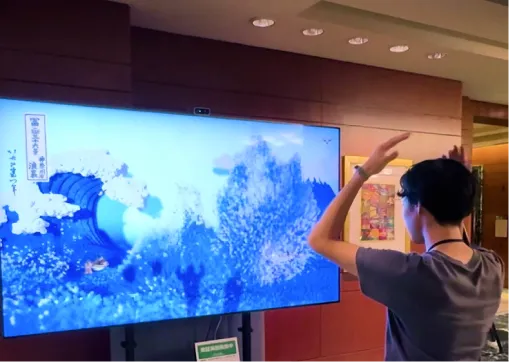
Our Hokusai installation at Expo 2025 Osaka is a WebGPU particle system — up to around a million particles advected through a custom fluid vector field — driven by a Kinect depth camera tracking up to six visitors at once, running unattended on a public floor for the duration of the Expo. It played on a 98-inch 4K display: one camera, one viewport, four corners.
Three things would change to put it on a globe. None of them is the simulation.
The camera. One perspective camera becomes a cube camera plus a resampling shader, then the vendor's pixel map. The fluid solver is untouched — it never knew what was looking at it.
The input. A Kinect skeleton — six bodies in one room — becomes a ring of cameras around the globe. Both resolve to the same operation: a force injected into the vector field at a position. The force model does not change.
This is the direction we would push first, and not only because it is the more literal transfer. A phone has no inherent position on a sphere. You have to invent one — assign a region, or let people drag. A body already has one. Someone standing on the north side of the globe pushes the north side of the wave, with no sign, no QR code and no Wi-Fi anywhere in the path. Phone control still earns its place as a second layer, for anything deliberate, over a surface that already responds to the room.
The boundary condition. This is the genuinely new work. The field has to be periodic in x so the current flows continuously across the meridian instead of stopping at an invisible wall, and the poles need defined behaviour — a sink, or a radial field — because they are a coordinate singularity, and on a globe the top one is a mounting point with no LEDs anyway.
On budget: a 4K display is 8.3 million pixels, and a four-metre globe at 2.5mm pitch needs about 8.0 million. The piece we already run unattended on a public floor is driving, to within a few percent, the pixel count a four-metre globe would ask for.
A fluid field also happens to suit the surface unusually well. It has no corners to compose to, no preferred axis, and its soft organic motion hides seams (section 4-3) — and it connects directly to the live-data model, since a sphere is a map and ocean and weather data are the native datasets for one.
7. If It Is a Dome Instead: What Changes
Concave venues share the authoring problem and almost nothing else.
The format is a dome master. Per the IMERSA content delivery specifications, that means a square frame with a circular equidistant-azimuthal fisheye image inscribed — standard sizes 1024², 2048², 3600², 4096² and up, with 180° the common field of view. The area outside the circle is black except for optional show name and timecode. Only circular dome masters are accepted.
"4K" means something different. A 4096² dome master is 16.8 million pixels of file, of which the inscribed circle — π/4, or 78.54% — is ever seen. You pay render time, storage and playback bandwidth on the square and the audience sees the circle.
Domes are below visual acuity, and that is the real constraint. 4096 pixels across 180° is about 22.8 pixels per degree; 8192 is about 45.5. The 20/20 standard is 60 pixels per degree, and a 2025 study in Nature Communications puts the foveal limit higher still, around 94. Even an 8K dome is comfortably below what the eye can resolve, which is exactly why fine text and dense star fields are the hardest things to deliver in one.
Render cost is real but smaller than folklore suggests. Five cube faces at half-resolution each come to roughly 1.25–1.5× the dome master's own pixel count. That is meaningful, not catastrophic.
The warp and blend layer is the venue's. Multi-projector domes carry a calibration and edge-blend system maintained by whoever installed it. If your deliverable is a dome master, you never touch it. If you take over the warp, you have adopted their projector alignment permanently. Decide which, in writing.
The zenith is not the sweet spot. This is the most common misreading of a dome. The centre of the fisheye is directly overhead, and as one fulldome production primer puts it, "the center is the hardest place in the dome to look at, and it's where people's necks start to hurt." The same guidance places the emotional centre of a shot around 40% out from the fisheye centre toward the edge, near the horizon band, where faces and detail read best. Content that belongs at the middle of a rectangular frame does not belong at the middle of a dome master.
Comfort is a production constraint. Established fulldome practice is to minimise cuts and keep camera motion slow, because motion is amplified when the screen surrounds the audience instead of sitting in front of it. Shot lengths run long by cinema standards.
Interactive content sits awkwardly against that, because the audience cannot anticipate motion they did not initiate — and in a room of two hundred, all but one of them didn't. Which gives the single most useful design rule in this article: let the audience steer what they see, not how they move.
8. Commissioning: The Test Frame and Acceptance
8-1. Build a test frame and fire it early
Before any finished content exists, send a diagnostic image to the real surface: a latitude and longitude grid, concentric rings, a legibility ladder of text at descending sizes, and one element that crosses every seam. Run it twice — as early as physical access allows, and again at delivery. Ten minutes of setup answers questions no amount of desk review will.
8-2. Flat-monitor previews lie
A textured sphere in a 3D viewport is a sanity check and nothing more. It cannot tell you about brightness in a daylit atrium, seam visibility at real scale, how the piece reads from the mezzanine versus the ground floor, or what the mounting hardware occludes.
8-3. Acceptance criteria worth writing down
- Measured end-to-end latency for any interactive element, with the measurement method stated
- Legibility of any text at the specified minimum viewing distance, on the surface
- Seam and panel-uniformity inspection against defined content types, including a slow pan and a flat field
- Defined behaviour on sensor dropout, network loss, and zero connected users
- Confirmed content refresh procedure, performed once before handover
8-4. Refresh cost is decided by architecture
Pre-rendered content means every change is a re-render. Real-time content whose behaviour is welded into the render path means every change is a rebuild. Real-time content with a general content layer means a change is a content project. That choice is made at the start, quietly, and it determines the cost of everything that follows.
Context:
- Surface type, diameter and pixel pitch: [fill in]
- Display technology: [LED panels / projection, projector count if known]
- Existing system or vendor, if any: [fill in]
- Content type: [pre-rendered / real-time / interactive]
Draft a request that asks for, at minimum:
- The exact delivery format expected and precise pixel dimensions
- Frame rate, colour space, and accepted codec or image-sequence format
- The pixel map or UV template for this specific unit, with a delivery date before content production starts
- Physical exclusion zones — mounting, service access, seams, springline
- Who owns the pixel map or warp-and-blend calibration after handover
- How content is ingested and played back, and by whom
- What a test-frame screening on the real surface would involve
9. Common Pitfalls
- Authoring in 16:9 and wrapping it later. A rectangle stretched onto a sphere is the most recognisable failure in the category.
- Leaving the mapping request until content is locked. The most expensive week in the project.
- Text at the poles. It always looks fine on the monitor.
- Buying one-to-one interaction on a dome. The latency chain will not support it and the acceptance test becomes an argument.
- Both sides silently assuming opposite answers on who owns the map. This gets decided by default, at the worst possible moment.
- Treating a globe as one image. It has a front, a back that may face a wall, and a top that may have no LEDs in it at all.
10. How to Get Started
- Classify the surface and get its mapping spec in writing — before content, with a date attached.
- Decide pre-rendered, real-time or hybrid before art direction, because it sets the refresh cost for the life of the installation.
- Fix the exclusion zones and the primary viewing axis into the design brief, not into a late revision.
- If it is interactive, pick a model from section 5-3 and write a latency budget against it.
- Build the test frame and get it onto the real surface as early as the schedule allows.
For structuring the brief itself, see our guide to briefing an interactive installation studio.
About Utsubo
We are an Osaka-based studio building interactive installations and real-time 3D experiences. Relevant to this category:
- Real-time GPU rendering — WebGPU and WebGL — held to a fixed frame budget on large-format displays
- Multi-camera and depth-based body tracking built for unattended, instruction-free public use
- Multi-user real-time web systems: the same discipline a phone-as-controller installation runs on
We have built real-time, sensor-driven installations for museum, expo and retail environments — every one of them on a flat, rectangular screen. We have not delivered a spherical or dome piece. The rendering and interaction layers port directly, as set out in section 6-4. What does not port is multi-projector warp and blend calibration on a physical dome, the comfort envelope of a filled peripheral field, and the physical commissioning of a suspended globe. On a first project we would work under the venue's existing calibration and processor vendor rather than claim that layer, and get content onto the real surface early in the schedule.
Let's Talk
If you are specifying a spherical or dome display and want a project discussion — including a straight read on what your hardware can and cannot play, and what the content path would actually look like — we are happy to talk it through and work out whether we are the right fit.
Checklist: Sphere and Dome Content Readiness
- Diameter and pixel pitch confirmed, and total pixel count calculated
- Delivery format and precise pixel dimensions obtained in writing
- Pixel map or UV template scheduled for delivery before content production starts
- Playback device and input signal confirmed as in scope or out
- Ownership of the pixel map, or of warp and blend, agreed after handover
- Physical exclusion zones documented — mounting, service access, seams
- Primary viewing axis declared, or omnidirectional coherence chosen deliberately
- Interaction model selected, with a latency budget written against it
- Test frame built and scheduled onto the real surface early, not at delivery
- Content refresh path and its cost agreed before commissioning
FAQs
What file format does a spherical LED display actually need?
It depends on the unit, which is why the delivery spec is the first thing to obtain. Content is usually authored equirectangular — a 2:1 latitude-longitude image — but that is an intermediate. What the LED processor consumes is a pixel map specific to your panel layout, because a sphere is built from gores or geodesic tiles rather than a tidy grid. Sphere vendors publish diameters, pitches and brightness but not a required delivery format, so it is something you request rather than look up. Ask for the mapping file before authoring a single frame.
Can a spherical or dome screen be interactive if nobody can touch it?
Yes, and it already is in places. Kinetarium runs multiplayer fulldome games driven by the audience's own phones through a browser, and took Best Interactive Experience at Dome Fest West in both 2024 and 2025. Four models work without touch, and the strongest for a globe is a ring of three or four cameras around it: a visitor's physical position maps straight onto a surface longitude, so standing on the north side affects the north face with no onboarding at all. The others are phone as controller, live data feeds, and operator-driven real-time. What is still largely unsolved is audience interactivity on convex globes, in non-astronomy venues, and with web onboarding at atrium footfall — which is where new commissions sit.
Is a 4K dome master the same thing as 4K video?
No. A 4K dome master is 4096 × 4096 — square, not 16:9 — with a circular fisheye image inscribed, and only that circle is projected: π/4, or 78.54% of the frame. You pay render time, storage and bandwidth on 16.8 million pixels while the audience sees about 13.2 million. Spread across 180° that is roughly 23 pixels per degree, against a 20/20 acuity standard of 60 and a measured foveal limit nearer 94. Even an 8K dome is below what the eye resolves.
Why does content look stretched at the top and bottom of a globe?
Because equirectangular projection compresses longitude toward the poles — horizontal sampling density scales as one over the cosine of latitude, so an element at 60° is squeezed twice as hard as one at the equator, and the top and bottom rows collapse to a point. Keep primary content within roughly ±45–60° of the equator, treat the poles as flat fields or radial patterns, and never place text or animate motion across them. On a suspended globe the top pole is usually a mounting point with no LEDs in it regardless.
Can we reuse our existing brand video on a spherical display?
Not directly, and attempting it produces the most recognisable failure in the category — a 16:9 rectangle stretched around a sphere. What does carry over is everything upstream of the final render: 3D scenes, generative and particle systems, brand palette, motion language and sound design. Those can be re-rendered into whatever projection the display expects. A finished flat edit cannot, because the framing decisions baked into it — a centred subject, a lower third, a safe title area — have no meaning on a surface with no corners. Plan to reuse the assets rather than the edit.
How often will content on a spherical display need replacing?
That is decided by architecture more than by taste. Pre-rendered content means every change is a re-render. Real-time content whose behaviour is welded into the render path means every change is a rebuild. Real-time content with a general content layer means a change is a content project — the only one of the three that stays affordable over the life of the installation. The cheapest answer to content fatigue is a live data feed, because a globe driven by weather, transit or production data is different every day without anyone touching it. Agree the refresh path before commissioning, not after the piece starts reading as wallpaper.
Have you delivered a spherical or dome installation before?
No. We have built real-time, sensor-driven installations on flat screens — including a roughly million-particle WebGPU piece driven by depth-camera body tracking, running unattended at Expo 2025 Osaka — plus custom particle and Gaussian splat renderers. Section 6-4 sets out exactly what a sphere port would involve: a camera change, an input change, and a periodic boundary condition, with the simulation untouched. What does not transfer is on-dome warp and blend calibration, the comfort envelope of a filled peripheral field, and physical commissioning of a suspended globe. On a first project we would work under the venue's existing calibration vendor and get content onto the real surface early.


 Osaka Interactive Installation Studio