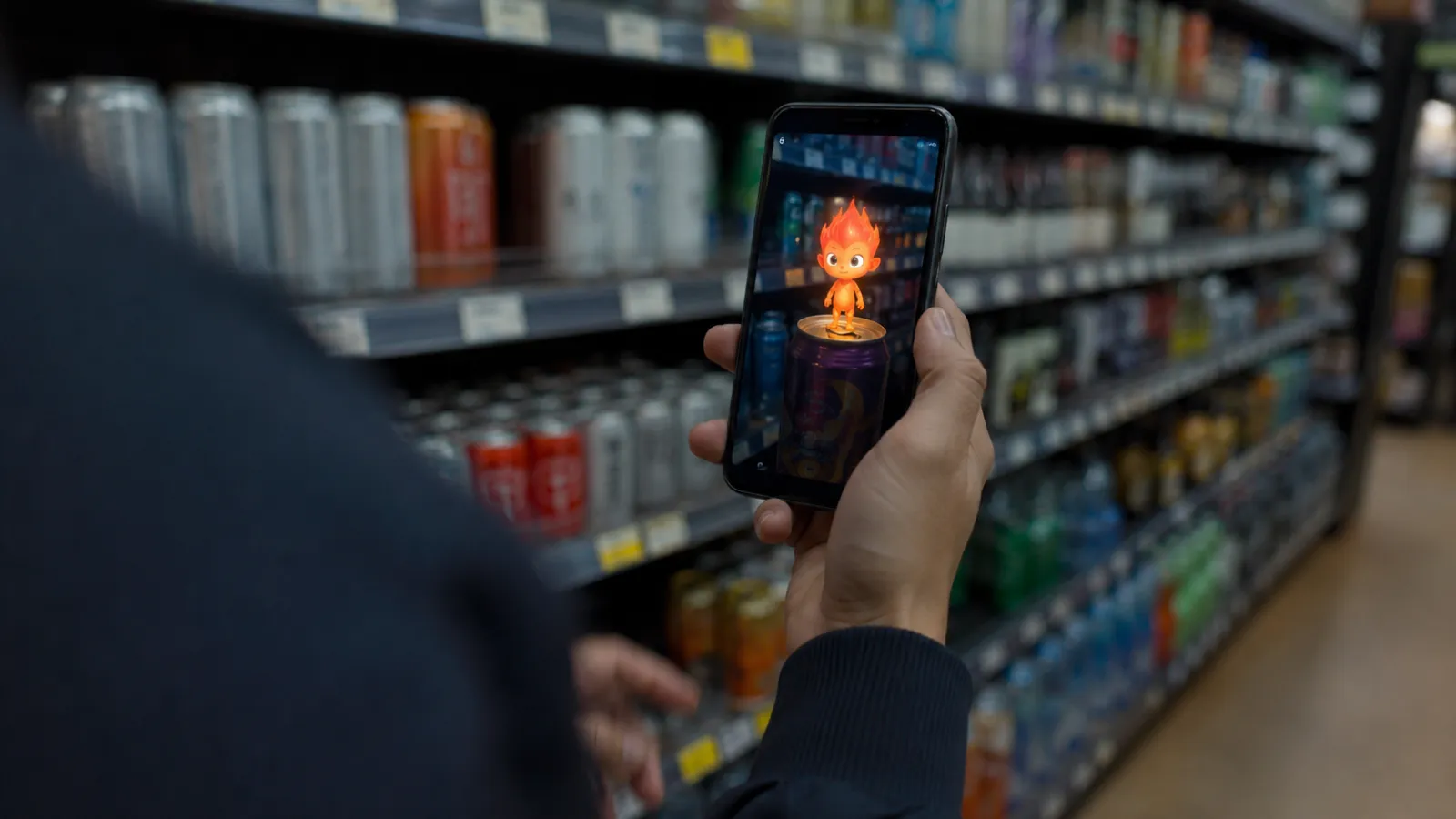
Web AR is augmented reality that runs in the phone's browser — no app, no store listing, no download. Someone points their camera at a QR code on a can, a poster, or a shelf edge, and the experience is already running. That gap between "scan" and "playing" is about two seconds, and it is the entire reason Web AR outperforms app-based AR for campaigns. A branded app asks for a download from someone standing in a supermarket aisle. A URL does not ask for anything.
This guide is written for the people who commission that work. What Web AR can and cannot do in 2026, which vendors are still standing — the default recommendation of the last five years shut down this year, which most guides have not caught up with — what the four campaign patterns look like with named examples, how the production actually runs, what it costs, and the specific ways these campaigns fail.
One thread runs through all of it: static 3D is something you look at. Interactive AR responds to the person holding the phone. The response is the part that gets shared, and it is the only part that justifies the budget.
Who this is for: CMOs, brand and campaign planners, and digital producers evaluating augmented reality for a product launch, packaging activation, retail promo, or event — and agencies scoping and budgeting a Web AR build for a client.
Key Takeaways
- Web AR is browser AR: a QR code or link, then camera. No app install, no store review cycle, no download step to lose people at. That single property is why it wins for campaigns, where the audience is a stranger with no reason to install anything.
- The platform layer changed in 2026. 8th Wall — the default recommendation across this entire category — ended edit access in February 2026, shut down its hosted services in March, and goes fully offline in early 2027. Its open-source successor ships without SLAM, VPS, Maps, or hand tracking. Any guide still recommending it as your default is out of date.
- There are now three vendor families, not two: commercial platforms (ZapWorks, palanAR/STYLY WebAR), open-source camera+ML libraries (MindAR, the 8th Wall MIT release), and platform viewers (iOS AR Quick Look, Android Scene Viewer,
<model-viewer>). Picking the wrong one is the most expensive mistake in the brief. - Four campaign patterns cover almost everything: packaging scan, try-on, event layer, and outdoor/OOH activation — each with different tracking needs and wildly different production cost.
- Budget follows the premium-website ladder: roughly $20K–$50K for a single activation, $50K–$100K for a multi-touchpoint campaign, $100K–$200K+ for a flagship — plus a $15K–$80K custom-3D adder and +30–50% per extra language.
- The measurement that matters is scan-through, dwell, completion, and share rate — not impressions. And the failure modes are boringly consistent: assets too heavy, iOS behaving differently, and AR commissioned because it sounded innovative rather than because it did anything.
1. The QR-to-Camera Moment
1-1. Why zero download beats app AR for campaigns
App-based AR has better tracking, better performance, and access to the full native AR stack. It also has a fatal property for campaign work: it asks a person who has never heard of your campaign to visit an app store, download 200MB, create an account, and come back to the aisle where they were standing. That drop-off happens before anyone sees a single frame of your creative.
For a product you own — a loyalty app with an installed user base — native AR is the right call, because the install already happened. For a campaign, the install is the biggest cost, paid in lost audience rather than in cash.
The trade is real: you give up some tracking quality and some performance ceiling. Section 2 is exactly what you give up.
1-2. What "no app" actually buys you
The download isn't the only thing that disappears.
- Every physical surface becomes a trigger. A can, a poster, a shelf wobbler, a receipt, a ticket. Anything you can print a QR code on is a campaign entry point, so your existing media buy doubles as AR distribution at no extra media cost.
- No app store review sitting between your creative team and a launch date locked with a retailer six months ago.
- The link is the asset. App AR can only be shared as a recommendation to go install something; Web AR is shared as the thing itself.
- You can fix it live. A bug found on day two of a four-week campaign is a deploy, not a resubmission.
- Analytics are just web analytics — scan, load, interaction, and share land in the tools your team already reads. See §8.
The sharing point is where the editorial line matters. A Web AR experience that renders a nice model and does nothing is a link nobody sends anyone. One that reacts — to a face, a gesture, a room, a correct answer — produces a moment the user made happen, and that is the thing they screenshot.
2. What Web AR Can and Can't Do in 2026
2-1. The capability set
Five capabilities cover essentially all campaign work:
- Image targets. The camera recognizes a specific printed image — packaging, a poster, a label, a page — and anchors content to it. Cheapest, most reliable, works on effectively every phone. The workhorse of packaging campaigns.
- Face tracking. A mesh fitted to the user's face, deforming with expression. Filters, try-on for eyewear and beauty, character transformations. Mature and browser-viable; MindAR alone exposes 52 facial blendshapes.
- Hand tracking. Gesture-driven interaction. Real but the least reliable of the set in a browser, and notably absent from the open-source 8th Wall release — check availability before you design around it.
- World tracking (SLAM). Content anchored to the room, holding position as the user walks. This is what makes something feel placed rather than stuck to the screen. It is also the capability that got most affected by the 2026 vendor shakeup.
- Portals and world-scale scenes. A doorway into a branded environment the user physically walks into. Built on world tracking, and the strongest "this is worth sharing" format when it works. If the branded world is meant to persist beyond the campaign rather than live for four weeks, it stops being an activation and becomes a digital twin or brand showroom — a different build with a different budget.
Product try-on and view-in-room also run in Web AR, but as an e-commerce format they belong to a different conversation — the interactive retail on the web guide covers try-on, configurators, and view-in-room as conversion tools on a product page. This guide stays on campaigns.
2-2. The hard limits
Four constraints that should be in the brief, not discovered in QA:
iOS does not expose the immersive WebXR AR mode in Safari. Browser AR on iPhone is delivered either through the camera-plus-machine-learning route (a library reading the video stream directly) or through Apple's own AR Quick Look viewer with a USDZ file. This shapes vendor choice more than any other single fact. The spec status is tracked in the frontier web APIs guide; no need to restate it here.
Lighting and occlusion are approximations. Browser AR generally cannot make a virtual object convincingly disappear behind a real one, and its lighting estimate is a guess. Design for content that reads as deliberately graphic rather than content trying to pass as physically present. Fighting this costs a lot and still loses.
Nothing persists. Close the tab and the session is gone. Anything that must survive — a collected item, a sweepstakes entry, a saved photo — has to be written to a backend or handed to the user as a file. Multi-visit mechanics need real infrastructure behind them.
You are on someone's actual phone, on cellular, in a shop — not on the studio's test device on office Wi-Fi. Every capability above is capped by that reality, which is why §6 treats the device QA matrix as a deliverable rather than a phase.
3. The Platform Layer Just Collapsed
This is the part most guides published before mid-2026 get wrong, and it changes vendor selection completely.
3-1. What happened to 8th Wall
8th Wall was the default professional Web AR platform for most of a decade — acquired by Niantic in 2022, and the engine behind a large share of the award-winning browser AR campaigns of the last five years.
It is being wound down. Per Road to VR's March 2026 report: edit access and new account creation ended in February 2026; the hosted services — user logins, the cloud editor, and the web-based XR Studio — were shut down in March 2026; and the engine was released as open source under an MIT license.
The critical detail is what the open-source release does not include: SLAM, VPS, Maps, and hand tracking are all excluded. What ships is Face Effects, Image Targets, and Sky Effects, plus the core architecture. Existing hosted projects continue running only until early 2027, after which they go offline permanently.
Read that against a real campaign. OREO's "The SuperMarcade" with PAC-MAN — a Webby and Cannes Lions winner, and one of the most technically ambitious browser AR activations ever run — turned supermarket aisles into a playable PAC-MAN maze, using SLAM and VPS-driven indoor positioning against a point-cloud digital twin of the store to place shoppers to within centimetres. It ran on 8th Wall, with no app: scan a QR code and a trail of AR cookies appears down the aisle.
That campaign could not be rebuilt on the open-source successor. SLAM and VPS are precisely the two capabilities the MIT release drops. The flagship reference case for the category is now, in its original form, unbuildable on the platform that made it.
3-2. What this means inside a campaign brief
None of this makes Web AR a bad bet — the browser-AR audience is unchanged and the cheaper tracking types are unaffected. It makes vendor risk a line item, which it never used to be.
Three things to put in writing before anything is commissioned:
- Who hosts it, and until when? A campaign is short; the case-study page, the portfolio, and the award submission are not. Get the hosting term in the contract with an end date and an export path.
- Which capabilities does the creative actually depend on? If the concept needs world tracking, your 2026 shortlist is much smaller than the blog posts suggest. If it needs only image targets — as most packaging work does — you have plenty of options and can ignore the drama.
- What is the exit? MIT open source is genuinely good for continuity: you can host and maintain it yourself indefinitely. But "we can self-host it" means someone is now responsible for it. Name them, or pay a commercial vendor for not having to.
4. The Three Families (It Used To Be Two)
4-1. Commercial platforms
Hosted, supported, with editors and SLAs. ZapWorks (Zappar) is the main international option still standing at full capability — its documentation covers image, face, and instant world tracking at 30fps in the browsers already on people's phones, with SDKs for Three.js, PlayCanvas, Babylon.js, and Unity.
In Japan, palan moved decisively into the vacuum. In January 2026 it announced a next-generation domestic Web AR stack — a code editor, its own SLAM engine, and the existing no-code tool — explicitly positioned as a platform 「特定の海外プラットフォームに依存しない」 ("not dependent on any specific overseas platform"), with enterprise SLAs and a commitment to track future OS, browser, and device updates. The tool now operates as STYLY WebAR. A domestic vendor building its pitch around not depending on foreign platforms, in the same year the dominant foreign platform shut down, is the market pricing in exactly the risk in §3-2.
- Choose when: you need world tracking, support with a phone number, or an SLA — or the campaign is large enough that vendor stability outweighs licence cost.
4-2. Open-source camera + ML libraries
You own the code and the hosting. MindAR is the most widely used: MIT-licensed, pure JavaScript, GPU-accelerated via WebGL with web workers, image and face tracking, 52 facial blendshapes, and direct Three.js integration.
Be clear-eyed about maintenance. Its documentation describes it as the only actively maintained web AR SDK with commercial-comparable features, but its latest tagged release is v1.2.5, from January 2024. For image and face targets that is largely fine — the problem is well-solved and the browser APIs underneath are stable — but you are adopting a codebase, not buying a service. The 8th Wall MIT release sits in this family too, with the same caveat and the capability gaps from §3-1.
- Choose when: image or face targets are enough, you have engineering capacity, the campaign runs long or must be archived indefinitely, or licence costs don't fit the budget.
4-3. Platform viewers
Not really "AR development" — you hand the operating system a 3D file and it opens its own AR view. iOS AR Quick Look takes USDZ; Android Scene Viewer takes glTF/GLB. Google's <model-viewer> web component wraps both: it accepts glTF/GLB, exposes an ar-modes priority list of webxr, scene-viewer, and quick-look, and will generate a USDZ on the fly if you haven't supplied one.
The limits are real and worth knowing before you promise anything: Scene Viewer plays only the first animation in a file, on loop, and you get the OS's interface, not yours — no custom UI, no game logic, no branding around the object, and no analytics inside the AR view.
- Choose when: the goal is "let people place this object in their space," full stop. It is dramatically cheaper than everything else and, for a large share of briefs, entirely sufficient. Ask whether it is before commissioning a custom build.
4-4. Decision table
| Campaign need | Family | Why |
|---|---|---|
| Packaging or poster scan, branded interaction | Commercial platform or open-source library | Image targets are well-supported everywhere; pick on support vs. cost |
| Face filter, try-on, character transformation | Commercial platform or MindAR | Face tracking is mature in both |
| Content anchored to a room, portals, walkable scenes | Commercial platform | World tracking/SLAM is where the open-source options are thinnest post-2026 |
| Venue-scale positioning, indoor navigation | Commercial platform, verified capability-by-capability | VPS-class features did not survive into open source |
| "Place this product in your room," no custom UI | Platform viewer (<model-viewer>) | Cheapest path by an order of magnitude; often enough |
| Long-lived or archival experience | Open-source, self-hosted | No vendor to outlive it |
5. Four Campaign Patterns, With Real Examples
5-1. Packaging scan
The product is the trigger. Point the phone at the pack, content appears anchored to it. Image tracking, cheapest tier, and the strongest fit for FMCG because the media placement is already paid for and already in the customer's hand.
Two named examples show the range.
OREO × A Minecraft Movie (Saatchi & Saatchi Düsseldorf for Mondelez, 2025) built the mechanic into the product itself. The film's world contains no round objects — so, per the campaign's trade coverage, players had to bite the round cookie into a square first, then scan the square cookie to open a portal into a world of film items redeemable for real rewards, with a Warner Bros. studio trip as the top prize. The AR wasn't decoration on the packaging; eating the product correctly was the interaction.
Kirin's 淡麗グリーンラベル × Mrs. GREEN APPLE「Mrs. Green Label Camera」 (June 22 – July 21, 2026) is a cleaner illustration of the no-app property. Per Kirin Beer's release, buyers visit a special site, tap START, and point the camera at the can — three roughly 5cm band members appear and perform, in one of six variants served at random. No app, no account. The randomized variants are the smart part: six outcomes turn one scan into a reason to scan again and to compare with friends.
5-2. Try-on and product preview
Face or world tracking previewing the product on the user or in their space. As a campaign pattern this is a launch or hype mechanic — try the limited colorway, wear the collab. As a conversion tool on a product page it's a different discipline with different metrics, covered in the interactive retail guide, and the fidelity question — how photoreal the product has to look before try-on helps rather than hurts — is covered in the photorealistic 3D for the web guide.
If the campaign puts the user into the output rather than the product onto the user, the closer reference is the personalized avatar installations guide — same underlying insight, that a personalized artifact gets shared far more than a generic one.
5-3. Event and venue layer
AR content anchored to a physical venue — a stadium concourse, a festival, a store, an expo hall. The audience is already present and already motivated, so scan-through rates are the highest of any pattern; the technical demands are also the highest, because it usually needs world tracking or venue-scale positioning.
OREO × PAC-MAN (§3-1) is the high-water mark: a supermarket turned into a playable maze via QR scan. It is also the cautionary tale — verify that the positioning capability your concept assumes still exists at your chosen vendor before the creative is approved.
If the venue moment is better served by physical hardware than by phones, the pop-up and event installation guide covers that comparison, and the retail installation guide covers the in-store equivalent.
5-4. Outdoor and OOH activation
A QR code on a poster, billboard, or transit panel converts a passive impression into an interactive session. The media is already bought; AR is the upgrade.
Vodafone's GigaKombi campaign ran this pattern on giant posters in Hamburg, Frankfurt, and Stuttgart in September 2023. Per the media owner's account, passers-by scanned the QR code on the poster, entered a browser AR experience exploring what was in the product bundle, and were automatically entered into a sweepstakes for devices. The structural insight is the one worth stealing: the billboard's job stops being communication and becomes distribution.
Be honest about the constraints. Outdoor scans happen in daylight glare, on cellular, often while walking, frequently at distance from the poster. QR placement height, code size, and a sub-three-second first frame matter more here than the sophistication of the 3D.
Context:
- Brand and campaign objective: [fill in]
- Trigger surface (packaging / poster / in-store / event / link only): [fill in]
- What we want the user to see and do: [fill in]
- Where and when they'll encounter it (indoors/outdoors, dwell time available): [fill in]
- Campaign duration and any print lead times already locked: [fill in]
- Rough budget range: [fill in]
Please help me:
- Identify which tracking type this concept actually requires (image / face / hand / world) and whether that's the cheapest option that delivers the idea
- Say whether the experience responds to the user or just displays something at them — and if the latter, propose what could make it respond
- Flag anything that assumes a capability that may not be available from a stable vendor in 2026
- Name the most likely reason this campaign underperforms, and what to change now
6. The Production Pipeline
Four stages. The order matters, because the expensive mistakes come from doing them out of sequence.
1. Interaction design first, not the 3D asset. Decide what the experience does in response to the user before anyone models anything. Skipping this is how campaigns end up as an expensive floating logo. Concretely: what does the user do, what changes because they did it, and what do they walk away holding — a photo, a code, a score, an entry?
2. 3D asset production, built to a weight budget. Web AR assets are not film assets or even website assets. They are downloaded over cellular by someone standing in a shop, so the budget is set in kilobytes before modeling starts, and polycount, texture resolution, and compression are all negotiated against it. Assets built for a website or a render usually need rebuilding for AR — plan the conversion rather than assuming it.
3. Tracking setup. For image targets, the artwork must be trackable: high feature detail, asymmetric, good contrast. Large flat color fields and clean minimal packaging track badly, which is a genuine conflict with most premium brand design. Test the actual artwork for trackability before the packaging goes to print. This is the highest-leverage hour in the project.
4. QA across a real device matrix. Not "we tested it on an iPhone." A written matrix of iOS and Android, recent and three-year-old hardware, Safari and Chrome, plus in-app browsers — a large share of campaign traffic arrives through Instagram, LINE, or a QR reader's embedded browser, which behave differently from the real thing. Add cellular throttling and, for outdoor work, actual daylight.
On print lead times. If the trigger is printed, the artwork locks months before launch, so trackability testing has to happen before that lock rather than during AR development. A campaign that discovers its packaging doesn't track after the print run has no fix available at any price.
7. What It Costs
Web AR campaigns sit on the premium-website cost ladder. They are high-fidelity, integrated browser builds, not a separate category — the same ladder the interactive retail guide and the premium website cost guide use.
| Scope | Range | What it covers |
|---|---|---|
| Single activation | $20K–$50K | One trigger (a pack, a poster), one AR scene, custom interaction, landing page, QA |
| Multi-touchpoint campaign | $50K–$100K | Several triggers or SKUs, richer interaction and game logic, backend for entries or sharing, broader QA |
| Flagship | $100K–$200K+ | World tracking or venue-scale positioning, multi-market rollout, sustained performance engineering |
Adders that move the number more than the tier does:
- Custom 3D/WebGL production: +$15K–$80K, depending on asset count and fidelity. On most campaigns this is the largest single variable.
- Each additional language: +30–50%. Not just copy — retriggering, re-QA, and often different artwork per market.
- Ongoing hosting and maintenance, if the experience outlives the campaign. Web work runs 15–20% of build value per year.
What actually drives you up the ladder: tracking type (image is cheapest, world tracking substantially more), number of trigger surfaces, whether anything must persist server-side, market count, and the breadth of the device QA matrix. What does not drive cost meaningfully is the visual sophistication of a single scene — one beautiful scene is far cheaper than fifteen mediocre ones.
8. Measuring a Web AR Campaign
The advantage of the browser is that measurement is just web measurement. The discipline is picking metrics that mean something.
- Scan-through rate — scans divided by estimated exposure. The honest read on whether the trigger placement and call to action work. A media and packaging design question far more than an AR question.
- Load completion — the share of scans that reach a running experience. Where heavy assets show up as lost audience, and the number to optimize first, because everything downstream is gated by it.
- Dwell time — how long the AR session lasts. The clearest signal of whether the interaction is actually interactive.
- Interaction completion — the share who reach the designed end state: caught the thing, answered the question, took the photo, redeemed the code. The number that separates a campaign from a demo.
- Share and capture rate — photos saved or shared, links forwarded. The return on the "does it respond?" question. Experiences that produce a personal artifact share at a completely different rate than experiences that produce a view.
- Downstream action — entries, redemptions, store visits, product page sessions. Only meaningful if designed in from stage 1 of §6.
Two cautions. Be sceptical of the benchmark numbers circulating in this category: much of the published Web AR performance data comes from vendor blogs citing unnamed brands, which is not evidence you can plan against — instrument your own first campaign properly, because it's your only reliable benchmark. And don't promise sales lift from an activation whose actual job is attention and shareability.
9. Five Ways Web AR Campaigns Fail
The assets are too heavy. The most common failure by a wide margin. The user is on cellular in a shop, and they will leave before your beautiful scene has downloaded. Set the weight budget before modeling, not after.
iOS wasn't planned for. Browser AR on iPhone follows a different path than on Android, and in-app browsers add another layer of variation. Teams that build on Android and test iOS at the end reliably lose a week they didn't budget and ship something degraded.
AR for AR's sake. A logo that floats and rotates when scanned is not an experience — it's an expensive image with extra steps in front of it. The test: what does it do because the user did something? If there's no answer, either add one or spend the money elsewhere. This is the difference between 3D you look at and AR that responds, and it's the difference between a campaign that gets shared and one that gets a polite screenshot from the client's team and nobody else.
Vendor lock-in nobody priced. 2026 established this as a real risk rather than a theoretical one. Ask who hosts it, until when, what happens at the end, and whether your concept depends on a capability that only one vendor still offers.
The trigger was printed before it was tested. Packaging and OOH artwork locks months ahead. If nobody tested trackability before the lock, you find out on launch day, and there is no fix.
10. About Utsubo
Utsubo is a creative-technology studio specializing in real-time 3D on the web and interactive experiences. We build WebGL/WebGPU brand experiences with production-grade performance engineering — our own IVRESS brand experience, a cinematic WebGPU site with a WebGL fallback and TSL shaders across both backends, was named FWA Site of the Month and recognized by the CSS Design Awards.
For campaign work specifically, we treat the weight budget and the device matrix as design constraints rather than QA problems — an AR experience that doesn't load on a three-year-old Android in a supermarket is not an AR experience. We also build the surrounding pieces most Web AR briefs eventually need: the 3D asset pipeline, the landing experience, and the persistence layer behind entries and shared artifacts. And we're direct about when a brief doesn't need custom AR at all, because a platform viewer would do the job for a fraction of the budget.
If you need a real-time 3D partner who ships browser experiences that work on real phones, that's the work we do.
11. Let's Talk
Planning a Web AR campaign? We work with brands and agencies on browser-based AR for packaging, retail, events, and outdoor activations.
If you're exploring a partnership, let's discuss your project:
- What you're launching and the constraints you're working with
- Which tracking approach and vendor family actually fit the concept
- Whether we're the right fit to help you execute
12. Checklist
- Defined what the experience does in response to the user, not just what it displays
- Confirmed the campaign genuinely needs AR rather than video or a good landing page
- Identified the minimum tracking type that delivers the idea (image / face / hand / world)
- Checked that tracking type against vendors still offering it at full capability in 2026
- Asked every vendor who hosts it, for how long, and what the export path is
- Evaluated whether a platform viewer (
<model-viewer>/ Quick Look / Scene Viewer) would suffice - Set a kilobyte weight budget before 3D asset production started
- Tested trigger artwork for trackability before packaging or OOH print lock
- Written a device QA matrix including old Android and in-app browsers (Instagram, LINE)
- Instrumented scan-through, load completion, dwell, interaction completion, and share rate
- Planned what persists after the session — photo, code, entry — and where it's stored
- Budgeted languages, hosting term, and post-campaign maintenance
FAQs
What is Web AR?
Web AR is augmented reality that runs in a phone's web browser instead of in a native app. The user opens a link or scans a QR code, grants camera permission, and the experience runs immediately — no app store, no download, no account. It's the delivery method of choice for brand campaigns because the audience is usually a stranger who has no reason to install anything.
How is Web AR different from app-based AR?
App AR has better tracking, better performance, and full access to the device's native AR stack, but it requires a download before anyone sees anything — and requiring an install is widely reported to cut campaign engagement dramatically. Web AR trades some tracking quality and performance ceiling for near-zero entry friction. For an app you already own with an installed user base, native AR makes sense; for a campaign aimed at people who don't know you yet, Web AR almost always wins.
Do users need to download an app for Web AR?
No. That's the defining property. They scan a QR code or tap a link, allow camera access once, and the experience runs in the browser they already have. The only interruption is the camera permission prompt, which is why the landing screen should explain what's about to happen before requesting it.
What can Web AR actually do in 2026?
Image targets (recognizing printed packaging, posters, or labels), face tracking (filters and try-on, with fine-grained expression capture), hand tracking (least reliable of the set), world tracking or SLAM (content anchored to a room), and portals into branded environments. What it does poorly is occlusion and physically accurate lighting, and nothing persists after the tab closes unless you build a backend for it.
Is 8th Wall still available for Web AR campaigns?
Not as a hosted platform. Niantic ended edit access and new account creation in February 2026 and shut down the hosted services — logins, cloud editor, and XR Studio — in March 2026, with existing hosted projects going offline in early 2027. The engine was open-sourced under an MIT license, but that release excludes SLAM, VPS, Maps, and hand tracking. If a proposal still assumes 8th Wall as the default platform, it was written against outdated information and the capability list needs re-checking.
What does a Web AR campaign cost?
It sits on the premium-website ladder: roughly $20K–$50K for a single activation with one trigger and one AR scene, $50K–$100K for a multi-touchpoint campaign with richer interaction and a backend, and $100K–$200K+ for a flagship with world tracking or multi-market rollout. Add $15K–$80K for custom 3D production and 30–50% per additional language. The biggest cost drivers are tracking type, asset count, and the breadth of the device QA matrix.
When should we not build Web AR?
When the concept doesn't respond to the user — if the AR just displays a floating object, a video does the same job for far less. When the trigger artwork can't be tested for trackability before it goes to print. When the audience is on old devices and poor connections and the assets can't be made light enough. When the concept depends on a capability no stable vendor still offers. And when the only reason is to look innovative — that reason has never paid back, and it's the reason most often given.


 Technology-First Creative Studio